> ## Documentation Index
> Fetch the complete documentation index at: https://docs.lumi.new/llms.txt
> Use this file to discover all available pages before exploring further.

# Functions

> Leverage Lumi's backend functions to process data, handle business logic, and integrate external services—unlocking full server-side capabilities and seamless integrations.

## Easy to create

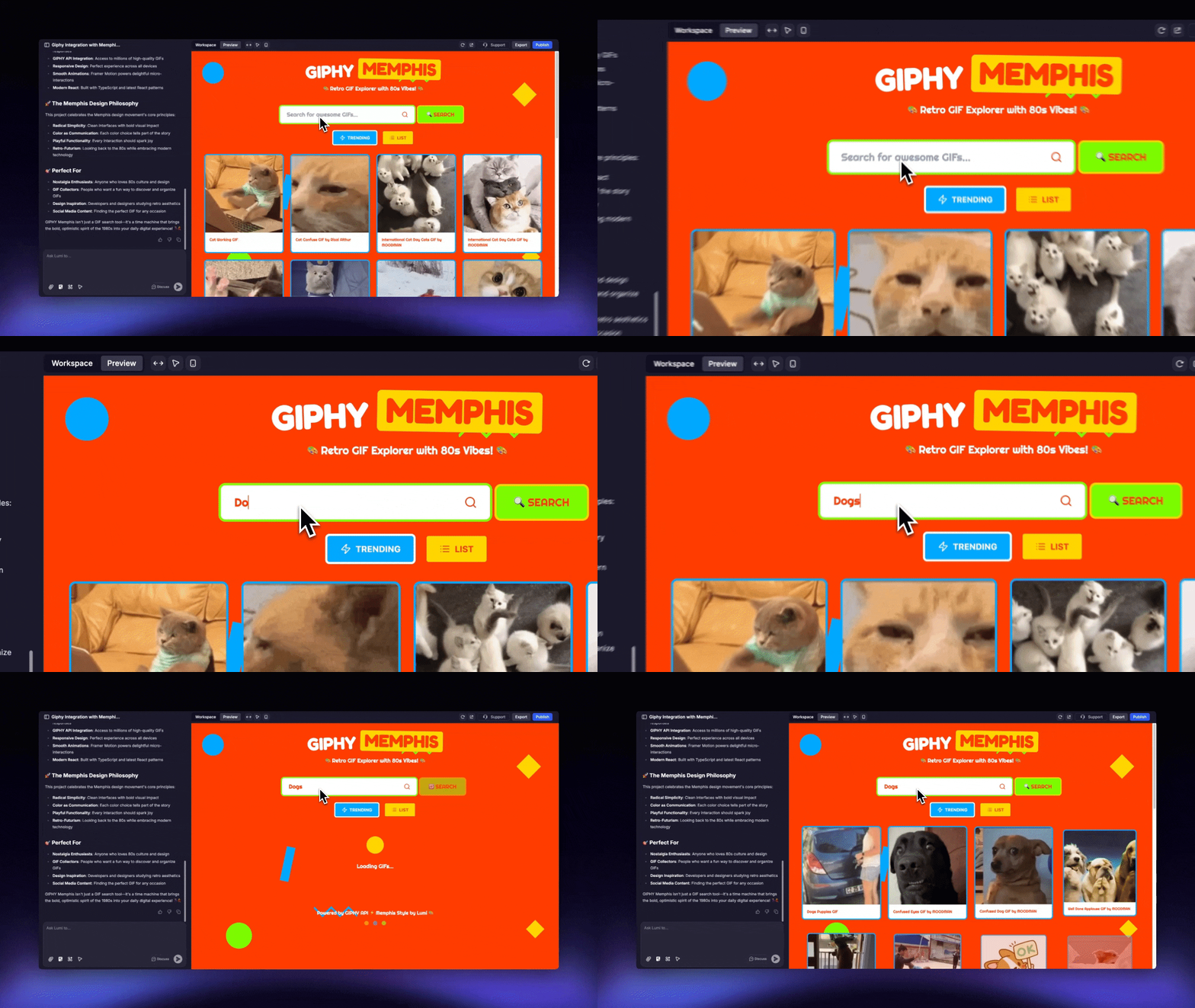
Effortlessly generate functions by describing them in the Lumi chat.
<img src="https://mintcdn.com/blockdance/Zybg51vOq0ubsckj/images/Area.gif?s=dc86c725539961206058c2d5aef632c7" alt="Area Gi" width="1280" height="720" data-path="images/Area.gif" />

<Steps>
  <Step title="Describe the Function">
    Directly describe the function you want to implement, for example:

    ```mdx theme={null}
    I want to create a GIF sharing platform based on GIPHY's services.
    ```
  </Step>

  <Step title="Activate Functions">
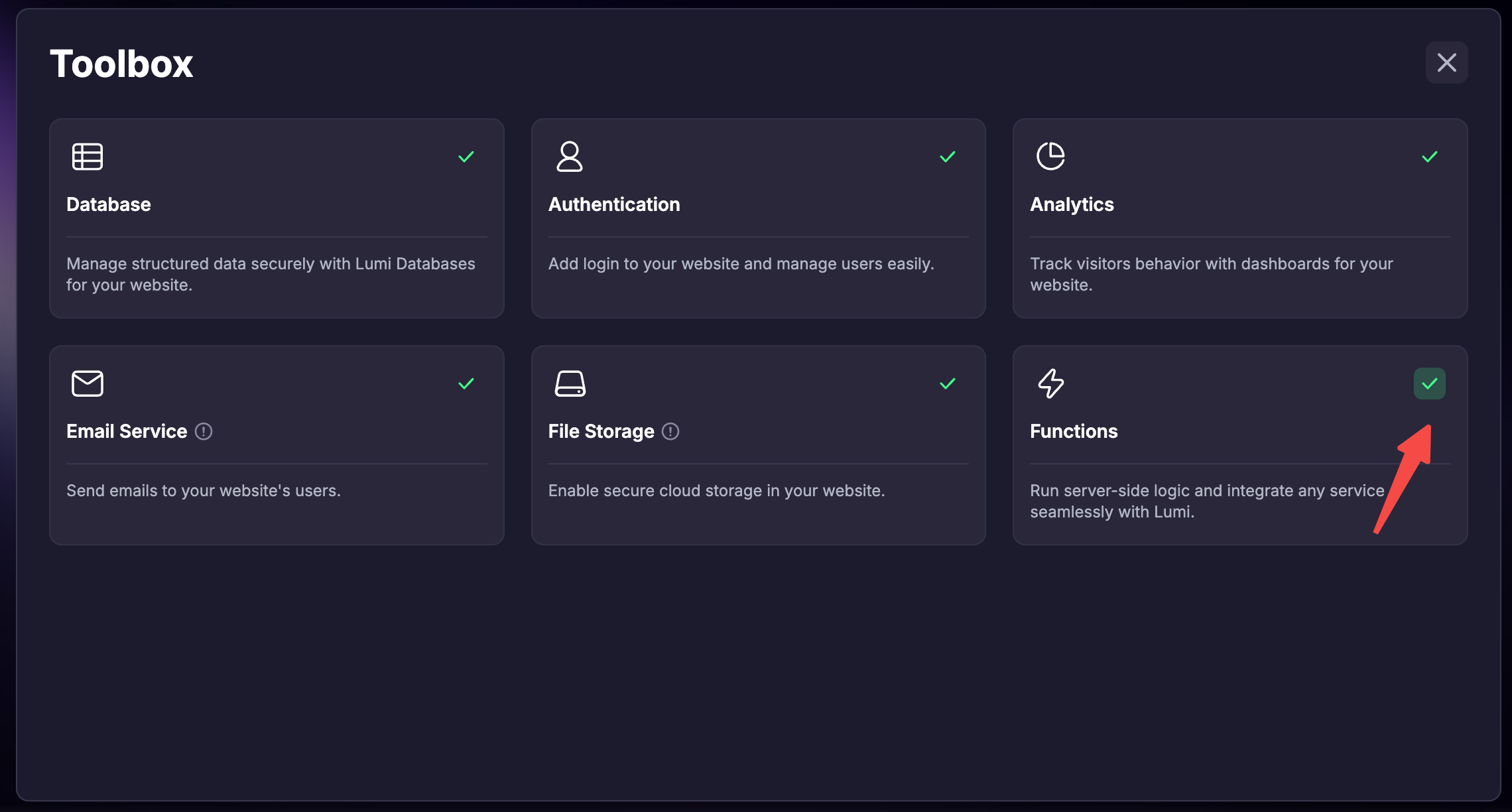
    Remember to activate the "Functions" feature in the Toolbox.
  </Step>

  <Step title="Let Lumi Integrate">
    Lumi will then automatically integrate the third-party service for you.
  </Step>

  <Step title="Provide the API Key">
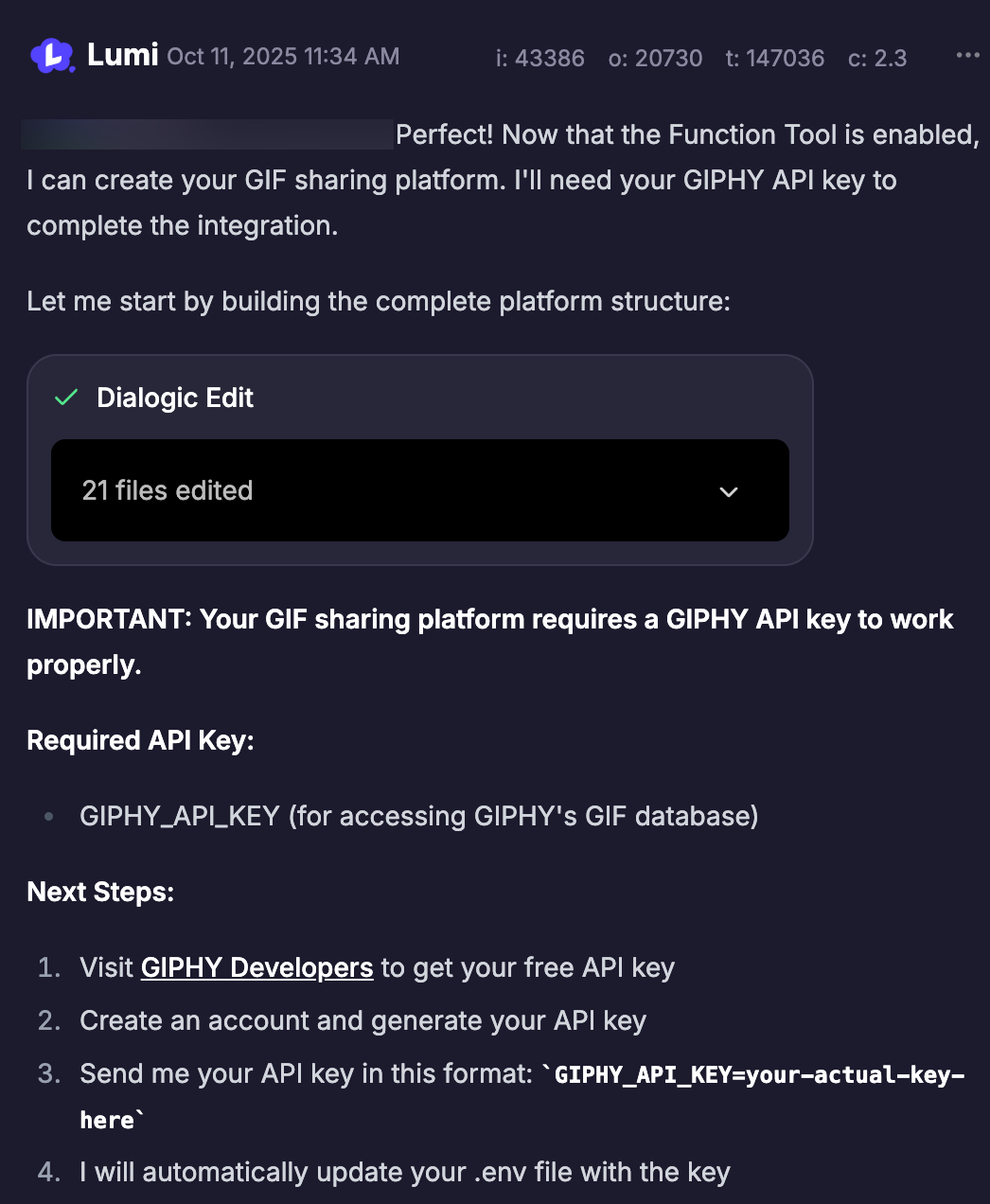
    When prompted during the process, send the required API key in the chat. Lumi will securely store it as an environment variable to prevent it from being leaked.
    <img src="https://mintcdn.com/blockdance/7wv9P8buc22_9riV/images/screenshot-20251011-143703.png?fit=max&auto=format&n=7wv9P8buc22_9riV&q=85&s=454adf0276b5637717f34495bff15ef9" alt="Screenshot 20251011 143703 Pn" width="1046" height="1272" data-path="images/screenshot-20251011-143703.png" />
  </Step>
</Steps>

### Activate Functions

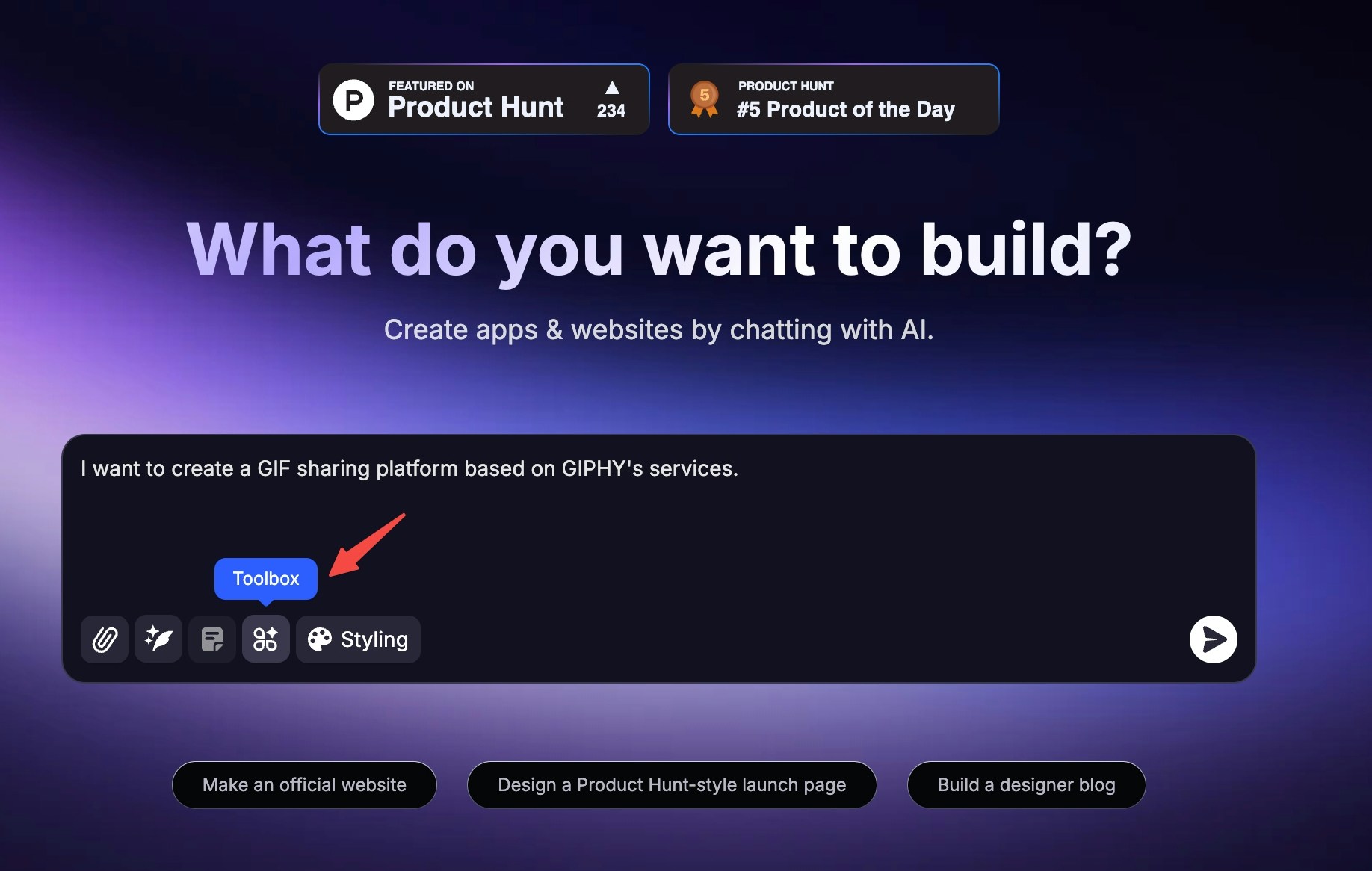
* Activate when creating a new project on the homepage
  <Steps>
    <Step title="Click &#x22;Toolbox&#x22; at the bottom left of the input box">
      <img src="https://mintcdn.com/blockdance/Zybg51vOq0ubsckj/images/20251011-143408.jpeg?fit=max&auto=format&n=Zybg51vOq0ubsckj&q=85&s=a9963e3010ed9c1b0b11a494ff418221" alt="20251011 143408 Jpe" width="1836" height="1166" data-path="images/20251011-143408.jpeg" />
    </Step>

    <Step title="Check &#x22;Functions&#x22;">
      <img src="https://mintcdn.com/blockdance/Bpx0LtV4twXY-mvm/images/screenshot-20251111-181701.png?fit=max&auto=format&n=Bpx0LtV4twXY-mvm&q=85&s=0a0bdeb7de63bc56562c6394745a7a95" alt="Screenshot 20251111 181701 Pn" width="2280" height="1224" data-path="images/screenshot-20251111-181701.png" />
    </Step>

    <Step title="After sending the message and creating the project, this project will have activated functions." />
  </Steps>
* Activate in an already created project
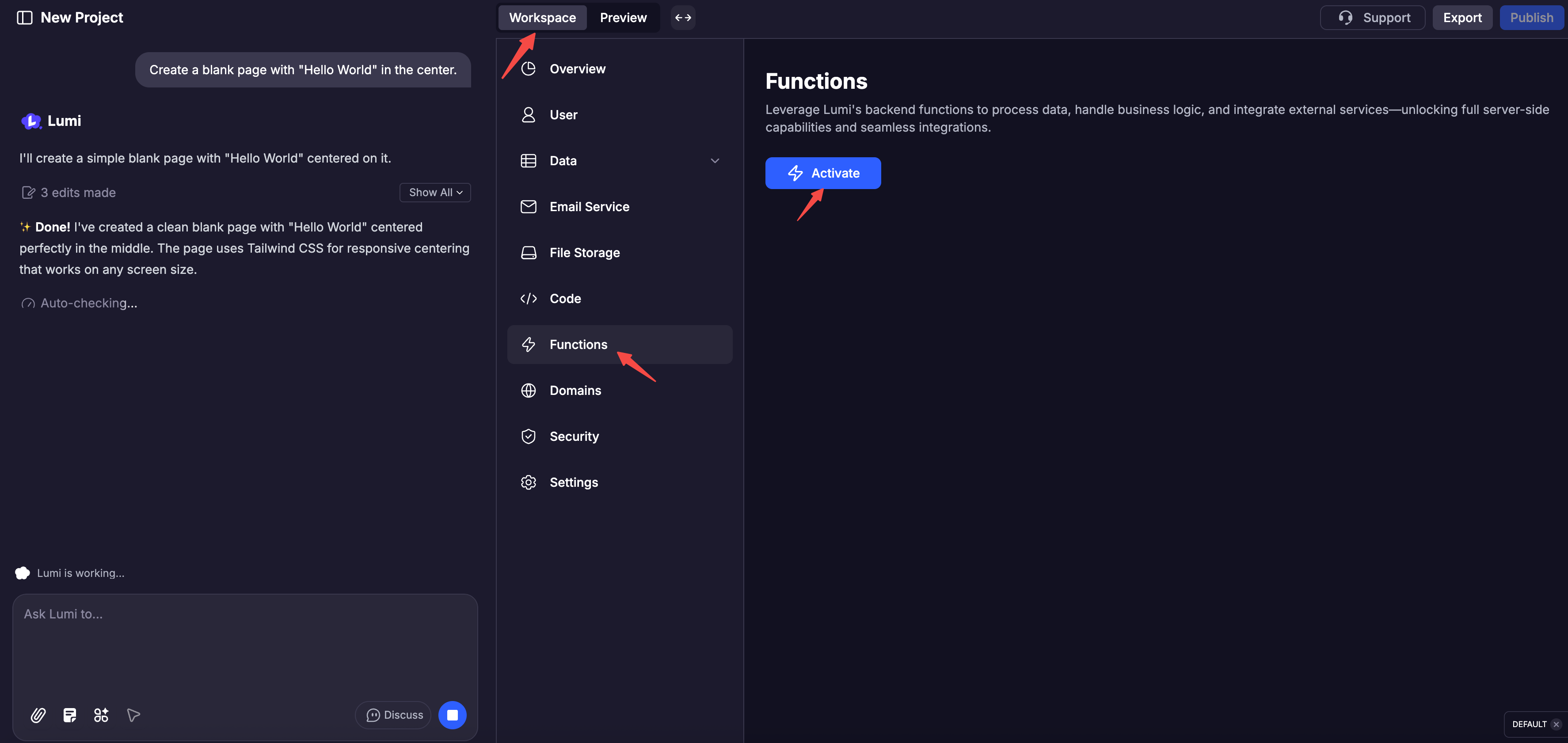
  <Steps>
    <Step title="Click &#x22;Workspace&#x22;" />

    <Step title="Click &#x22;Functions&#x22; in the navigation below" />

    <Step title="Click &#x22;Activate&#x22;">
      <img src="https://mintcdn.com/blockdance/Bpx0LtV4twXY-mvm/images/screenshot-20251111-182134.png?fit=max&auto=format&n=Bpx0LtV4twXY-mvm&q=85&s=266232b5a047125e052e41ba263fed99" alt="Screenshot 20251111 182134 Pn" width="3548" height="1682" data-path="images/screenshot-20251111-182134.png" />
    </Step>
  </Steps>

## Debugging built-in

Every function is equipped with comprehensive logs detailing its executions, outputs, and errors. You can also view the code and manually test the function yourself.

<Columns cols={2}>
  <Card title="Functions Code" img="https://mintcdn.com/blockdance/Zybg51vOq0ubsckj/images/20251011-150001.jpeg?fit=max&auto=format&n=Zybg51vOq0ubsckj&q=85&s=e94f3ebd5386a94ad5b1c6efd25e5167" width="3840" height="1916" data-path="images/20251011-150001.jpeg" />

  <Card title="API Doc" img="https://mintcdn.com/blockdance/Zybg51vOq0ubsckj/images/20251011-150010.jpeg?fit=max&auto=format&n=Zybg51vOq0ubsckj&q=85&s=db66ea094c1fe41485af8e02f0daf142" width="3840" height="1916" data-path="images/20251011-150010.jpeg" />

  <Card title="Logs" img="https://mintcdn.com/blockdance/Zybg51vOq0ubsckj/images/20251011-150013.jpeg?fit=max&auto=format&n=Zybg51vOq0ubsckj&q=85&s=d401d705d53c7ad37e5ef98b36b58fe2" width="3840" height="1916" data-path="images/20251011-150013.jpeg" />

  <Card title="Test" img="https://mintcdn.com/blockdance/Zybg51vOq0ubsckj/images/20251011-143143.jpeg?fit=max&auto=format&n=Zybg51vOq0ubsckj&q=85&s=c2f1473cb3c70ffdfd7b5ec7345c2aed" width="3840" height="1916" data-path="images/20251011-143143.jpeg" />
</Columns>