> ## Documentation Index
> Fetch the complete documentation index at: https://docs.lumi.new/llms.txt
> Use this file to discover all available pages before exploring further.
# Quick Start
> From simple words to full-stack website.
Welcome to this quick start guide on creating a full-stack website with Lumi.
## Homepage
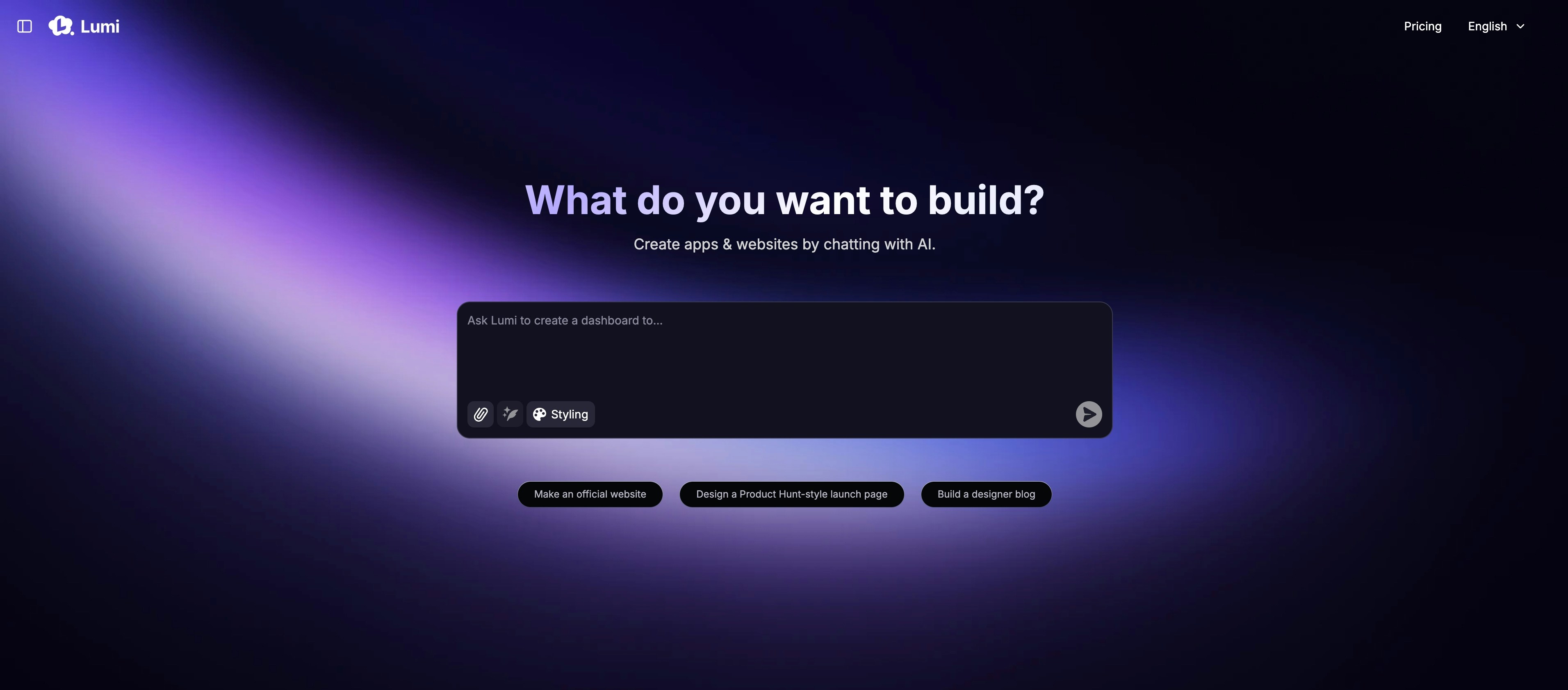 The homepage mainly contains:
Initiate your project with a single, descriptive prompt.
Accelerate development by starting from our curated collection of templates.
Browse all public projects, including the latest creations and featured selections.
Browse all projects you created.
Check your monthly credit balance and adjust account settings.
Seamlessly upgrade or downgrade your subscription at any time.
## Project Page
The homepage mainly contains:
Initiate your project with a single, descriptive prompt.
Accelerate development by starting from our curated collection of templates.
Browse all public projects, including the latest creations and featured selections.
Browse all projects you created.
Check your monthly credit balance and adjust account settings.
Seamlessly upgrade or downgrade your subscription at any time.
## Project Page
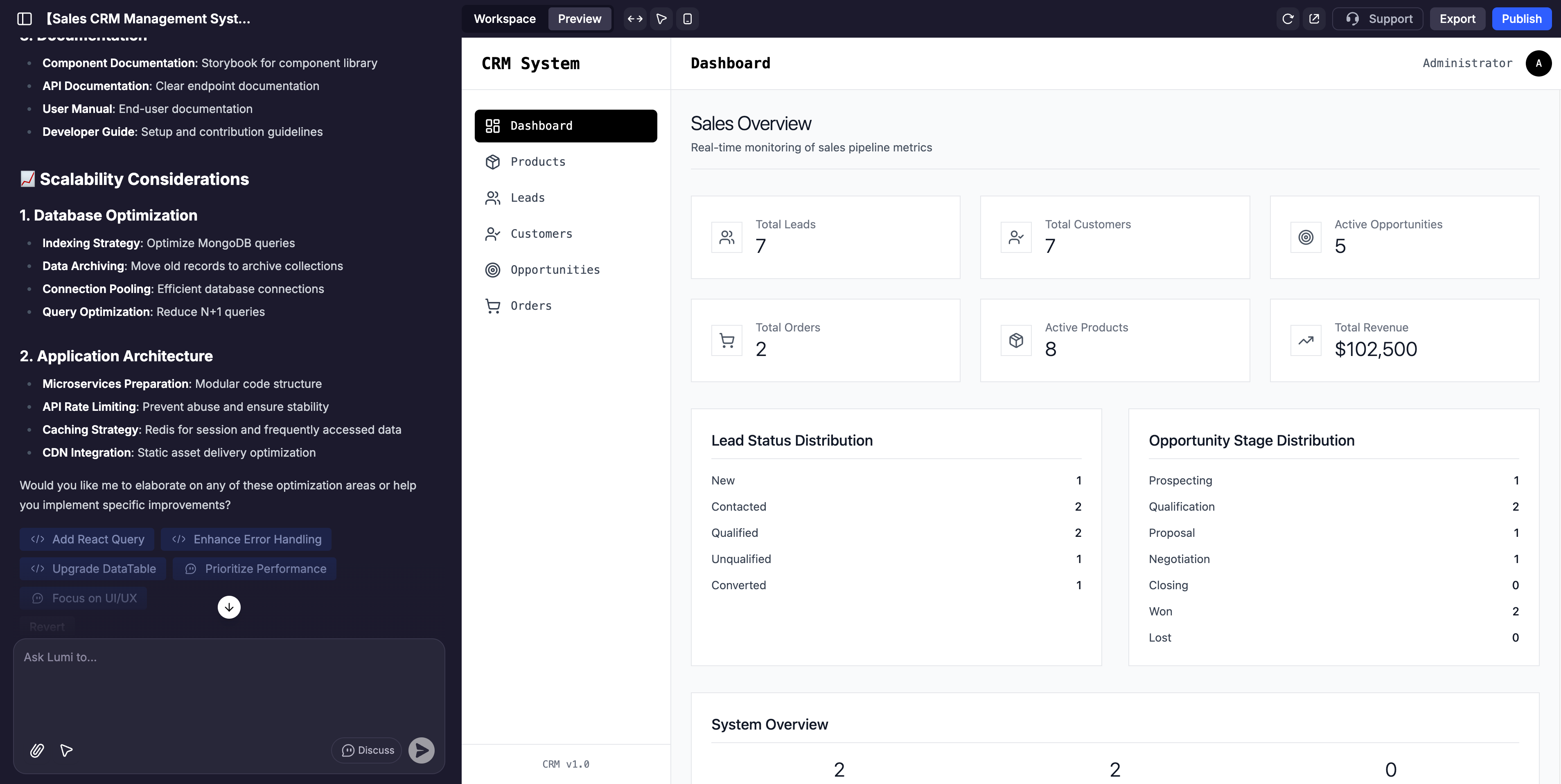 The project page is divided into 3 main sections:
This is your command center for interacting with Lumi. Use it to provide instructions, request changes, brainstorm ideas, and guide your application's development.
This is a live, interactive, and fully customizable view of your web. Click any element to test its functionality or make direct adjustments with the visual editor.
This includes information about your website, backend functions, usage of tools, domain name, security, etc.
## The AI Chat
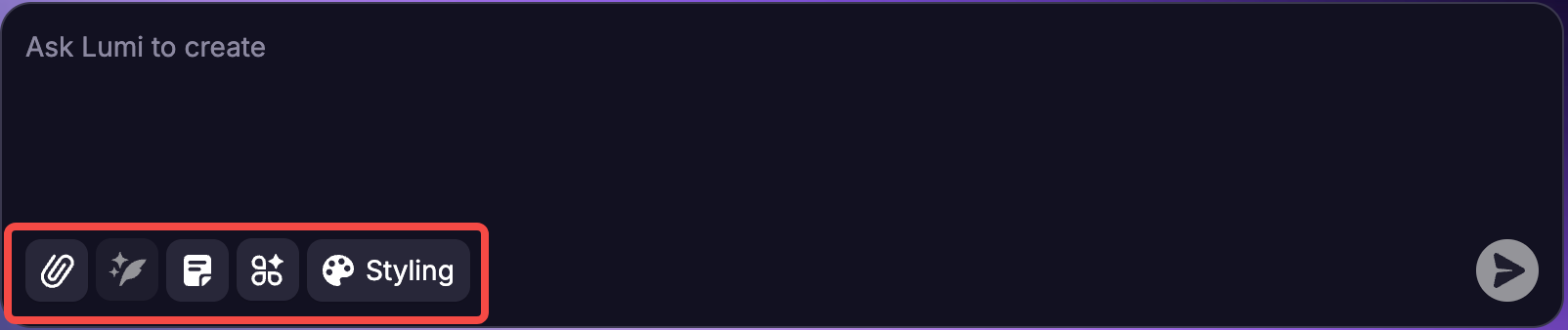
The primary action of AI chat is to use natural language prompts to build and refine your app. However, there are elements at the bottom of the input box to explore a bit further.
The project page is divided into 3 main sections:
This is your command center for interacting with Lumi. Use it to provide instructions, request changes, brainstorm ideas, and guide your application's development.
This is a live, interactive, and fully customizable view of your web. Click any element to test its functionality or make direct adjustments with the visual editor.
This includes information about your website, backend functions, usage of tools, domain name, security, etc.
## The AI Chat
The primary action of AI chat is to use natural language prompts to build and refine your app. However, there are elements at the bottom of the input box to explore a bit further.
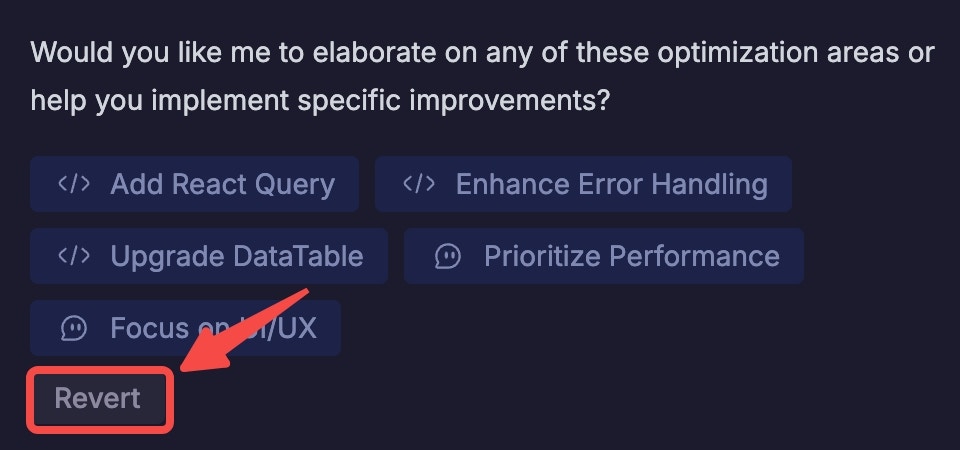
 Note: For every prompt you enter, you can go back into the chat and click “Revert This” anytime to undo your prompt. You’ll be asked to confirm your request, and then the app will then revert to the state it was in just prior to that point.
**Note:** For every prompt you enter, you can go back into the chat and click “Revert” anytime to undo your prompt. You’ll be asked to confirm your request, and then the app will then revert to the state it was in just prior to that point.
Note: For every prompt you enter, you can go back into the chat and click “Revert This” anytime to undo your prompt. You’ll be asked to confirm your request, and then the app will then revert to the state it was in just prior to that point.
**Note:** For every prompt you enter, you can go back into the chat and click “Revert” anytime to undo your prompt. You’ll be asked to confirm your request, and then the app will then revert to the state it was in just prior to that point.
 ## Building your first app: step-by-step
Describe your app's core function in simple language.
For example:
```mdx theme={null}
Build a task manager for teams to assign, track, and complete tasks with progress reports.
```
Lumi will automatically construct your app’s interface and backend. You can watch the process unfold live in the Preview panel.
## Building your first app: step-by-step
Describe your app's core function in simple language.
For example:
```mdx theme={null}
Build a task manager for teams to assign, track, and complete tasks with progress reports.
```
Lumi will automatically construct your app’s interface and backend. You can watch the process unfold live in the Preview panel.
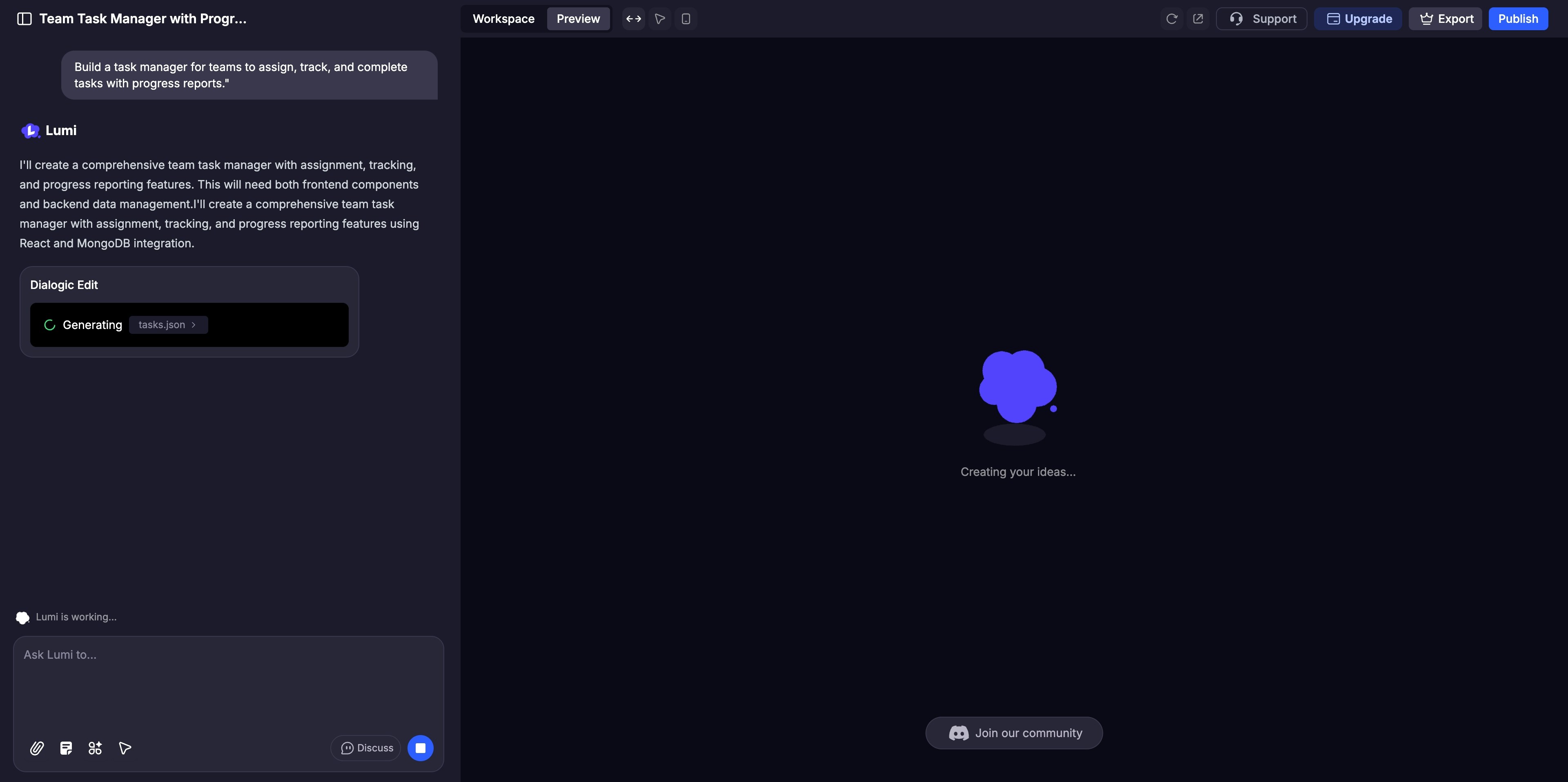 Use AI Chat for broad adjustments or the [Visual Edits](/en/features/visual-edits) for fine-tuning details like colors and layout. Activate [Discuss Mode](/en/features/modes#discuss-mode) to collaborate with the AI on complex logic before implementation.
Interact with your website in the Preview panel just as a user would, clicking through every feature to ensure it functions perfectly.
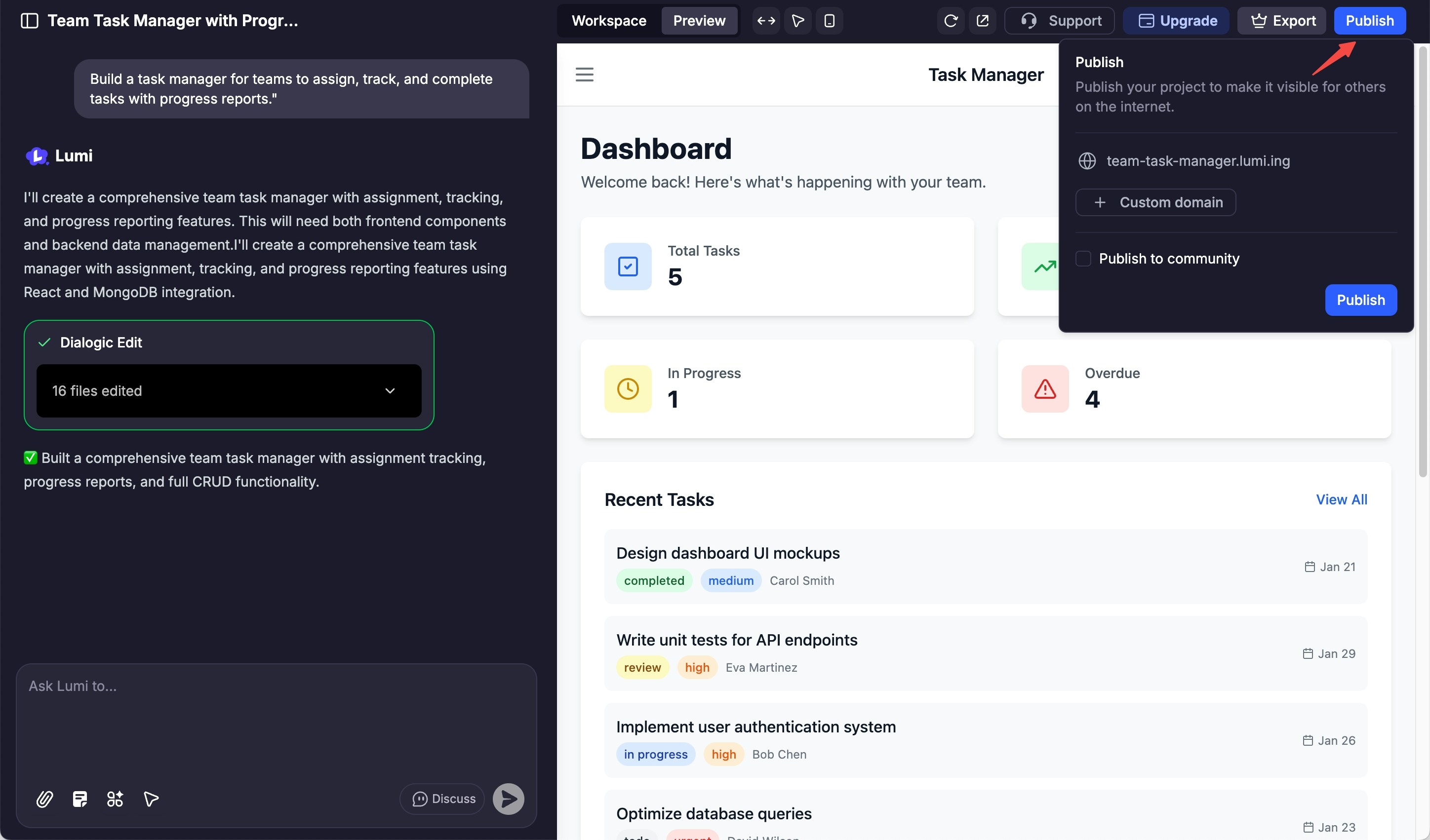
Once you're ready to go live, click the "Publish" button to deploy your site and showcase it to the world.
Use AI Chat for broad adjustments or the [Visual Edits](/en/features/visual-edits) for fine-tuning details like colors and layout. Activate [Discuss Mode](/en/features/modes#discuss-mode) to collaborate with the AI on complex logic before implementation.
Interact with your website in the Preview panel just as a user would, clicking through every feature to ensure it functions perfectly.
Once you're ready to go live, click the "Publish" button to deploy your site and showcase it to the world.