> ## Documentation Index
> Fetch the complete documentation index at: https://docs.lumi.new/llms.txt
> Use this file to discover all available pages before exploring further.

# 関数

> Lumiのバックエンド関数を活用して、データの処理、ビジネスロジックの処理、外部サービスの統合を行い、完全なサーバーサイド機能とシームレスな統合を実現します。

## 簡単な作成方法

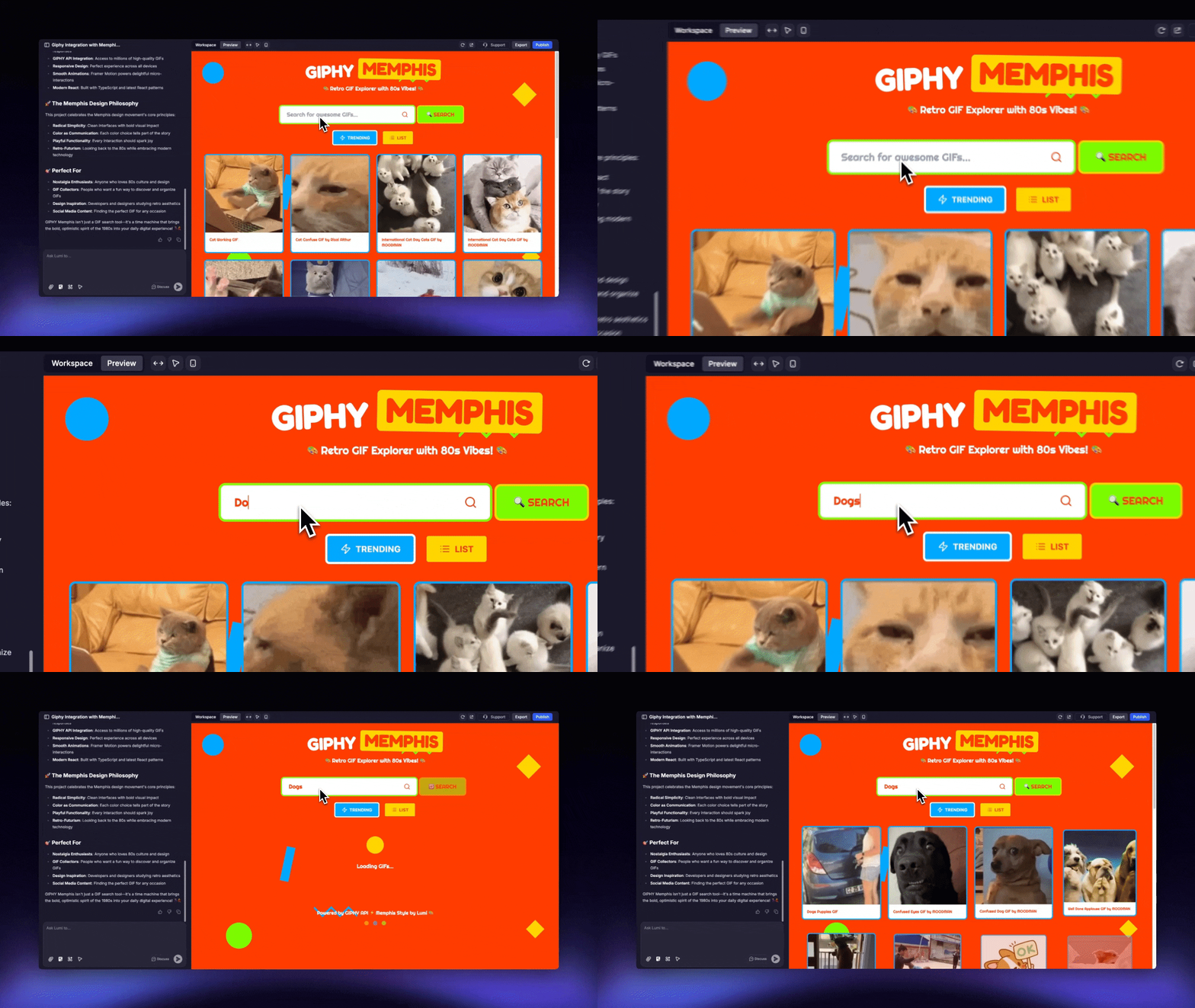
Lumiチャットで説明するだけで、簡単に関数を生成できます。
<img src="https://mintcdn.com/blockdance/Zybg51vOq0ubsckj/images/Area.gif?s=dc86c725539961206058c2d5aef632c7" alt="Area Gi" width="1280" height="720" data-path="images/Area.gif" />

<Steps>
  <Step title="関数を説明する">
    実装したい関数を直接説明します。例：

    ```mdx theme={null}
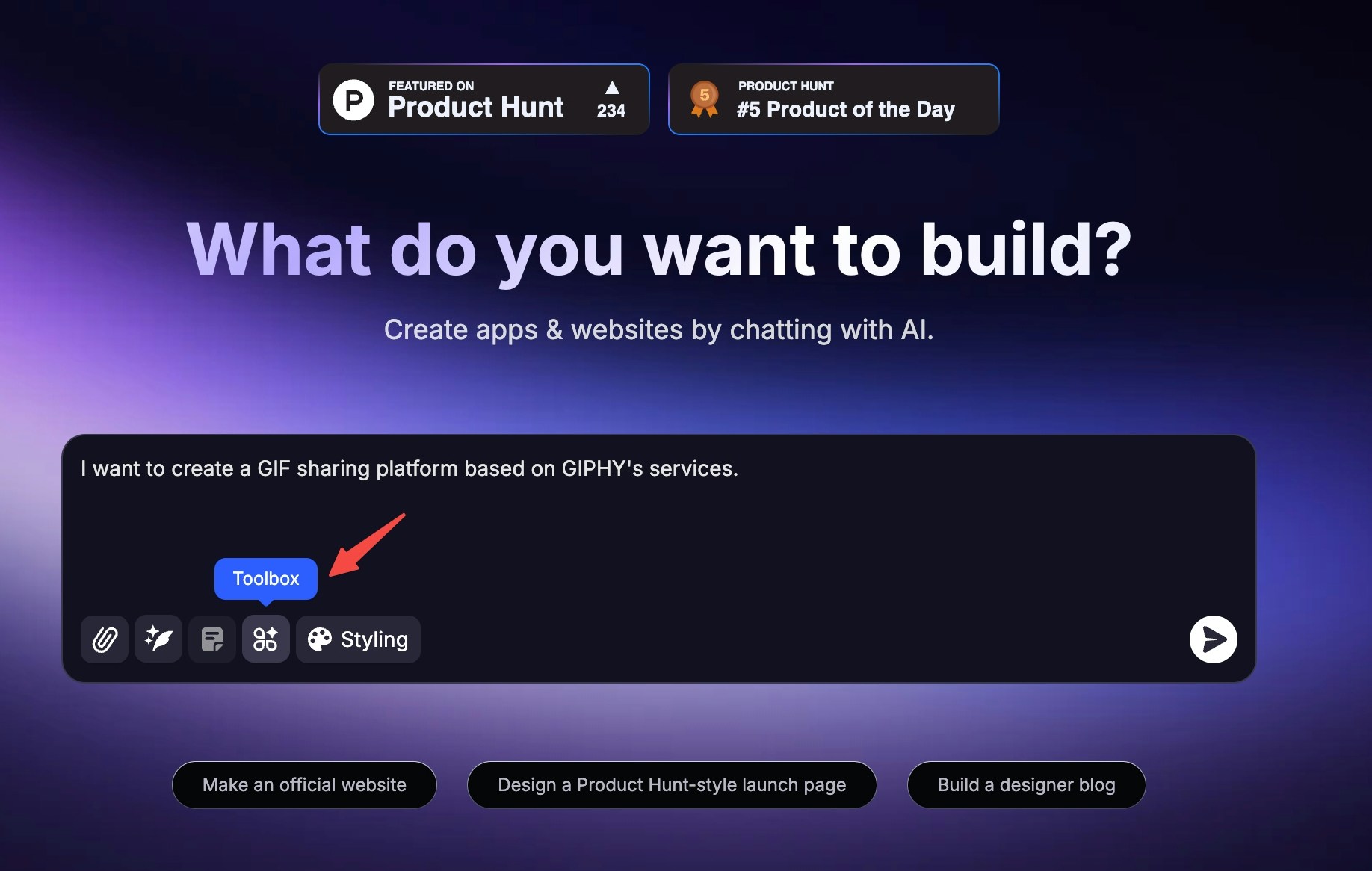
    GIPHYのサービスをベースにしたGIF共有プラットフォームを作りたいです。
    ```
  </Step>

  <Step title="関数を有効化する">
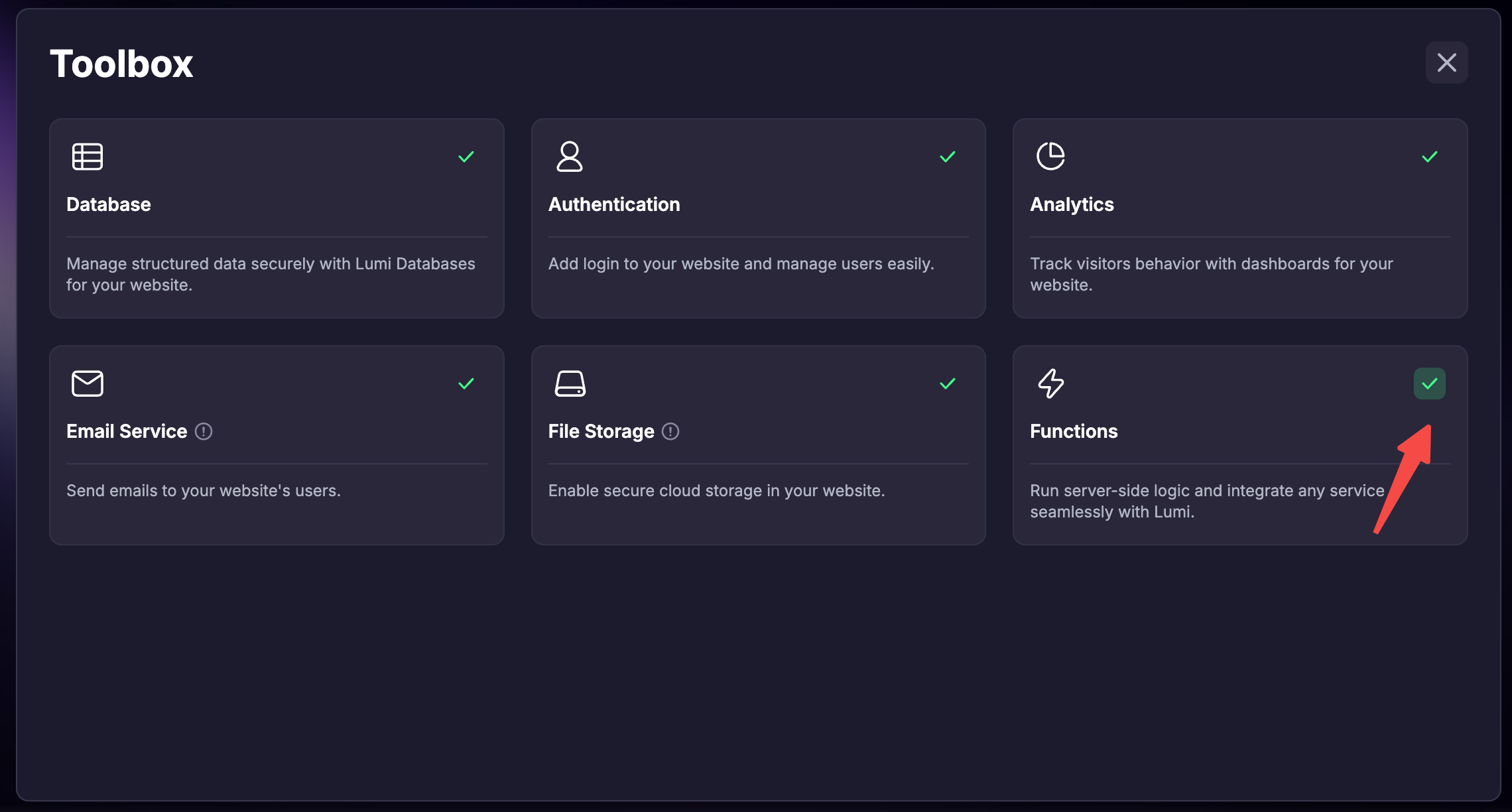
    ツールボックスで「関数」機能を有効にすることを忘れないでください。
  </Step>

  <Step title="Lumiに統合させる">
    Lumiが自動的にサードパーティサービスを統合します。
  </Step>

  <Step title="APIキーを提供する">
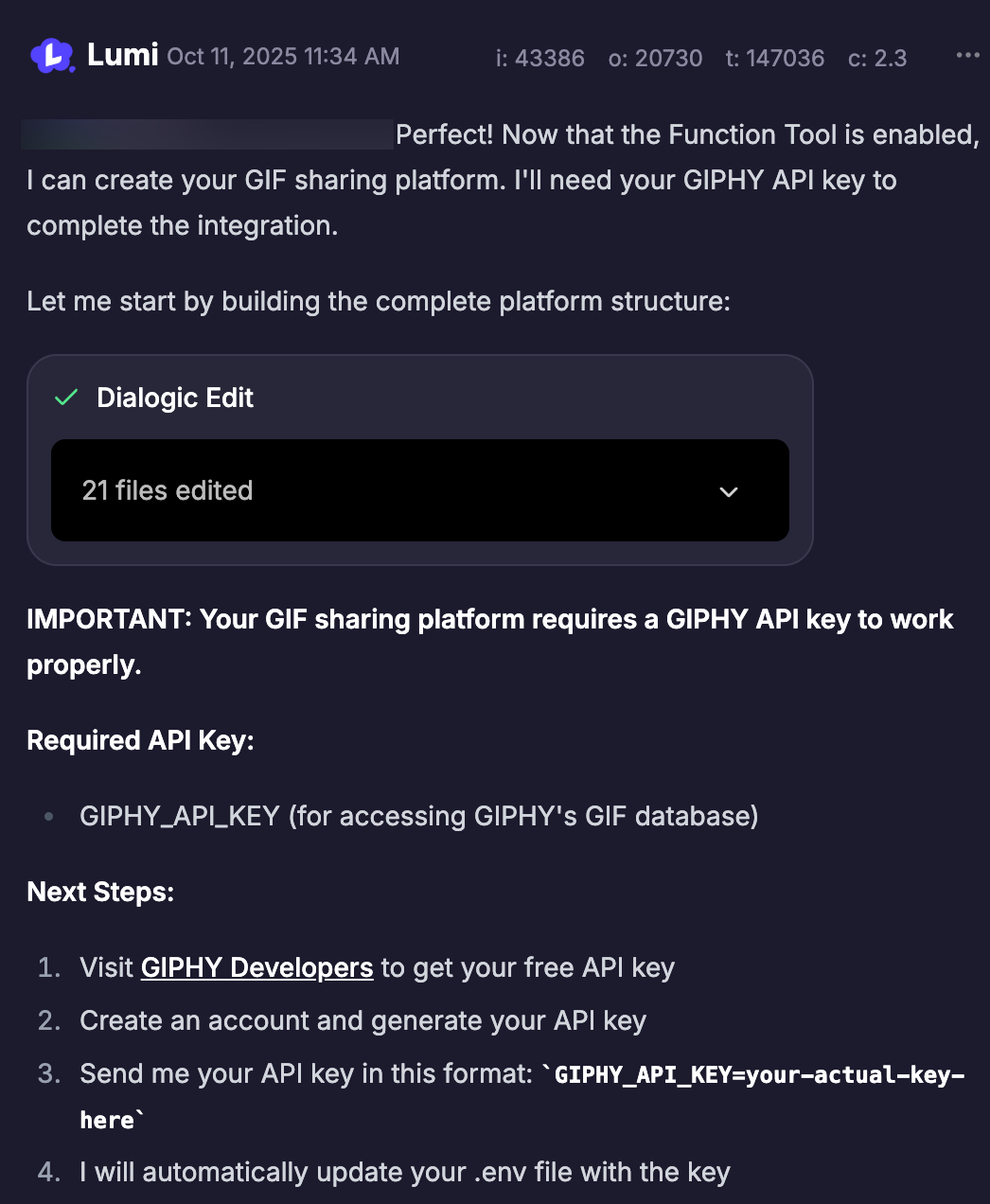
    プロセス中にプロンプトが表示されたら、必要なAPIキーをチャットで送信します。Lumiはそれを環境変数として安全に保存し、漏洩を防ぎます。
    <img src="https://mintcdn.com/blockdance/7wv9P8buc22_9riV/images/screenshot-20251011-143703.png?fit=max&auto=format&n=7wv9P8buc22_9riV&q=85&s=454adf0276b5637717f34495bff15ef9" alt="Screenshot 20251011 143703 Pn" width="1046" height="1272" data-path="images/screenshot-20251011-143703.png" />
  </Step>
</Steps>

### 関数を有効化する

* ホームページで新しいプロジェクトを作成する際に有効化
  <Steps>
    <Step title="入力ボックスの左下にある「ツールボックス」をクリックします">
      <img src="https://mintcdn.com/blockdance/Zybg51vOq0ubsckj/images/20251011-143408.jpeg?fit=max&auto=format&n=Zybg51vOq0ubsckj&q=85&s=a9963e3010ed9c1b0b11a494ff418221" alt="20251011 143408 Jpe" width="1836" height="1166" data-path="images/20251011-143408.jpeg" />
    </Step>

    <Step title="「関数」をチェックします">
      <img src="https://mintcdn.com/blockdance/Bpx0LtV4twXY-mvm/images/screenshot-20251111-181701.png?fit=max&auto=format&n=Bpx0LtV4twXY-mvm&q=85&s=0a0bdeb7de63bc56562c6394745a7a95" alt="Screenshot 20251111 181701 Pn" width="2280" height="1224" data-path="images/screenshot-20251111-181701.png" />
    </Step>

    <Step title="メッセージを送信してプロジェクトを作成すると、このプロジェクトで関数が有効になります。" />
  </Steps>

* 既に作成されたプロジェクトで有効化

  <Steps>
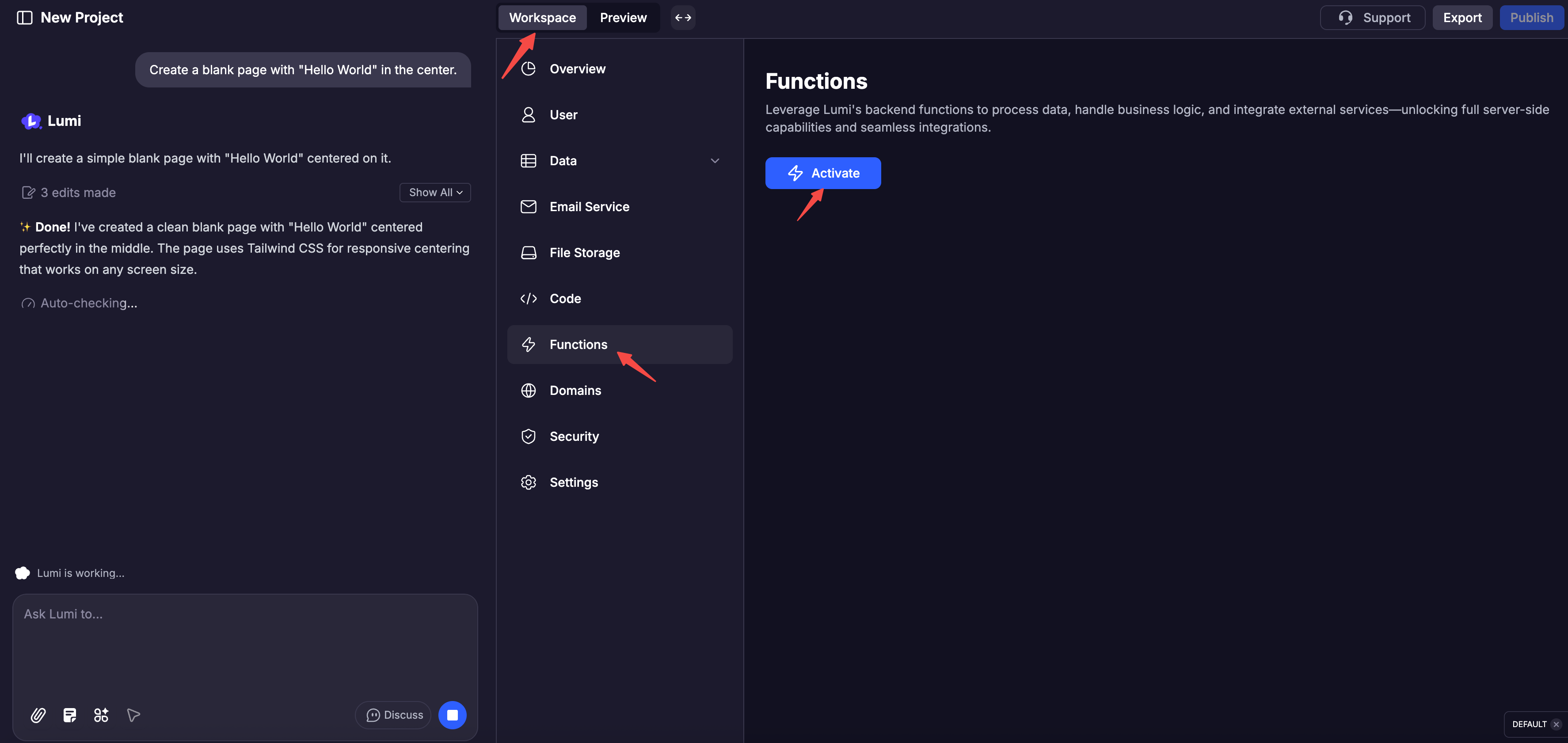
    <Step title="「ワークスペース」をクリックします" />

    <Step title="下のナビゲーションで「関数」をクリックします" />

    <Step title="「有効化」をクリックします">
      <img src="https://mintcdn.com/blockdance/Bpx0LtV4twXY-mvm/images/screenshot-20251111-182134.png?fit=max&auto=format&n=Bpx0LtV4twXY-mvm&q=85&s=266232b5a047125e052e41ba263fed99" alt="Screenshot 20251111 182134 Pn" width="3548" height="1682" data-path="images/screenshot-20251111-182134.png" />
    </Step>
  </Steps>

## デバッグ機能内蔵

すべての関数には、実行、出力、エラーを詳述した包括的なログが備わっています。また、コードを表示して、手動で関数をテストすることもできます。

<Columns cols={2}>
  <Card title="関数コード" img="https://mintcdn.com/blockdance/Zybg51vOq0ubsckj/images/20251011-150001.jpeg?fit=max&auto=format&n=Zybg51vOq0ubsckj&q=85&s=e94f3ebd5386a94ad5b1c6efd25e5167" width="3840" height="1916" data-path="images/20251011-150001.jpeg" />

  <Card title="APIドキュメント" img="https://mintcdn.com/blockdance/Zybg51vOq0ubsckj/images/20251011-150010.jpeg?fit=max&auto=format&n=Zybg51vOq0ubsckj&q=85&s=db66ea094c1fe41485af8e02f0daf142" width="3840" height="1916" data-path="images/20251011-150010.jpeg" />

  <Card title="ログ" img="https://mintcdn.com/blockdance/Zybg51vOq0ubsckj/images/20251011-150013.jpeg?fit=max&auto=format&n=Zybg51vOq0ubsckj&q=85&s=d401d705d53c7ad37e5ef98b36b58fe2" width="3840" height="1916" data-path="images/20251011-150013.jpeg" />

  <Card title="テスト" img="https://mintcdn.com/blockdance/Zybg51vOq0ubsckj/images/20251011-143143.jpeg?fit=max&auto=format&n=Zybg51vOq0ubsckj&q=85&s=c2f1473cb3c70ffdfd7b5ec7345c2aed" width="3840" height="1916" data-path="images/20251011-143143.jpeg" />
</Columns>