> ## Documentation Index
> Fetch the complete documentation index at: https://docs.lumi.new/llms.txt
> Use this file to discover all available pages before exploring further.
# 復元
> 管理を維持し、クレジットを効率的に使用します。
復元機能は、トークンを消費せずにプロジェクトを以前の状態に戻します。エラーが発生した際に時間とリソースを節約する、元に戻すボタンのようなものだとお考えください。
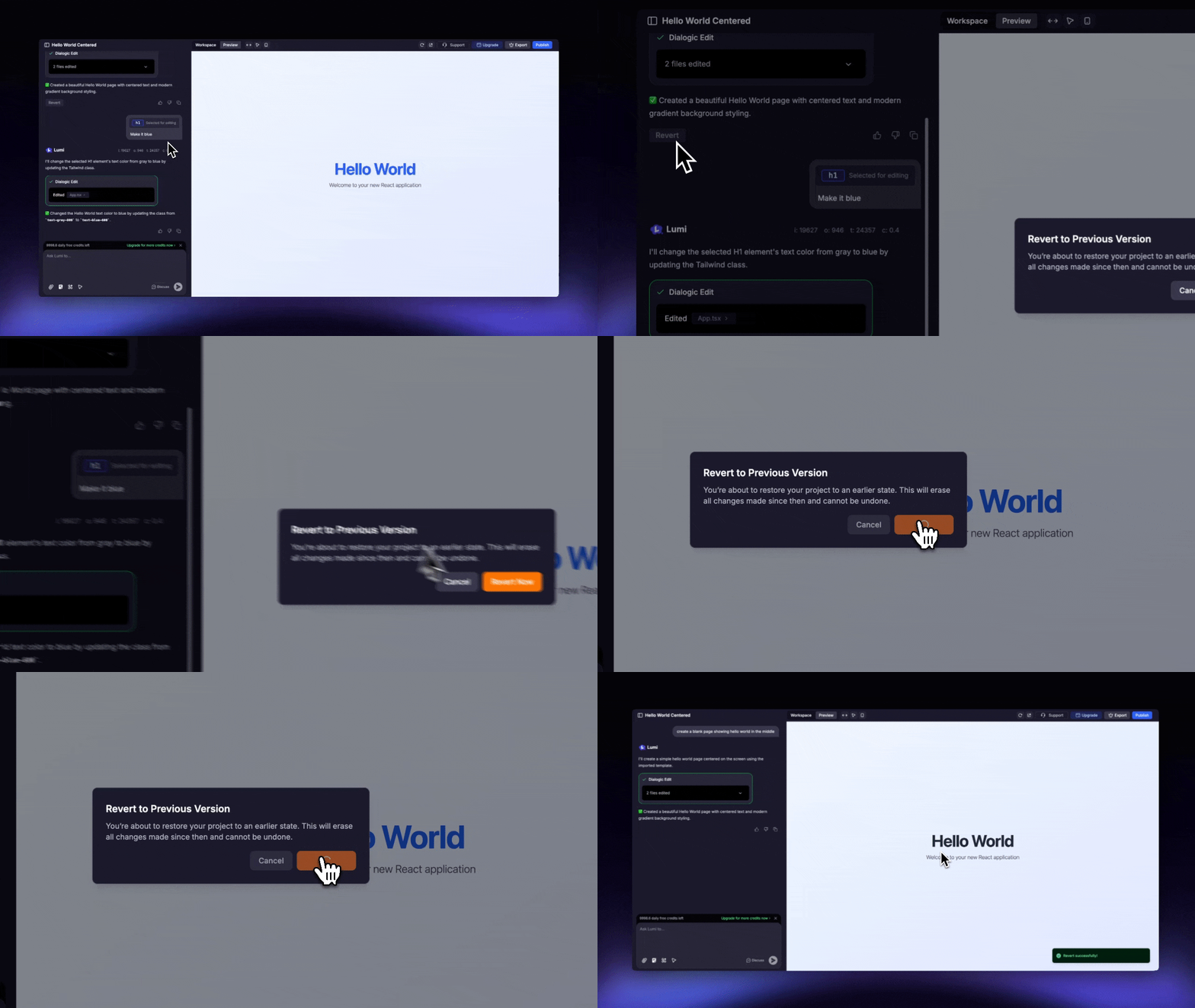 この操作は最終的なものであり、「やり直し」機能はないため元に戻すことはできませんのでご注意ください。Lumiは、復元したポイント以降に行われたすべての変更を完全に削除し、保存されていないビジュアル編集やコード編集は失われます。