> ## Documentation Index
> Fetch the complete documentation index at: https://docs.lumi.new/llms.txt
> Use this file to discover all available pages before exploring further.

# 빠른 시작

> 간단한 단어에서 풀스택 웹사이트까지.

Lumi로 풀스택 웹사이트를 만드는 이 빠른 시작 가이드에 오신 것을 환영합니다.

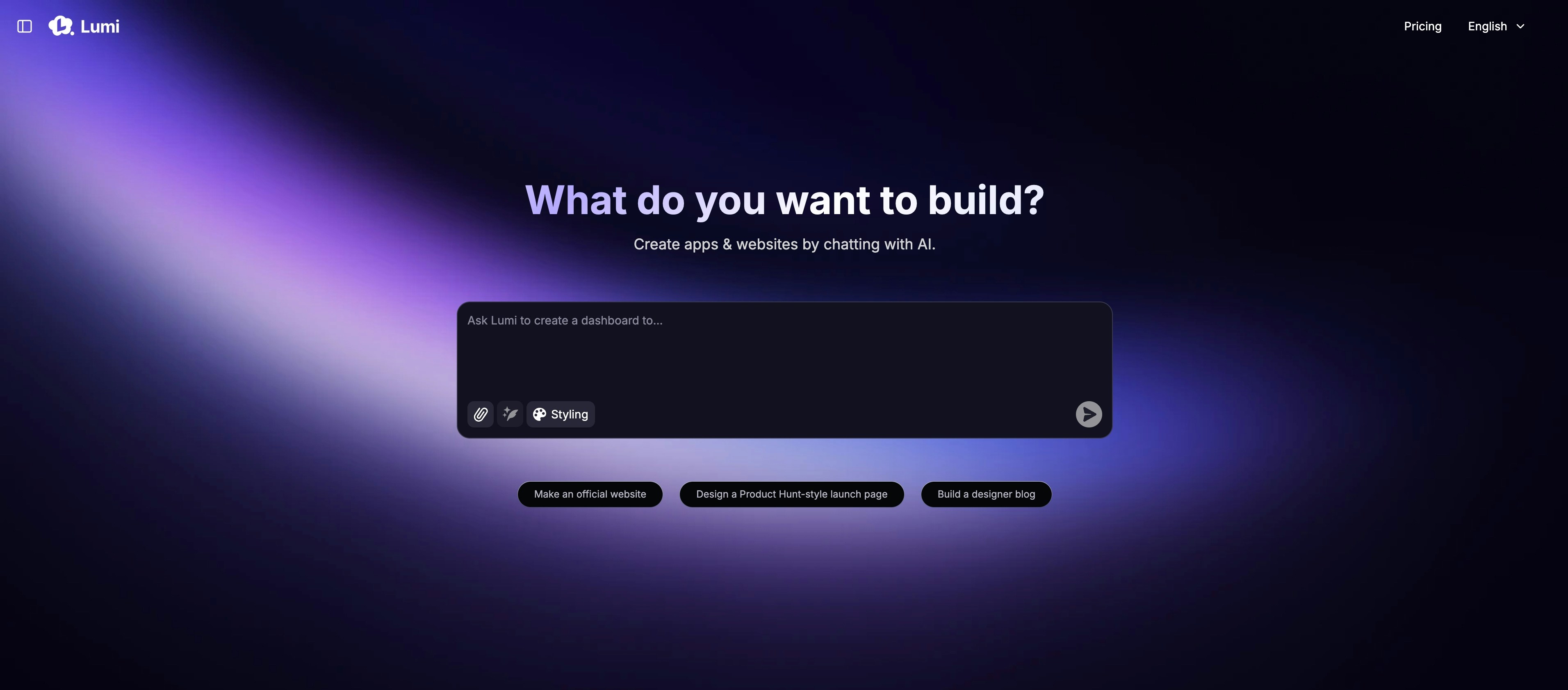
## 홈페이지
<img src="https://mintcdn.com/blockdance/ynWgEA-zeP9dMZPg/images/20250821-202133.jpeg?fit=max&auto=format&n=ynWgEA-zeP9dMZPg&q=85&s=97442ddf98e65bf43b19ba56f6c17969" alt="20250821 202133 Jpe" width="3824" height="1682" data-path="images/20250821-202133.jpeg" />

홈페이지는 주로 다음을 포함합니다:

<Columns cols={2}>
  <Card title="프롬프트로 시작하기" img="https://mintcdn.com/blockdance/ynWgEA-zeP9dMZPg/images/screenshot-20250825-154846.png?fit=max&auto=format&n=ynWgEA-zeP9dMZPg&q=85&s=e8fafb96d5faa0c0ec43a0a0dfdb5f05" width="1618" height="358" data-path="images/screenshot-20250825-154846.png">
    하나의 설명적인 프롬프트로 프로젝트를 시작하세요.
  </Card>

  <Card title="템플릿 사용하기" img="https://mintcdn.com/blockdance/ynWgEA-zeP9dMZPg/images/screenshot-20250825-154857.png?fit=max&auto=format&n=ynWgEA-zeP9dMZPg&q=85&s=3a4d7d4389fbc89e96b9014357cb3e40" width="1336" height="98" data-path="images/screenshot-20250825-154857.png">
    엄선된 템플릿 컬렉션에서 시작하여 개발 속도를 높이세요.
  </Card>

  <Card title="커뮤니티 탐색하기" img="https://mintcdn.com/blockdance/ynWgEA-zeP9dMZPg/images/screenshot-20250825-155003.png?fit=max&auto=format&n=ynWgEA-zeP9dMZPg&q=85&s=2ea3bc083fb9a17998db34d75529494f" width="2970" height="1608" data-path="images/screenshot-20250825-155003.png">
    최신 창작물과 추천 선택 항목을 포함한 모든 공개 프로젝트를 둘러보세요.
  </Card>

  <Card title="내 프로젝트 찾기" img="https://mintcdn.com/blockdance/ynWgEA-zeP9dMZPg/images/screenshot-20250825-155110.png?fit=max&auto=format&n=ynWgEA-zeP9dMZPg&q=85&s=f069a5eb78bea9ca0f234038acd526eb" width="3824" height="1916" data-path="images/screenshot-20250825-155110.png">
    내가 만든 모든 프로젝트를 둘러보세요.
  </Card>

  <Card title="계정 관리하기" img="https://mintcdn.com/blockdance/ynWgEA-zeP9dMZPg/images/20250825-155323.jpeg?fit=max&auto=format&n=ynWgEA-zeP9dMZPg&q=85&s=611896281375aa724b885f4f28c03ea8" width="3822" height="1916" data-path="images/20250825-155323.jpeg">
    월간 크레딧 잔액을 확인하고 계정 설정을 조정하세요.
  </Card>

  <Card title="플랜 조정하기" img="https://mintcdn.com/blockdance/ynWgEA-zeP9dMZPg/images/20250825-155328.jpeg?fit=max&auto=format&n=ynWgEA-zeP9dMZPg&q=85&s=20009fa87973936ecda6032924e5754e" width="3822" height="1916" data-path="images/20250825-155328.jpeg">
    언제든지 구독을 원활하게 업그레이드하거나 다운그레이드하세요.
  </Card>
</Columns>

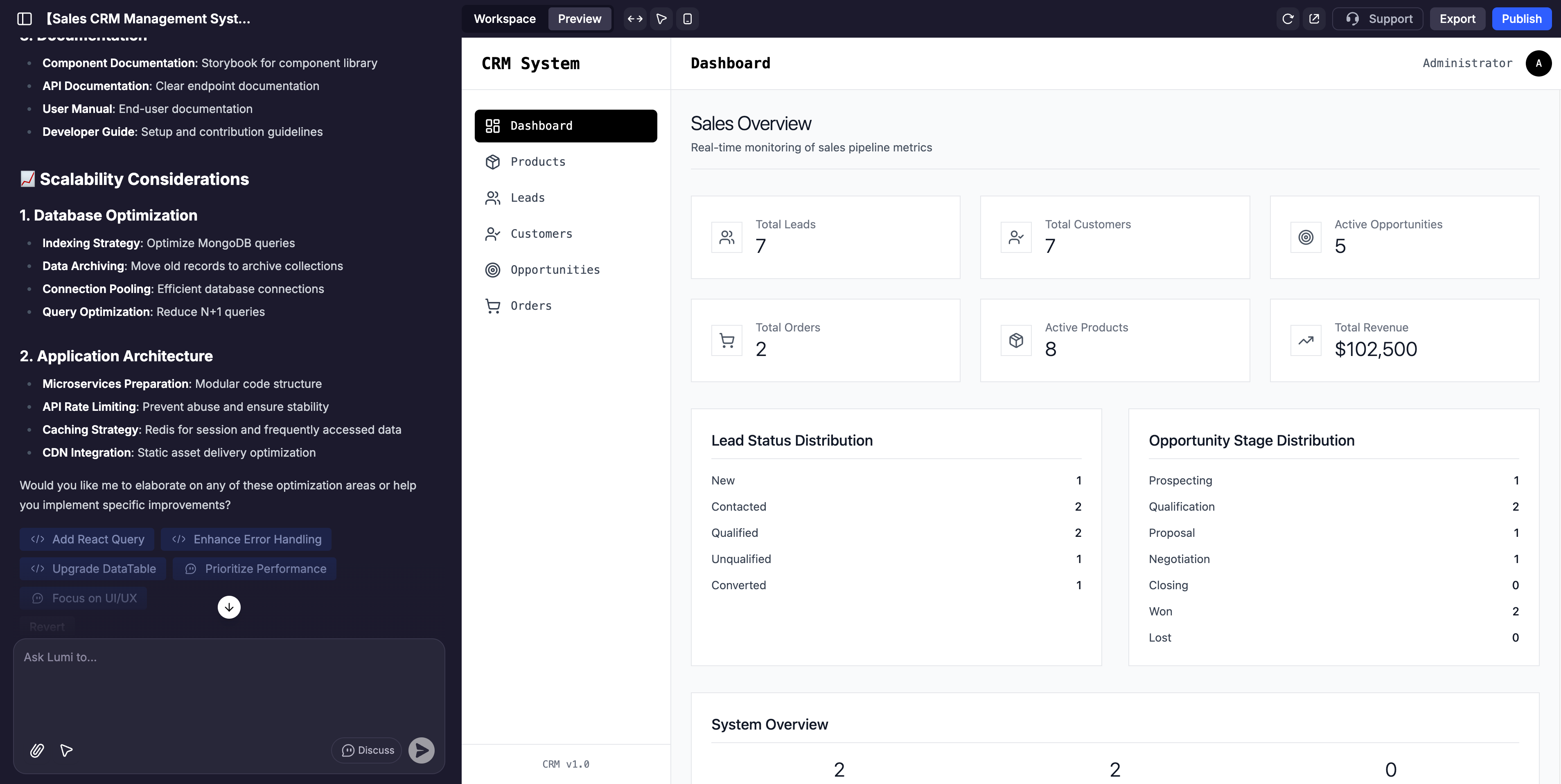
## 프로젝트 페이지

<img src="https://mintcdn.com/blockdance/ynWgEA-zeP9dMZPg/images/screenshot-20250825-160241.png?fit=max&auto=format&n=ynWgEA-zeP9dMZPg&q=85&s=a3ad5075591b6b38cc9c65aeb1b99c90" alt="Screenshot 20250825 160241 Pn" width="3814" height="1916" data-path="images/screenshot-20250825-160241.png" />

프로젝트 페이지는 3개의 주요 섹션으로 나뉩니다:

<Columns cols={2}>
  <Card title="AI 채팅" img="https://mintcdn.com/blockdance/ynWgEA-zeP9dMZPg/images/20250825-155522.jpeg?fit=max&auto=format&n=ynWgEA-zeP9dMZPg&q=85&s=d3231c7a4837f6899fe90820a7ad4f0e" width="3840" height="1916" data-path="images/20250825-155522.jpeg">
    이것은 Lumi와 상호 작용하기 위한 여러분의 커맨드 센터입니다. 이를 사용하여 지침을 제공하고, 변경을 요청하고, 아이디어를 브레인스토밍하고, 애플리케이션 개발을 안내하세요.
  </Card>

  <Card title="미리보기" img="https://mintcdn.com/blockdance/ynWgEA-zeP9dMZPg/images/20250825-155526.jpeg?fit=max&auto=format&n=ynWgEA-zeP9dMZPg&q=85&s=5eb8c40ef71ecde175fb7e9b367e2abd" width="3840" height="1916" data-path="images/20250825-155526.jpeg">
    이것은 여러분의 웹에 대한 실시간, 상호작용적이며 완전히 사용자 정의 가능한 보기입니다. 아무 요소나 클릭하여 기능을 테스트하거나 비주얼 에디터로 직접 조정할 수 있습니다.
  </Card>

  <Card title="작업 공간" img="https://mintcdn.com/blockdance/ynWgEA-zeP9dMZPg/images/20250825-155529.jpeg?fit=max&auto=format&n=ynWgEA-zeP9dMZPg&q=85&s=8efc9e5f82cc14c5604ff02d1d8751a5" width="3840" height="1916" data-path="images/20250825-155529.jpeg">
    여기에는 웹사이트, 백엔드 기능, 도구 사용, 도메인 이름, 보안 등에 대한 정보가 포함됩니다.
  </Card>
</Columns>

## AI 채팅

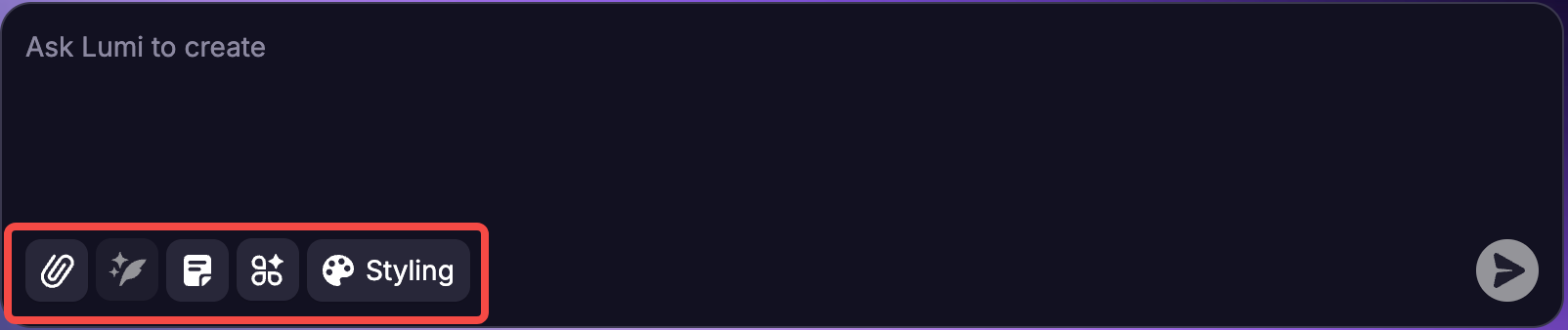
AI 채팅의 주요 기능은 자연어 프롬프트를 사용하여 앱을 구축하고 개선하는 것입니다. 그러나 입력 상자 하단에는 좀 더 탐색할 수 있는 요소들이 있습니다.
<img src="https://mintcdn.com/blockdance/yVzLgDWOMQWyvNCE/images/Result_2.png?fit=max&auto=format&n=yVzLgDWOMQWyvNCE&q=85&s=fbc0b4aeff6eb6c9b60e894f13bc99de" alt="Result 2 Pn" width="1604" height="338" data-path="images/Result_2.png" />

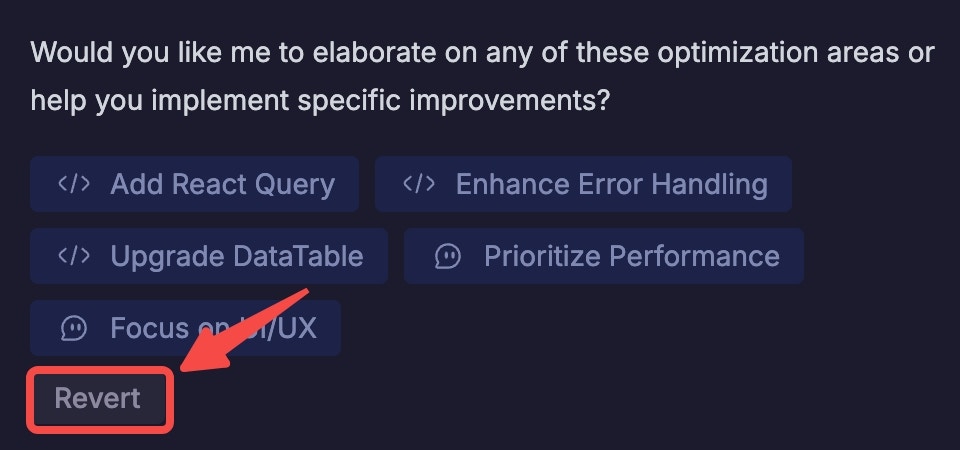
<u>참고</u>: 입력하는 모든 프롬프트에 대해 채팅으로 돌아가 언제든지 "이 작업 되돌리기"를 클릭하여 프롬프트를 취소할 수 있습니다. 요청을 확인하라는 메시지가 표시되며, 그러면 앱은 해당 시점 바로 이전의 상태로 되돌아갑니다.

<Note>
  **<u>참고:</u>** 입력하는 모든 프롬프트에 대해 채팅으로 돌아가 언제든지 "되돌리기"를 클릭하여 프롬프트를 취소할 수 있습니다. 요청을 확인하라는 메시지가 표시되며, 그러면 앱은 해당 시점 바로 이전의 상태로 되돌아갑니다.
  <img src="https://mintcdn.com/blockdance/yVzLgDWOMQWyvNCE/images/20250911-154652.jpeg?fit=max&auto=format&n=yVzLgDWOMQWyvNCE&q=85&s=5ba3ab426454dfb5f020b99d199d6f32" alt="20250911 154652 Jpe" width="960" height="450" data-path="images/20250911-154652.jpeg" />
</Note>

## 첫 앱 만들기: 단계별 안내

<Steps>
  <Step title="명확한 프롬프트로 시작하기">
    앱의 핵심 기능을 간단한 언어로 설명하세요.

    예를 들어:

    ```mdx theme={null}
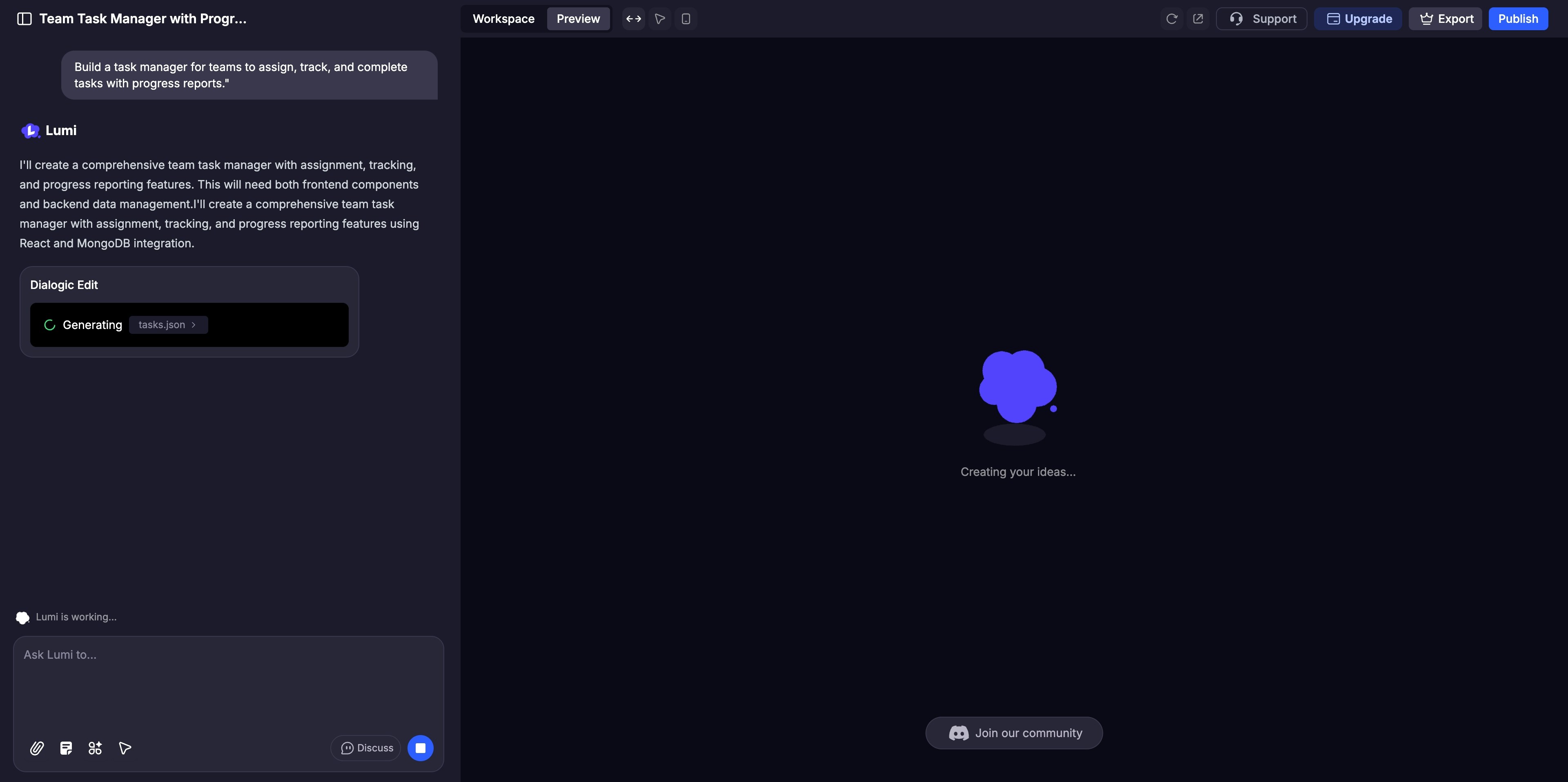
    팀이 진행 상황 보고서와 함께 작업을 할당, 추적 및 완료할 수 있는 작업 관리자를 만들어 줘.
    ```
  </Step>

  <Step title="즉시 앱 생성하기">
    Lumi가 앱의 인터페이스와 백엔드를 자동으로 구성합니다. 미리보기 패널에서 진행 과정을 실시간으로 볼 수 있습니다.
    <img src="https://mintcdn.com/blockdance/yVzLgDWOMQWyvNCE/images/20250911-155051.jpeg?fit=max&auto=format&n=yVzLgDWOMQWyvNCE&q=85&s=e12430ce9ede5193248a77c6c56a4cfb" alt="20250911 155051 Jpe" width="3840" height="1916" data-path="images/20250911-155051.jpeg" />
  </Step>

  <Step title="개선 및 사용자 정의하기">
    광범위한 조정에는 AI 채팅을 사용하고, 색상 및 레이아웃과 같은 세부 사항을 미세 조정하려면 [비주얼 에디터](/ko/features/visual-edits)를 사용하세요. 구현 전에 복잡한 로직에 대해 AI와 협업하려면 [토론 모드](/ko/features/modes#discuss-mode)를 활성화하세요.
  </Step>

  <Step title="철저하게 테스트하기">
    사용자처럼 미리보기 패널에서 웹사이트와 상호 작용하며 모든 기능을 클릭하여 완벽하게 작동하는지 확인하세요.
  </Step>

  <Step title="공유 및 게시하기">
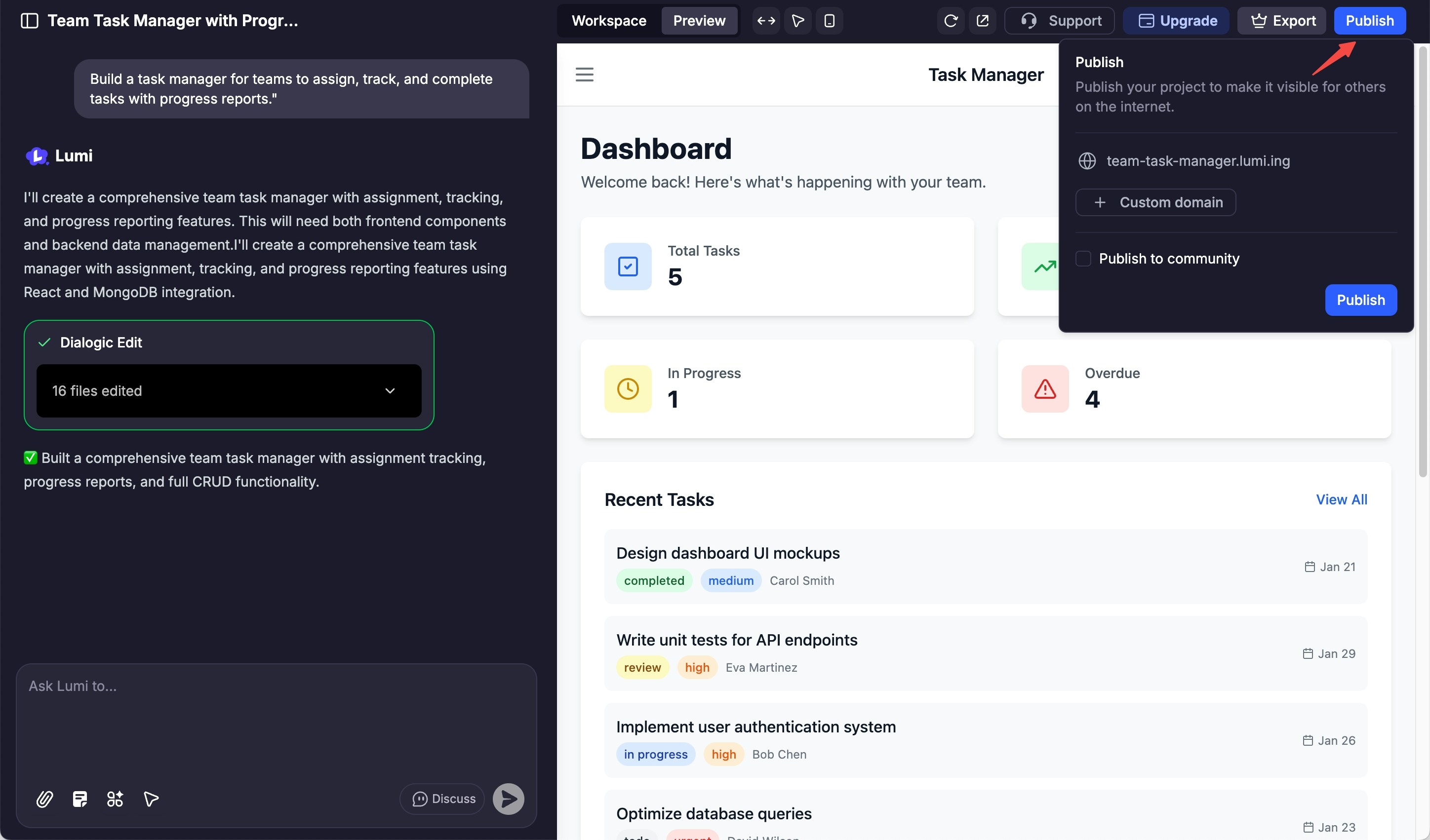
    라이브로 전환할 준비가 되면 "게시" 버튼을 클릭하여 사이트를 배포하고 전 세계에 선보이세요.
    <img src="https://mintcdn.com/blockdance/yVzLgDWOMQWyvNCE/images/20250911-160827.jpeg?fit=max&auto=format&n=yVzLgDWOMQWyvNCE&q=85&s=7fd2a73b38e219cc8fcfbb818cac7fe7" alt="20250911 160827 Jpe" width="2896" height="1702" data-path="images/20250911-160827.jpeg" />
  </Step>
</Steps>