> ## Documentation Index
> Fetch the complete documentation index at: https://docs.lumi.new/llms.txt
> Use this file to discover all available pages before exploring further.

# 函数

> 利用 Lumi 的后端函数来处理数据、执行业务逻辑和集成外部服务——解锁完整的服务器端功能和无缝集成。

## 轻松创建

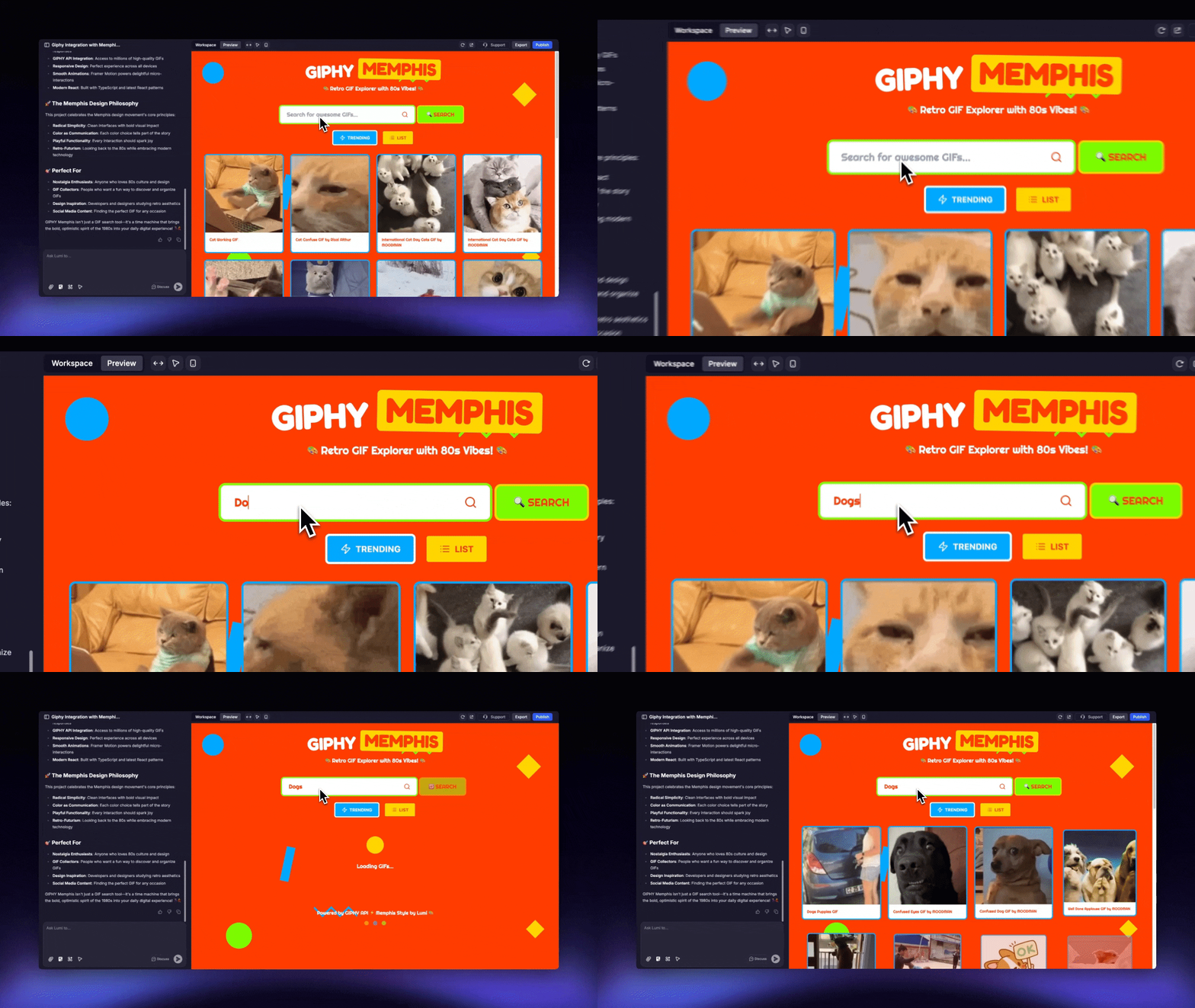
通过在 Lumi 聊天中描述，轻松生成函数。

<img src="https://mintcdn.com/blockdance/Zybg51vOq0ubsckj/images/Area.gif?s=dc86c725539961206058c2d5aef632c7" alt="Area Gi" width="1280" height="720" data-path="images/Area.gif" />

<Steps>
  <Step title="描述函数">
    直接描述您想要实现的功能，例如：

    ```mdx theme={null}
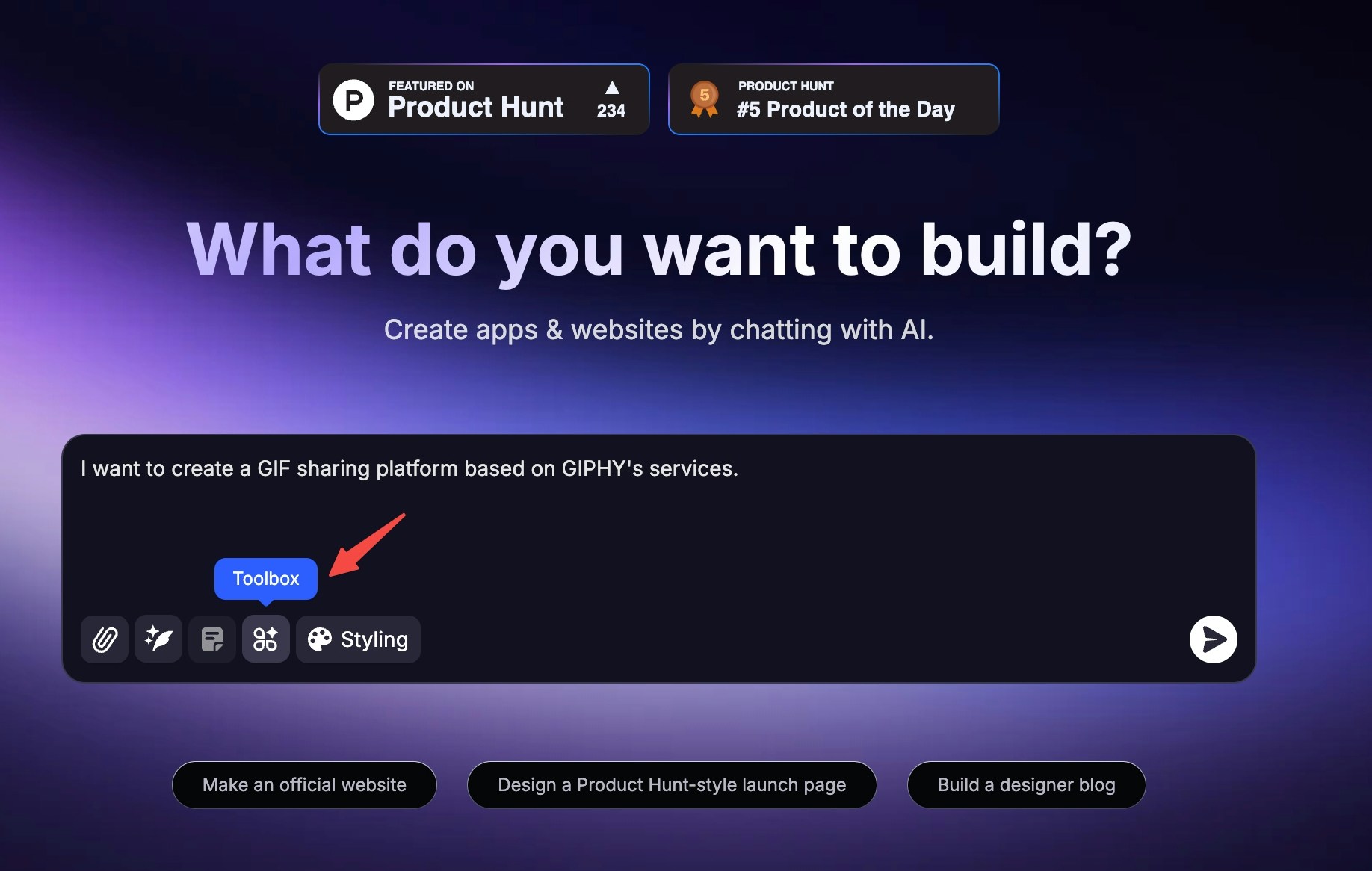
    我想创建一个基于 GIPHY 服务的 GIF 分享平台。
    ```
  </Step>

  <Step title="激活函数">
    记得在工具箱中激活“函数”功能。
  </Step>

  <Step title="让 Lumi 集成">
    Lumi 随后会自动为您集成第三方服务。
  </Step>

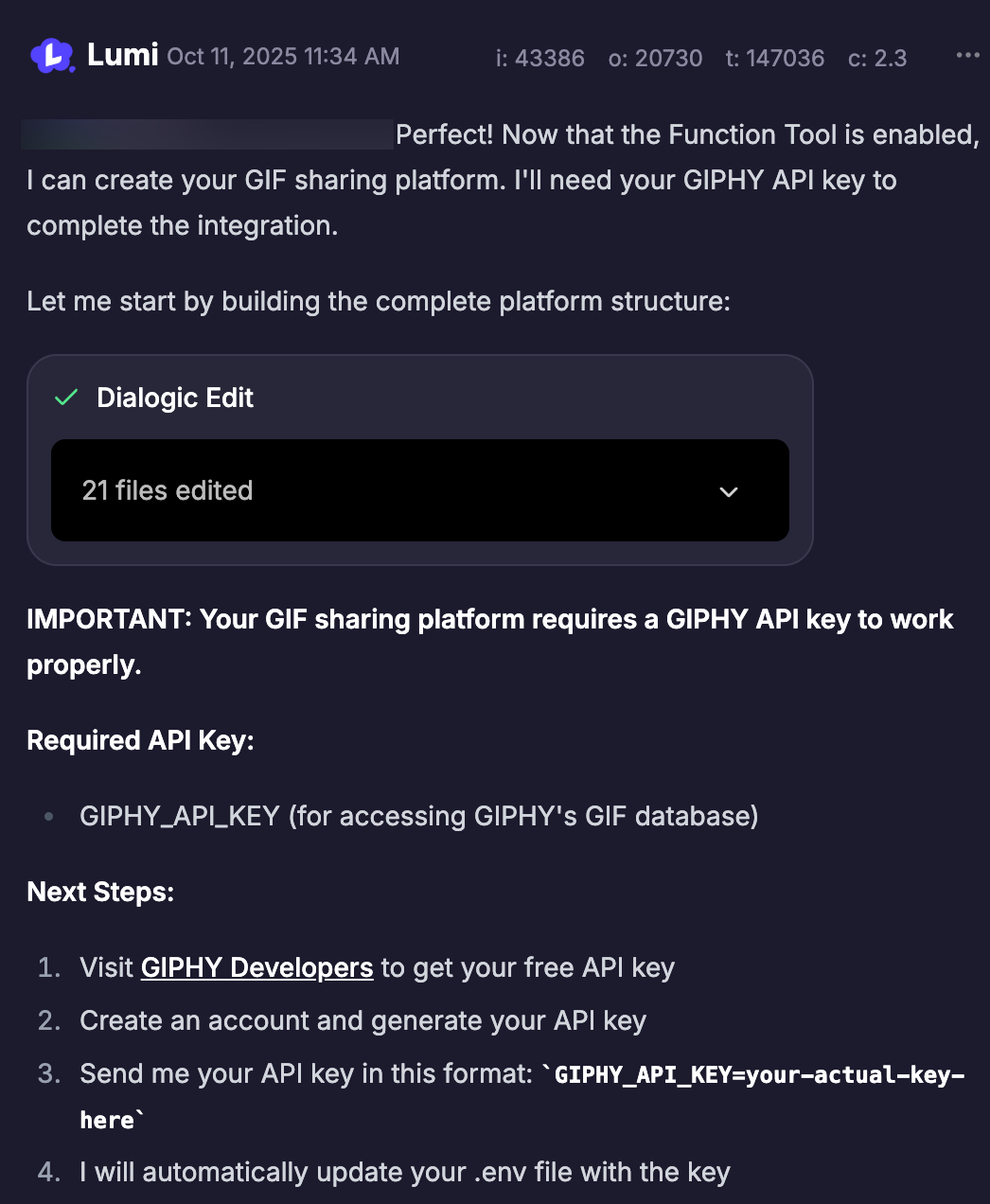
  <Step title="提供 API 密钥">
    当在过程中被提示时，在聊天中发送所需的 API 密钥。Lumi 会将其安全地存储为环境变量，以防泄露。

    <img src="https://mintcdn.com/blockdance/7wv9P8buc22_9riV/images/screenshot-20251011-143703.png?fit=max&auto=format&n=7wv9P8buc22_9riV&q=85&s=454adf0276b5637717f34495bff15ef9" alt="Screenshot 20251011 143703 Pn" width="1046" height="1272" data-path="images/screenshot-20251011-143703.png" />
  </Step>
</Steps>

### 激活函数

* 在主页创建新项目时激活

  <Steps>
    <Step title="点击输入框左下角的 &#x22;工具箱&#x22;">
      <img src="https://mintcdn.com/blockdance/Zybg51vOq0ubsckj/images/20251011-143408.jpeg?fit=max&auto=format&n=Zybg51vOq0ubsckj&q=85&s=a9963e3010ed9c1b0b11a494ff418221" alt="20251011 143408 Jpe" width="1836" height="1166" data-path="images/20251011-143408.jpeg" />
    </Step>

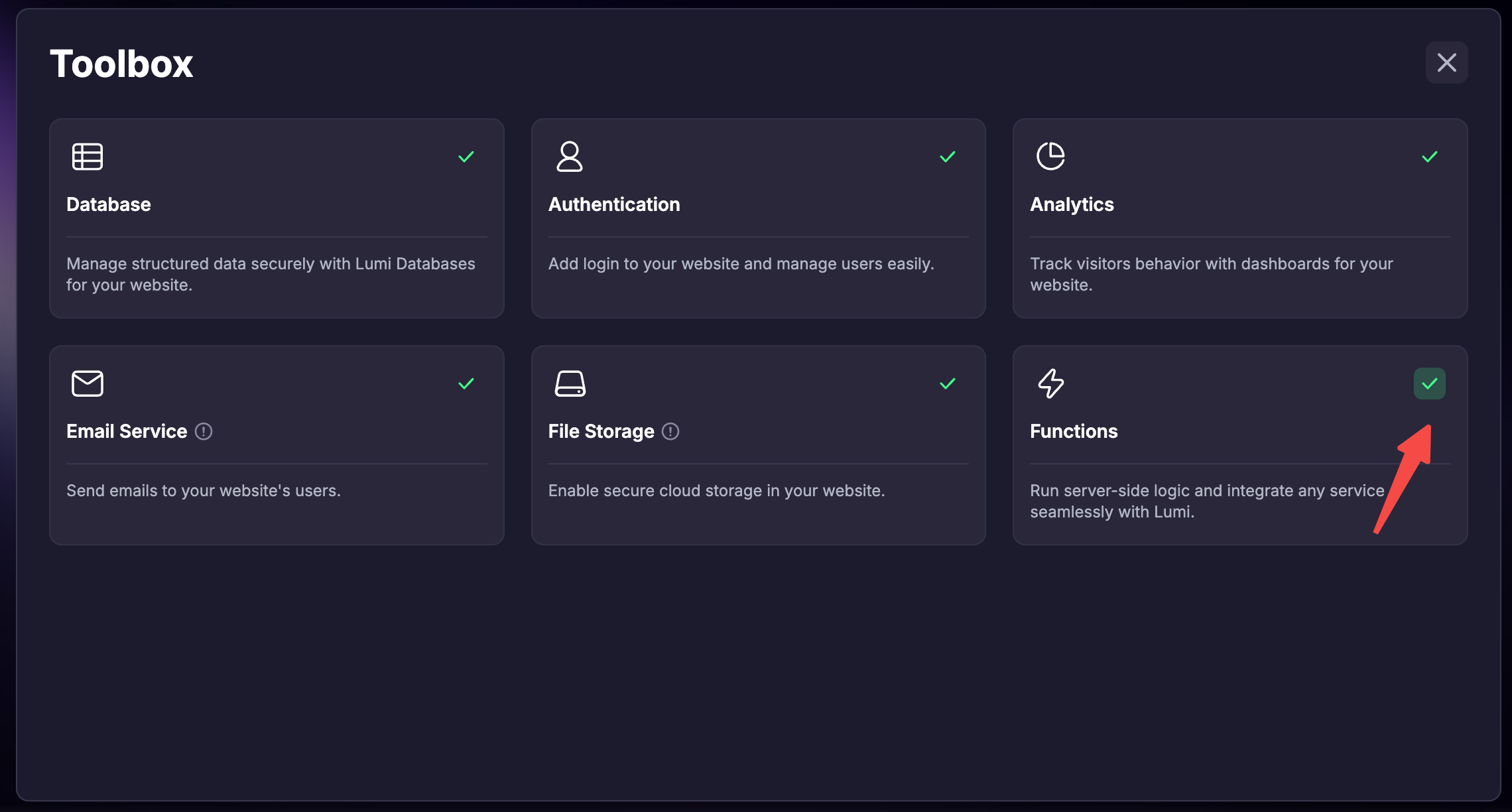
    <Step title="勾选 &#x22;函数&#x22;">
      <img src="https://mintcdn.com/blockdance/Bpx0LtV4twXY-mvm/images/screenshot-20251111-181701.png?fit=max&auto=format&n=Bpx0LtV4twXY-mvm&q=85&s=0a0bdeb7de63bc56562c6394745a7a95" alt="Screenshot 20251111 181701 Pn" width="2280" height="1224" data-path="images/screenshot-20251111-181701.png" />
    </Step>

    <Step title="发送消息并创建项目后，此项目将激活函数。" />
  </Steps>

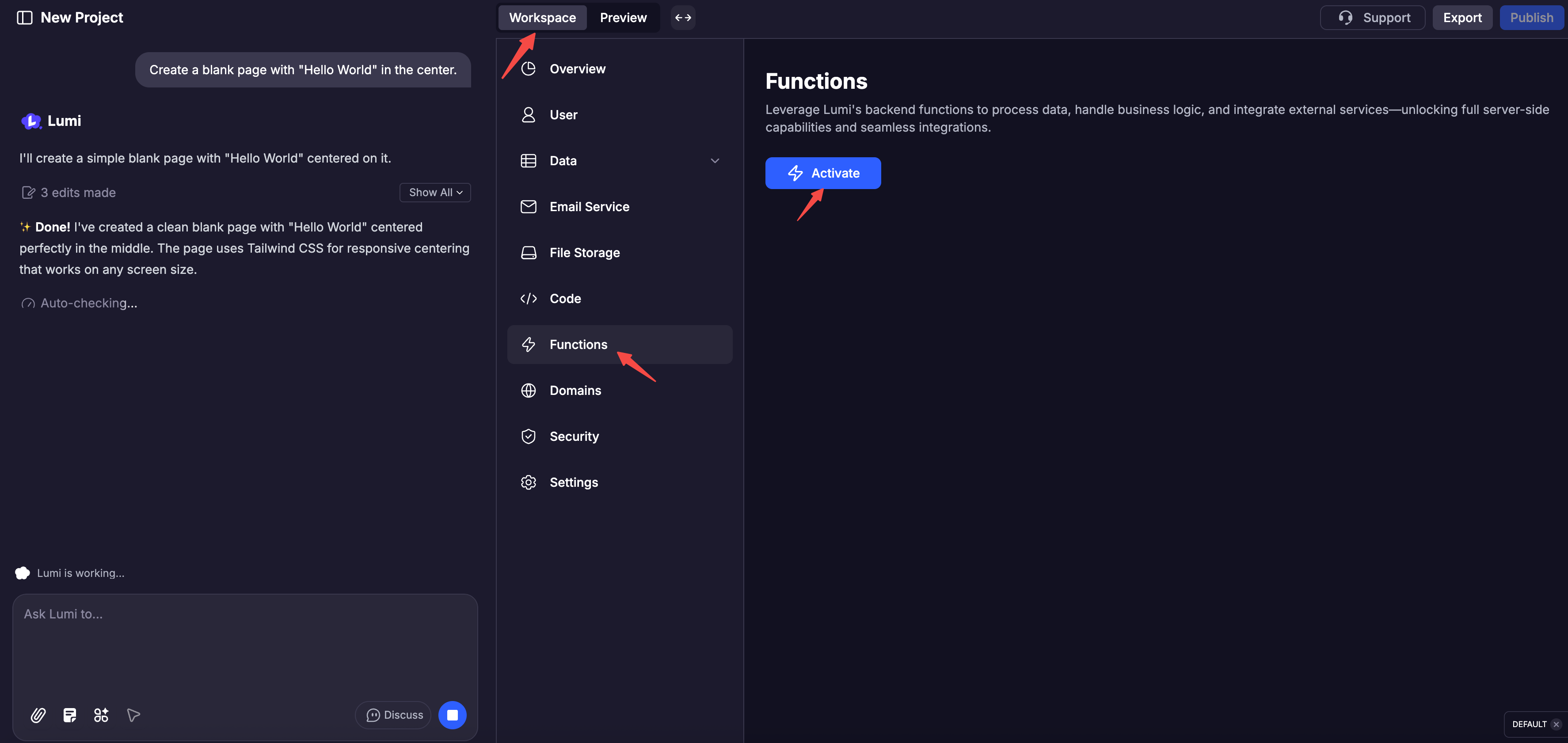
* 在已创建的项目中激活

  <Steps>
    <Step title="点击 &#x22;工作区&#x22;" />

    <Step title="点击下方导航栏中的 &#x22;函数&#x22;" />

    <Step title="点击 &#x22;激活&#x22;">
      <img src="https://mintcdn.com/blockdance/Bpx0LtV4twXY-mvm/images/screenshot-20251111-182134.png?fit=max&auto=format&n=Bpx0LtV4twXY-mvm&q=85&s=266232b5a047125e052e41ba263fed99" alt="Screenshot 20251111 182134 Pn" width="3548" height="1682" data-path="images/screenshot-20251111-182134.png" />
    </Step>
  </Steps>

## 内置调试

每个函数都配备了详细的日志，记录其执行、输出和错误。您还可以查看代码并亲自手动测试函数。

<Columns cols={2}>
  <Card title="函数代码" img="https://mintcdn.com/blockdance/Zybg51vOq0ubsckj/images/20251011-150001.jpeg?fit=max&auto=format&n=Zybg51vOq0ubsckj&q=85&s=e94f3ebd5386a94ad5b1c6efd25e5167" width="3840" height="1916" data-path="images/20251011-150001.jpeg" />

  <Card title="API 文档" img="https://mintcdn.com/blockdance/Zybg51vOq0ubsckj/images/20251011-150010.jpeg?fit=max&auto=format&n=Zybg51vOq0ubsckj&q=85&s=db66ea094c1fe41485af8e02f0daf142" width="3840" height="1916" data-path="images/20251011-150010.jpeg" />

  <Card title="日志" img="https://mintcdn.com/blockdance/Zybg51vOq0ubsckj/images/20251011-150013.jpeg?fit=max&auto=format&n=Zybg51vOq0ubsckj&q=85&s=d401d705d53c7ad37e5ef98b36b58fe2" width="3840" height="1916" data-path="images/20251011-150013.jpeg" />

  <Card title="测试" img="https://mintcdn.com/blockdance/Zybg51vOq0ubsckj/images/20251011-143143.jpeg?fit=max&auto=format&n=Zybg51vOq0ubsckj&q=85&s=c2f1473cb3c70ffdfd7b5ec7345c2aed" width="3840" height="1916" data-path="images/20251011-143143.jpeg" />
</Columns>