> ## Documentation Index
> Fetch the complete documentation index at: https://docs.lumi.new/llms.txt
> Use this file to discover all available pages before exploring further.

# 快速入门

> 从简单的文字到全栈网站。

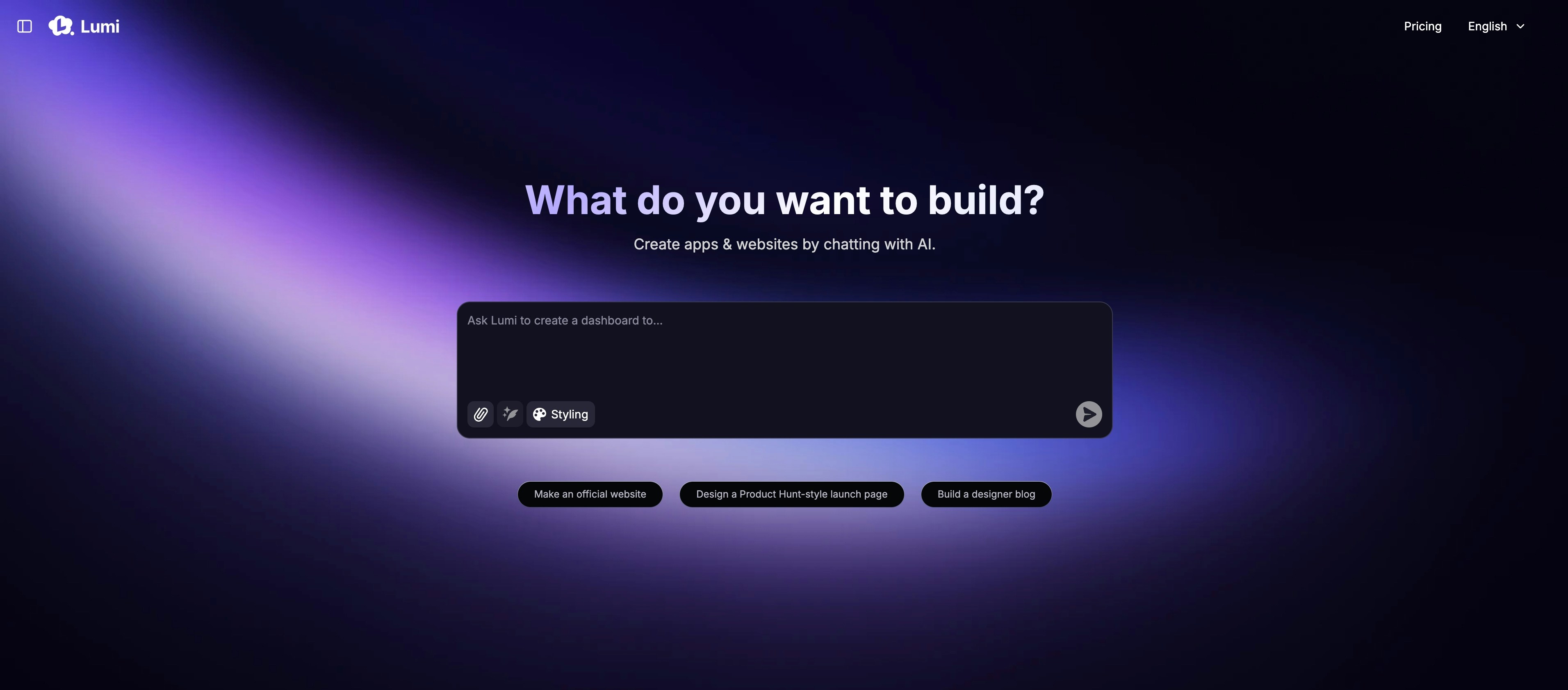
欢迎阅读本快速入门指南，了解如何使用 Lumi 创建一个全栈网站。

## 主页

<img src="https://mintcdn.com/blockdance/ynWgEA-zeP9dMZPg/images/20250821-202133.jpeg?fit=max&auto=format&n=ynWgEA-zeP9dMZPg&q=85&s=97442ddf98e65bf43b19ba56f6c17969" alt="20250821 202133 Jpe" width="3824" height="1682" data-path="images/20250821-202133.jpeg" />

主页主要包含：

<Columns cols={2}>
  <Card title="从提示词开始" img="https://mintcdn.com/blockdance/ynWgEA-zeP9dMZPg/images/screenshot-20250825-154846.png?fit=max&auto=format&n=ynWgEA-zeP9dMZPg&q=85&s=e8fafb96d5faa0c0ec43a0a0dfdb5f05" width="1618" height="358" data-path="images/screenshot-20250825-154846.png">
    用一个描述性的提示词来启动你的项目。
  </Card>

  <Card title="使用模板" img="https://mintcdn.com/blockdance/ynWgEA-zeP9dMZPg/images/screenshot-20250825-154857.png?fit=max&auto=format&n=ynWgEA-zeP9dMZPg&q=85&s=3a4d7d4389fbc89e96b9014357cb3e40" width="1336" height="98" data-path="images/screenshot-20250825-154857.png">
    从我们精选的模板集合开始，加速开发。
  </Card>

  <Card title="探索社区" img="https://mintcdn.com/blockdance/ynWgEA-zeP9dMZPg/images/screenshot-20250825-155003.png?fit=max&auto=format&n=ynWgEA-zeP9dMZPg&q=85&s=2ea3bc083fb9a17998db34d75529494f" width="2970" height="1608" data-path="images/screenshot-20250825-155003.png">
    浏览所有公开项目，包括最新创作和精选作品。
  </Card>

  <Card title="查找你的项目" img="https://mintcdn.com/blockdance/ynWgEA-zeP9dMZPg/images/screenshot-20250825-155110.png?fit=max&auto=format&n=ynWgEA-zeP9dMZPg&q=85&s=f069a5eb78bea9ca0f234038acd526eb" width="3824" height="1916" data-path="images/screenshot-20250825-155110.png">
    浏览你创建的所有项目。
  </Card>

  <Card title="管理你的账户" img="https://mintcdn.com/blockdance/ynWgEA-zeP9dMZPg/images/20250825-155323.jpeg?fit=max&auto=format&n=ynWgEA-zeP9dMZPg&q=85&s=611896281375aa724b885f4f28c03ea8" width="3822" height="1916" data-path="images/20250825-155323.jpeg">
    查看你的每月额度余额并调整账户设置。
  </Card>

  <Card title="调整你的计划" img="https://mintcdn.com/blockdance/ynWgEA-zeP9dMZPg/images/20250825-155328.jpeg?fit=max&auto=format&n=ynWgEA-zeP9dMZPg&q=85&s=20009fa87973936ecda6032924e5754e" width="3822" height="1916" data-path="images/20250825-155328.jpeg">
    随时无缝升级或降级你的订阅。
  </Card>
</Columns>

## 项目页面

<img src="https://mintcdn.com/blockdance/ynWgEA-zeP9dMZPg/images/screenshot-20250825-160241.png?fit=max&auto=format&n=ynWgEA-zeP9dMZPg&q=85&s=a3ad5075591b6b38cc9c65aeb1b99c90" alt="Screenshot 20250825 160241 Pn" width="3814" height="1916" data-path="images/screenshot-20250825-160241.png" />

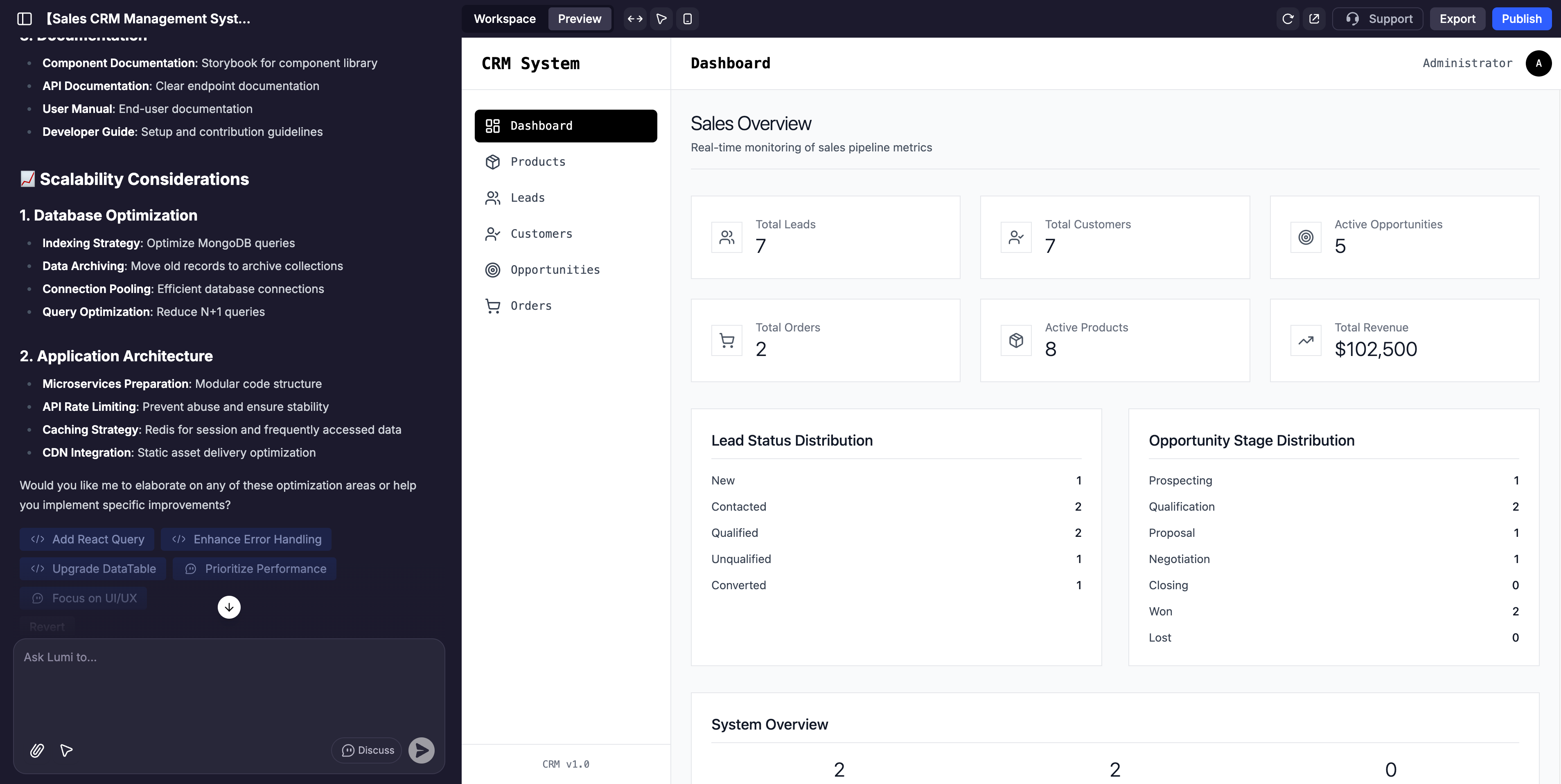
项目页面分为 3 个主要部分：

<Columns cols={2}>
  <Card title="AI 聊天" img="https://mintcdn.com/blockdance/ynWgEA-zeP9dMZPg/images/20250825-155522.jpeg?fit=max&auto=format&n=ynWgEA-zeP9dMZPg&q=85&s=d3231c7a4837f6899fe90820a7ad4f0e" width="3840" height="1916" data-path="images/20250825-155522.jpeg">
    这是你与 Lumi 互动的指挥中心。用它来提供指令、请求更改、进行头脑风暴，并指导你的应用程序开发。
  </Card>

  <Card title="预览" img="https://mintcdn.com/blockdance/ynWgEA-zeP9dMZPg/images/20250825-155526.jpeg?fit=max&auto=format&n=ynWgEA-zeP9dMZPg&q=85&s=5eb8c40ef71ecde175fb7e9b367e2abd" width="3840" height="1916" data-path="images/20250825-155526.jpeg">
    这是你的网站的实时、交互式且完全可定制的视图。点击任何元素来测试其功能，或使用可视化编辑器进行直接调整。
  </Card>

  <Card title="工作区" img="https://mintcdn.com/blockdance/ynWgEA-zeP9dMZPg/images/20250825-155529.jpeg?fit=max&auto=format&n=ynWgEA-zeP9dMZPg&q=85&s=8efc9e5f82cc14c5604ff02d1d8751a5" width="3840" height="1916" data-path="images/20250825-155529.jpeg">
    这里包含有关你的网站、后端功能、工具使用、域名、安全性等信息。
  </Card>
</Columns>

## AI 聊天

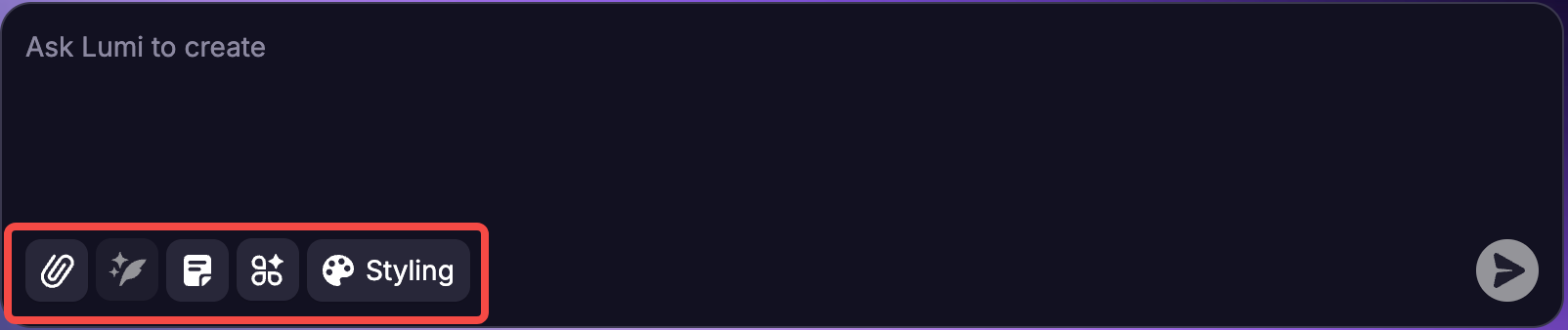
AI 聊天的主要功能是使用自然语言提示来构建和完善你的应用。不过，输入框底部还有一些元素可供进一步探索。

<img src="https://mintcdn.com/blockdance/yVzLgDWOMQWyvNCE/images/Result_2.png?fit=max&auto=format&n=yVzLgDWOMQWyvNCE&q=85&s=fbc0b4aeff6eb6c9b60e894f13bc99de" alt="Result 2 Pn" width="1604" height="338" data-path="images/Result_2.png" />

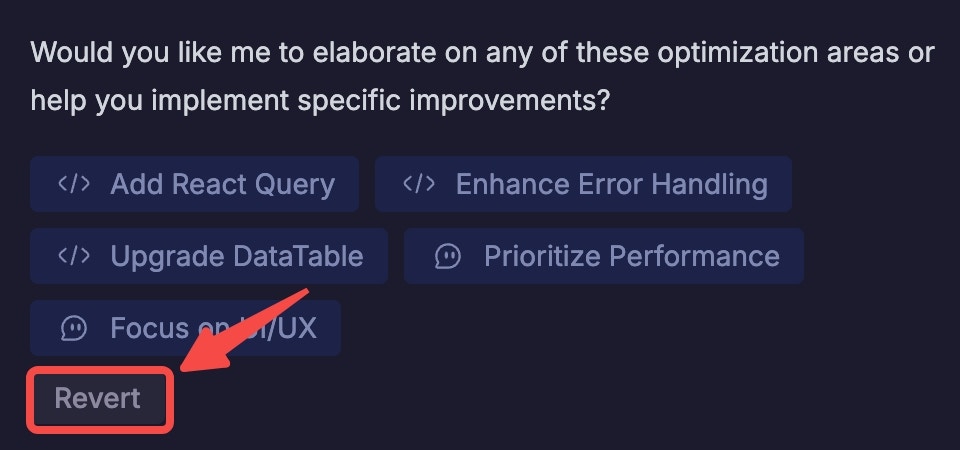
<u>注意</u>：对于你输入的每个提示，你都可以随时返回聊天并点击“撤销此操作”来撤销你的提示。系统会要求你确认请求，然后应用将恢复到该操作之前的状态。

<Note>
  **<u>注意：</u>** 对于你输入的每个提示，你都可以随时返回聊天并点击“撤销”来撤销你的提示。系统会要求你确认请求，然后应用将恢复到该操作之前的状态。

  <img src="https://mintcdn.com/blockdance/yVzLgDWOMQWyvNCE/images/20250911-154652.jpeg?fit=max&auto=format&n=yVzLgDWOMQWyvNCE&q=85&s=5ba3ab426454dfb5f020b99d199d6f32" alt="20250911 154652 Jpe" width="960" height="450" data-path="images/20250911-154652.jpeg" />
</Note>

## 构建你的第一个应用：分步指南

<Steps>
  <Step title="从一个清晰的提示开始">
    用简单的语言描述你的应用的核心功能。

    例如：

    ```mdx theme={null}
    Build a task manager for teams to assign, track, and complete tasks with progress reports.
    ```
  </Step>

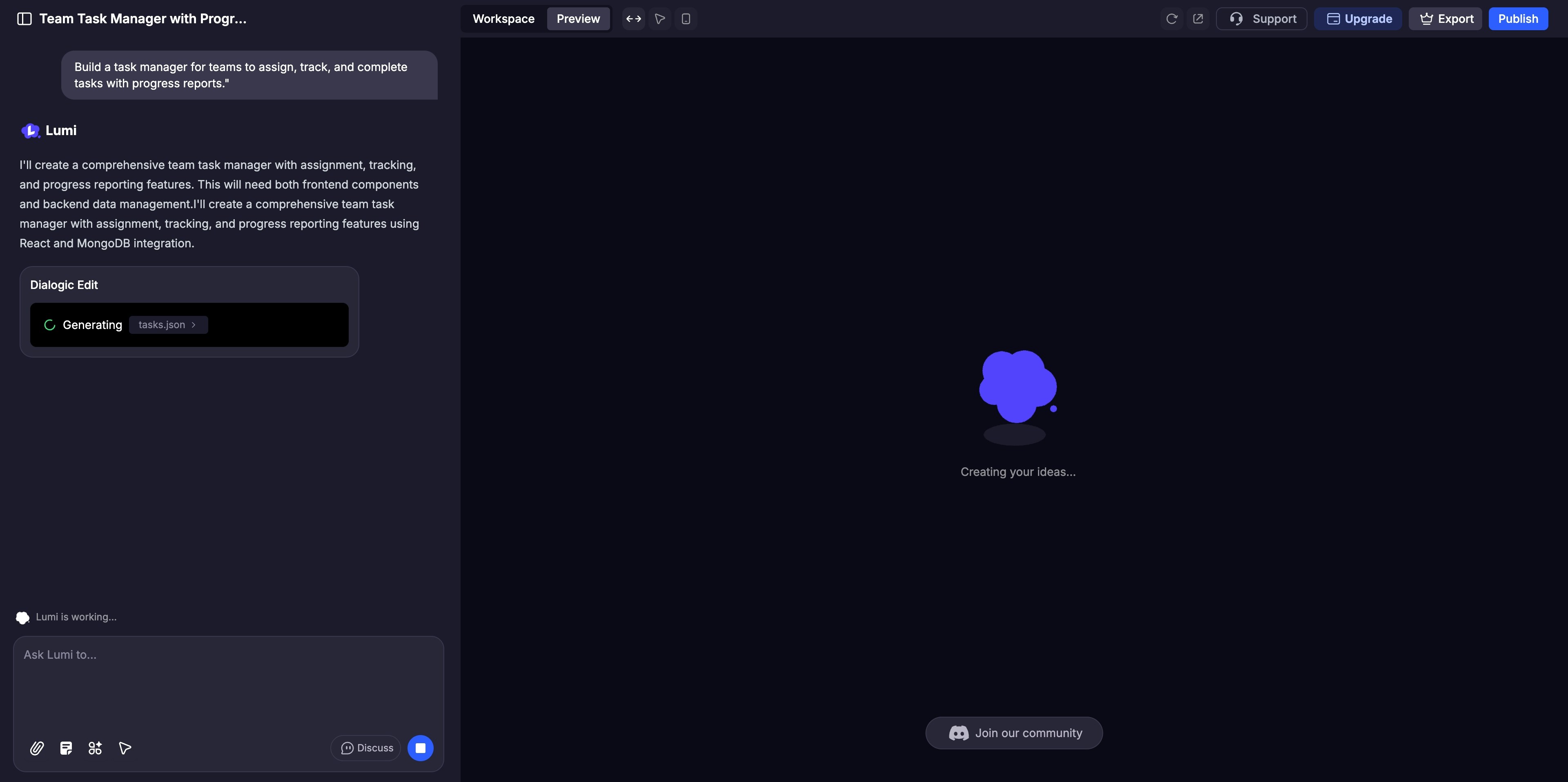
  <Step title="即时生成你的应用">
    Lumi 会自动构建你的应用的界面和后端。你可以在预览面板中实时观看整个过程。
    <img src="https://mintcdn.com/blockdance/yVzLgDWOMQWyvNCE/images/20250911-155051.jpeg?fit=max&auto=format&n=yVzLgDWOMQWyvNCE&q=85&s=e12430ce9ede5193248a77c6c56a4cfb" alt="20250911 155051 Jpe" width="3840" height="1916" data-path="images/20250911-155051.jpeg" />
  </Step>

  <Step title="优化和定制">
    使用 AI Chat 进行大的调整，或使用[可视化编辑](/zh-CN/features/visual-edits)来微调颜色和布局等细节。激活 [Discuss Mode](/zh-CN/features/modes#discuss-mode) 与 AI 协作处理复杂逻辑，然后再进行实现。
  </Step>

  <Step title="全面测试">
    在预览面板中像用户一样与你的网站互动，点击每个功能以确保其完美运行。
  </Step>

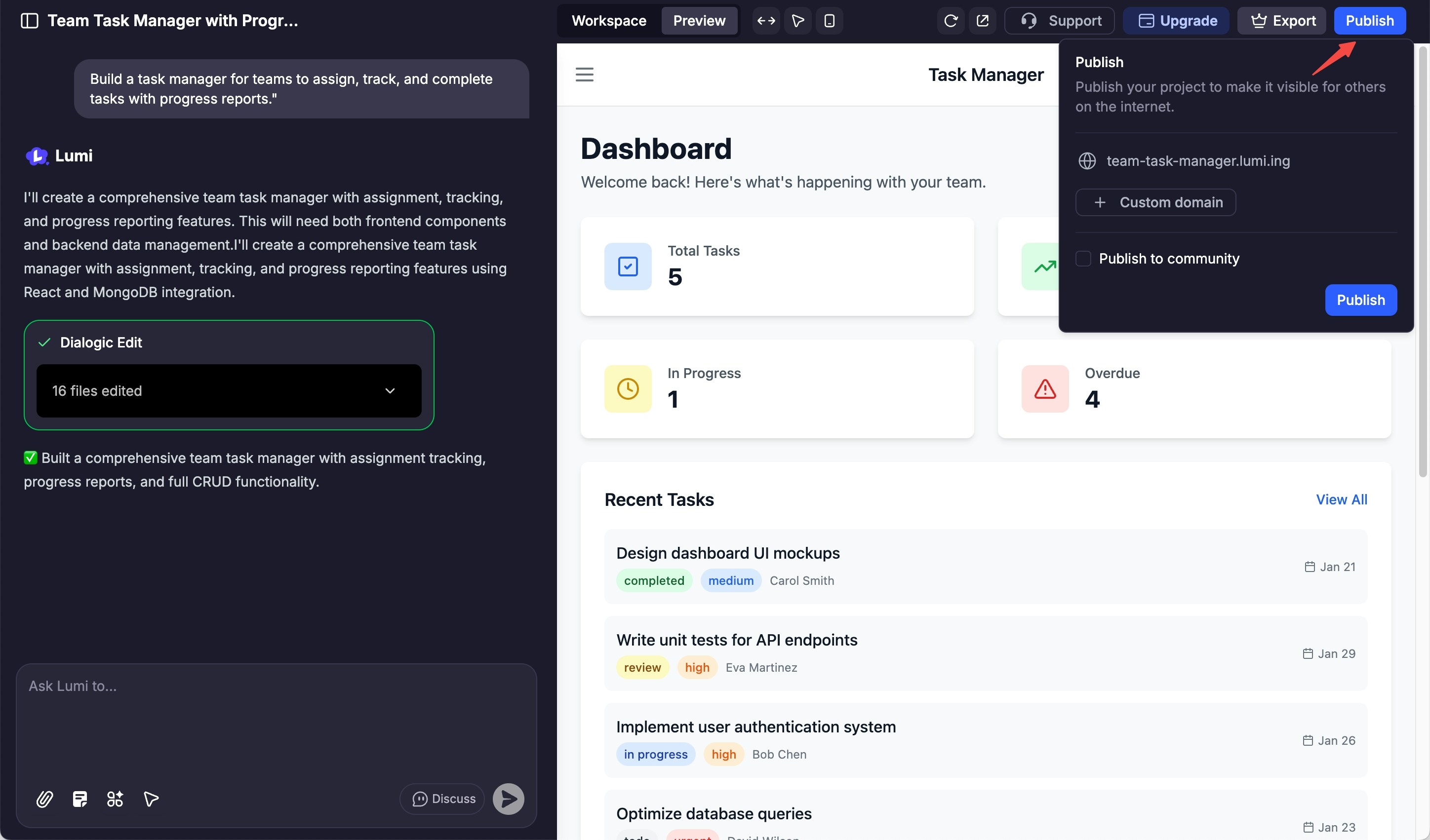
  <Step title="分享和发布">
    准备好上线后，点击“发布”按钮来部署你的网站，并向全世界展示它。

    <img src="https://mintcdn.com/blockdance/yVzLgDWOMQWyvNCE/images/20250911-160827.jpeg?fit=max&auto=format&n=yVzLgDWOMQWyvNCE&q=85&s=7fd2a73b38e219cc8fcfbb818cac7fe7" alt="20250911 160827 Jpe" width="2896" height="1702" data-path="images/20250911-160827.jpeg" />
  </Step>
</Steps>