> ## Documentation Index
> Fetch the complete documentation index at: https://docs.lumi.new/llms.txt
> Use this file to discover all available pages before exploring further.
# Secrets
> 使用機密集中安全地管理您的 API 金鑰。
Lumi 的 **Secrets** 功能可讓您將 API 金鑰儲存和管理在一個地方,無論是在對話期間新增還是在工作區中手動新增。
## 新增 API 金鑰
### 在對話中
您可以在對話期間直接要求新增 API 金鑰。在 **Agent Mode** 下,會自動出現一個安全的輸入卡,讓您安全地輸入您的 API 金鑰。
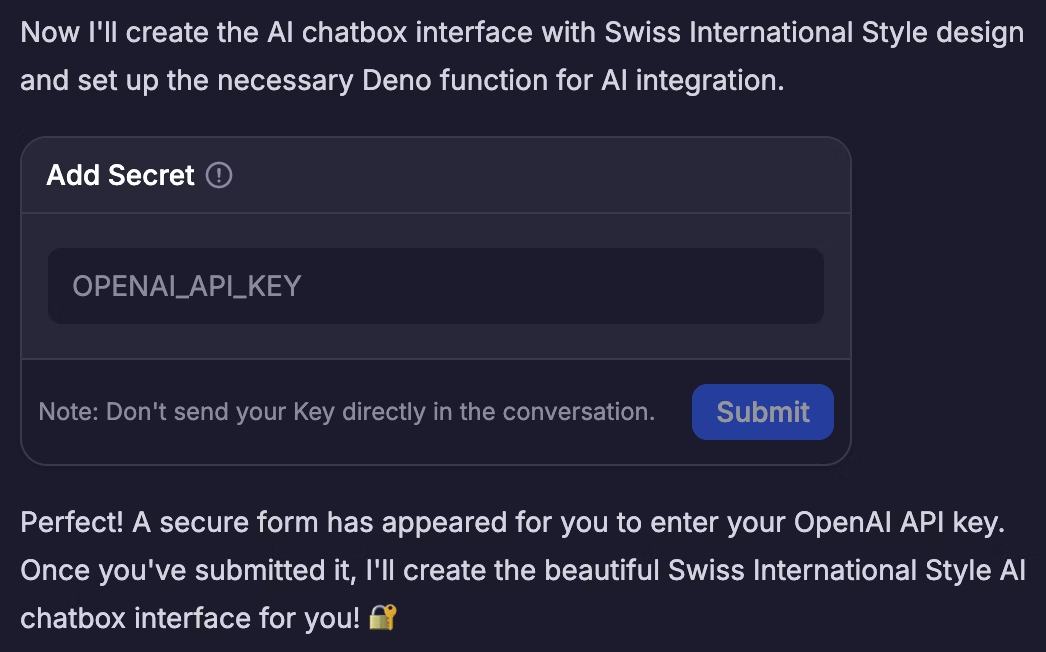 請**不要**將您的 API 金鑰直接輸入到聊天訊息中。請一律使用提供的安全卡。
### 在工作區中
您可以在工作區 - 機密中手動新增新的 API 金鑰。
請**不要**將您的 API 金鑰直接輸入到聊天訊息中。請一律使用提供的安全卡。
### 在工作區中
您可以在工作區 - 機密中手動新增新的 API 金鑰。
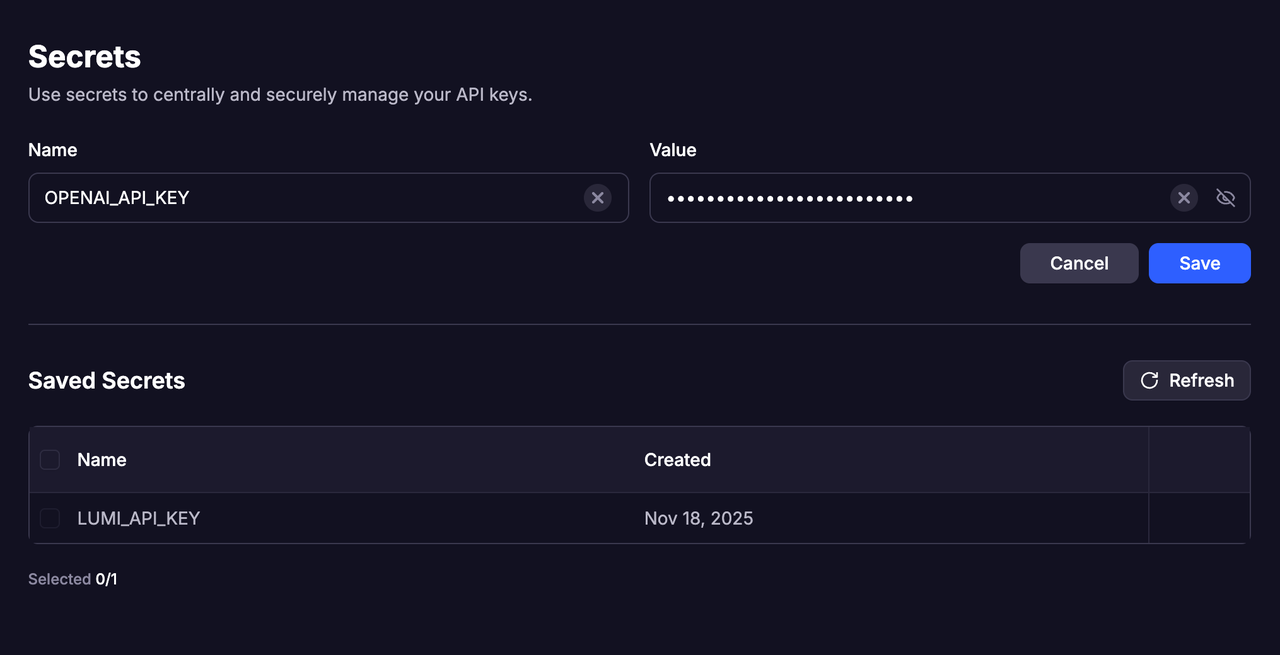 * 每個金鑰都必須有一個**唯一的名稱**。如果您嘗試使用與現有金鑰相同的名稱新增新金鑰,則新金鑰將**取代**舊金鑰。
* 可以儲存多個 API 金鑰,從而可以在不同場景中靈活使用。
只允許使用字母、底線 (`_`)、連字號 (`-`) 和數字。名稱必須包含**至少一個字母**。
## 管理金鑰
* 您可以隨時在工作區 - 機密中檢視所有已儲存的 API 金鑰。
* 當不再需要某個金鑰時,您可以直接刪除它,以保持您的工作區井然有序和安全。
## 呼叫 API
* 專案的機密面板中儲存的所有 API 都可以直接在該專案中呼叫和使用。
* 您需要在對話期間明確指定您希望 Lumi 使用的**確切 API 名稱**。
* 每個金鑰都必須有一個**唯一的名稱**。如果您嘗試使用與現有金鑰相同的名稱新增新金鑰,則新金鑰將**取代**舊金鑰。
* 可以儲存多個 API 金鑰,從而可以在不同場景中靈活使用。
只允許使用字母、底線 (`_`)、連字號 (`-`) 和數字。名稱必須包含**至少一個字母**。
## 管理金鑰
* 您可以隨時在工作區 - 機密中檢視所有已儲存的 API 金鑰。
* 當不再需要某個金鑰時,您可以直接刪除它,以保持您的工作區井然有序和安全。
## 呼叫 API
* 專案的機密面板中儲存的所有 API 都可以直接在該專案中呼叫和使用。
* 您需要在對話期間明確指定您希望 Lumi 使用的**確切 API 名稱**。