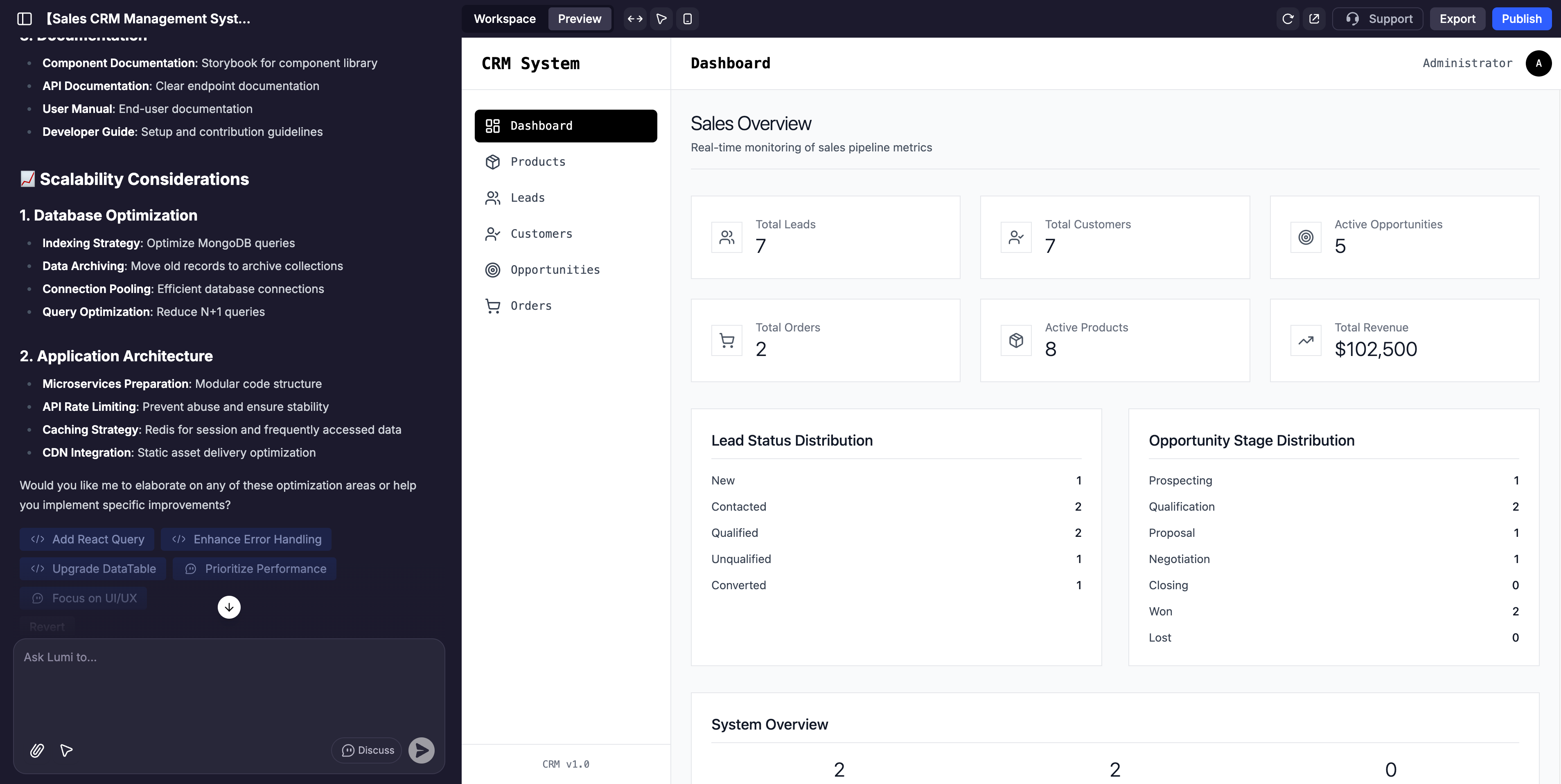
> ## Documentation Index
> Fetch the complete documentation index at: https://docs.lumi.new/llms.txt
> Use this file to discover all available pages before exploring further.

# 快速入門

> 從簡單的文字到全端網站。

歡迎閱讀這份使用 Lumi 建立全端網站的快速入門指南。

## 首頁
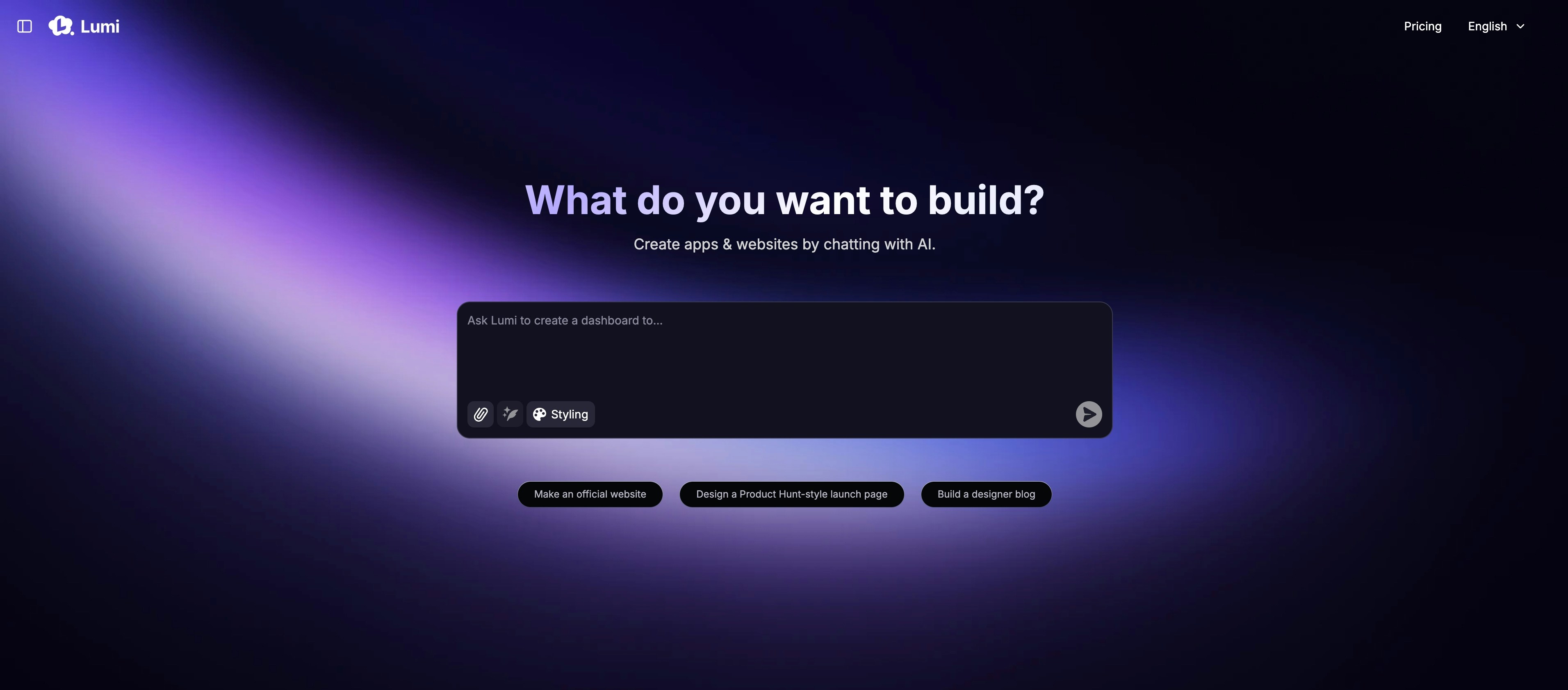
<img src="https://mintcdn.com/blockdance/ynWgEA-zeP9dMZPg/images/20250821-202133.jpeg?fit=max&auto=format&n=ynWgEA-zeP9dMZPg&q=85&s=97442ddf98e65bf43b19ba56f6c17969" alt="20250821 202133 Jpe" width="3824" height="1682" data-path="images/20250821-202133.jpeg" />

首頁主要包含：

<Columns cols={2}>
  <Card title="從提示開始" img="https://mintcdn.com/blockdance/ynWgEA-zeP9dMZPg/images/screenshot-20250825-154846.png?fit=max&auto=format&n=ynWgEA-zeP9dMZPg&q=85&s=e8fafb96d5faa0c0ec43a0a0dfdb5f05" width="1618" height="358" data-path="images/screenshot-20250825-154846.png">
    用一個描述性的提示來啟動您的專案。
  </Card>

  <Card title="使用範本" img="https://mintcdn.com/blockdance/ynWgEA-zeP9dMZPg/images/screenshot-20250825-154857.png?fit=max&auto=format&n=ynWgEA-zeP9dMZPg&q=85&s=3a4d7d4389fbc89e96b9014357cb3e40" width="1336" height="98" data-path="images/screenshot-20250825-154857.png">
    從我們精選的範本集開始，加速開發過程。
  </Card>

  <Card title="探索社群" img="https://mintcdn.com/blockdance/ynWgEA-zeP9dMZPg/images/screenshot-20250825-155003.png?fit=max&auto=format&n=ynWgEA-zeP9dMZPg&q=85&s=2ea3bc083fb9a17998db34d75529494f" width="2970" height="1608" data-path="images/screenshot-20250825-155003.png">
    瀏覽所有公開專案，包括最新創作和精選作品。
  </Card>

  <Card title="尋找您的專案" img="https://mintcdn.com/blockdance/ynWgEA-zeP9dMZPg/images/screenshot-20250825-155110.png?fit=max&auto=format&n=ynWgEA-zeP9dMZPg&q=85&s=f069a5eb78bea9ca0f234038acd526eb" width="3824" height="1916" data-path="images/screenshot-20250825-155110.png">
    瀏覽您建立的所有專案。
  </Card>

  <Card title="管理您的帳戶" img="https://mintcdn.com/blockdance/ynWgEA-zeP9dMZPg/images/20250825-155323.jpeg?fit=max&auto=format&n=ynWgEA-zeP9dMZPg&q=85&s=611896281375aa724b885f4f28c03ea8" width="3822" height="1916" data-path="images/20250825-155323.jpeg">
    查看您的每月積分餘額並調整帳戶設定。
  </Card>

  <Card title="調整您的方案" img="https://mintcdn.com/blockdance/ynWgEA-zeP9dMZPg/images/20250825-155328.jpeg?fit=max&auto=format&n=ynWgEA-zeP9dMZPg&q=85&s=20009fa87973936ecda6032924e5754e" width="3822" height="1916" data-path="images/20250825-155328.jpeg">
    隨時無縫升級或降級您的訂閱方案。
  </Card>
</Columns>

## 專案頁面

<img src="https://mintcdn.com/blockdance/ynWgEA-zeP9dMZPg/images/screenshot-20250825-160241.png?fit=max&auto=format&n=ynWgEA-zeP9dMZPg&q=85&s=a3ad5075591b6b38cc9c65aeb1b99c90" alt="Screenshot 20250825 160241 Pn" width="3814" height="1916" data-path="images/screenshot-20250825-160241.png" />

專案頁面分為 3 個主要部分：

<Columns cols={2}>
  <Card title="AI 聊天" img="https://mintcdn.com/blockdance/ynWgEA-zeP9dMZPg/images/20250825-155522.jpeg?fit=max&auto=format&n=ynWgEA-zeP9dMZPg&q=85&s=d3231c7a4837f6899fe90820a7ad4f0e" width="3840" height="1916" data-path="images/20250825-155522.jpeg">
    這是您與 Lumi 互動的指揮中心。您可以用它來提供指令、請求變更、腦力激盪，並引導您的應用程式開發。
  </Card>

  <Card title="預覽" img="https://mintcdn.com/blockdance/ynWgEA-zeP9dMZPg/images/20250825-155526.jpeg?fit=max&auto=format&n=ynWgEA-zeP9dMZPg&q=85&s=5eb8c40ef71ecde175fb7e9b367e2abd" width="3840" height="1916" data-path="images/20250825-155526.jpeg">
    這是您網站的即時、互動且完全可自訂的視圖。點擊任何元素以測試其功能，或使用視覺化編輯器進行直接調整。
  </Card>

  <Card title="工作區" img="https://mintcdn.com/blockdance/ynWgEA-zeP9dMZPg/images/20250825-155529.jpeg?fit=max&auto=format&n=ynWgEA-zeP9dMZPg&q=85&s=8efc9e5f82cc14c5604ff02d1d8751a5" width="3840" height="1916" data-path="images/20250825-155529.jpeg">
    這裡包含有關您網站的資訊、後端功能、工具使用、網域名稱、安全性等。
  </Card>
</Columns>

## AI 聊天

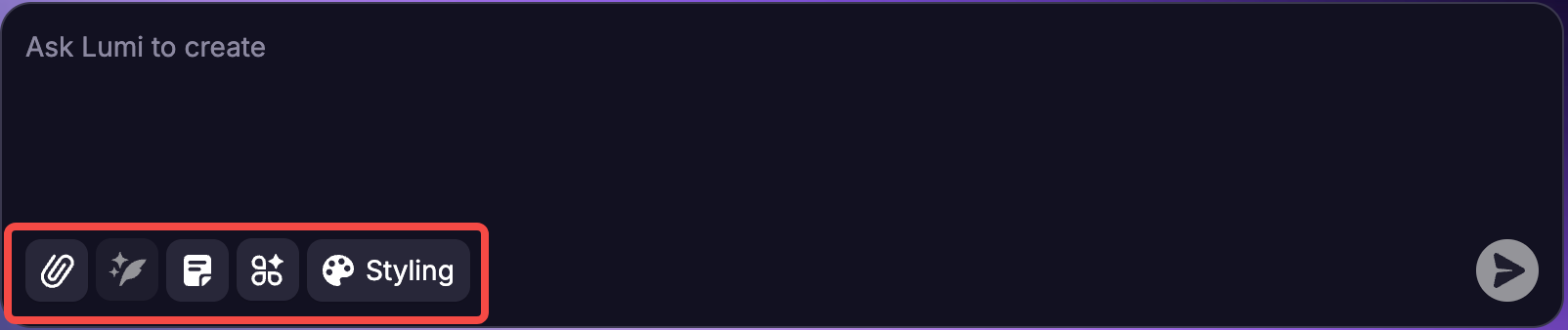
AI 聊天的主要功能是使用自然語言提示來建立和完善您的應用程式。然而，在輸入框底部還有一些元素可供進一步探索。

<img src="https://mintcdn.com/blockdance/yVzLgDWOMQWyvNCE/images/Result_2.png?fit=max&auto=format&n=yVzLgDWOMQWyvNCE&q=85&s=fbc0b4aeff6eb6c9b60e894f13bc99de" alt="Result 2 Pn" width="1604" height="338" data-path="images/Result_2.png" />

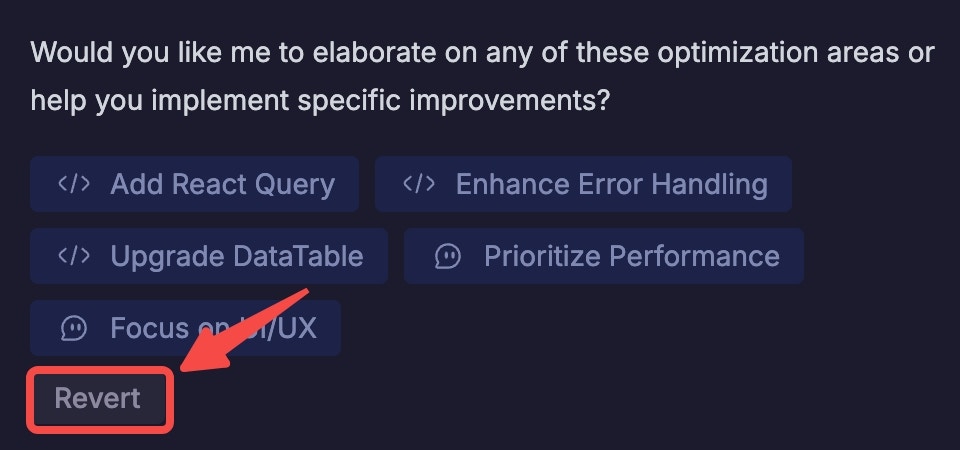
<u>注意</u>：對於您輸入的每個提示，您隨時可以回到聊天中點擊「復原此項」來撤銷您的提示。系統會要求您確認請求，然後應用程式將會回復到該提示執行前的狀態。

<Note>
  **<u>注意：</u>** 對於您輸入的每個提示，您隨時可以回到聊天中點擊「復原」來撤銷您的提示。系統會要求您確認請求，然後應用程式將會回復到該提示執行前的狀態。

  <img src="https://mintcdn.com/blockdance/yVzLgDWOMQWyvNCE/images/20250911-154652.jpeg?fit=max&auto=format&n=yVzLgDWOMQWyvNCE&q=85&s=5ba3ab426454dfb5f020b99d199d6f32" alt="20250911 154652 Jpe" width="960" height="450" data-path="images/20250911-154652.jpeg" />
</Note>

## 建立您的第一個應用程式：逐步指南

<Steps>
  <Step title="從清晰的提示開始">
    用簡單的語言描述您應用程式的核心功能。

    例如：

    ```mdx theme={null}
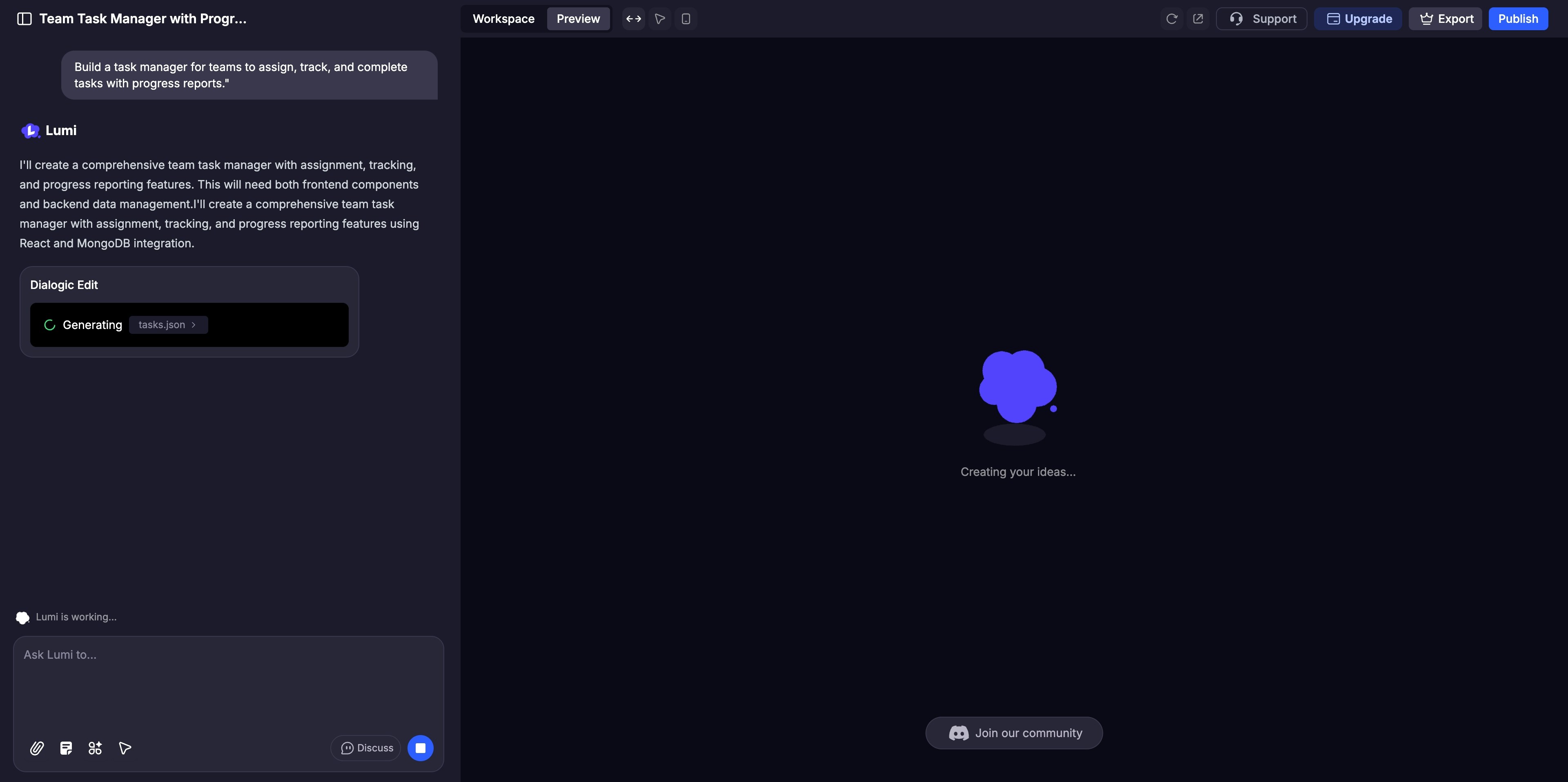
    Build a task manager for teams to assign, track, and complete tasks with progress reports.
    ```
  </Step>

  <Step title="立即生成您的應用程式">
    Lumi 會自動建構您應用程式的介面和後端。您可以在預覽面板中即時觀看整個過程。
    <img src="https://mintcdn.com/blockdance/yVzLgDWOMQWyvNCE/images/20250911-155051.jpeg?fit=max&auto=format&n=yVzLgDWOMQWyvNCE&q=85&s=e12430ce9ede5193248a77c6c56a4cfb" alt="20250911 155051 Jpe" width="3840" height="1916" data-path="images/20250911-155051.jpeg" />
  </Step>

  <Step title="調整與自訂">
    使用 AI 聊天進行大幅調整，或使用[視覺化編輯](/zh-TW/features/visual-edits)微調顏色和版面等細節。在實作前，啟動[討論模式](/zh-TW/features/modes#discuss-mode)與 AI 協作處理複雜的邏輯。
  </Step>

  <Step title="徹底測試">
    在預覽面板中像使用者一樣與您的網站互動，點擊每個功能以確保其運作完美。
  </Step>

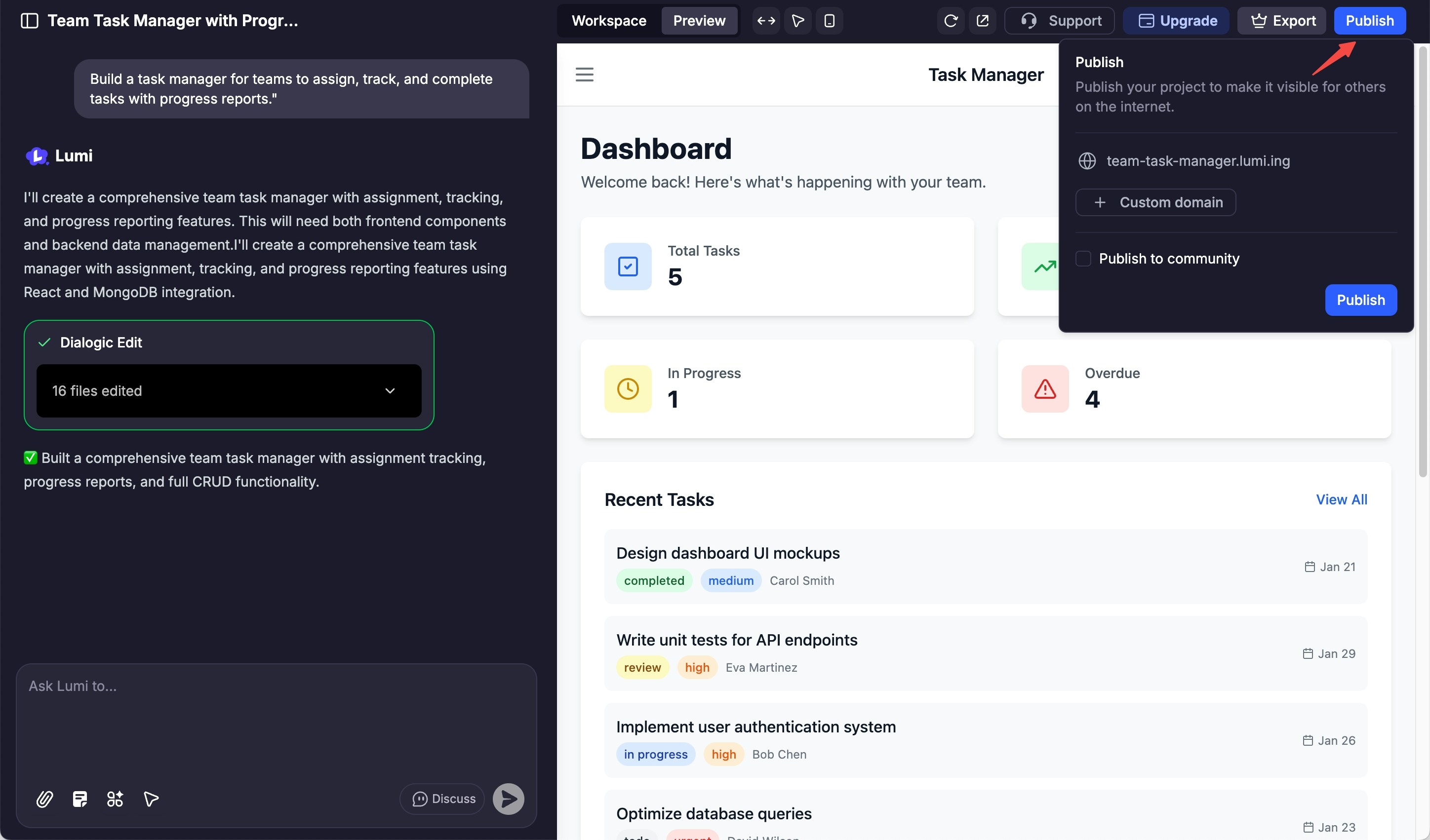
  <Step title="分享與發布">
    當您準備好上線時，點擊「發布」按鈕來部署您的網站，並向全世界展示。

    <img src="https://mintcdn.com/blockdance/yVzLgDWOMQWyvNCE/images/20250911-160827.jpeg?fit=max&auto=format&n=yVzLgDWOMQWyvNCE&q=85&s=7fd2a73b38e219cc8fcfbb818cac7fe7" alt="20250911 160827 Jpe" width="2896" height="1702" data-path="images/20250911-160827.jpeg" />
  </Step>
</Steps>