

10/3/2026
-
New Practical Tools Launched in the Market Module
-1.png?fit=max&auto=format&n=TEN4YHkVfB8kK6Oe&q=85&s=77dd3d2de3e94d9812ecb81ac3227bd1)
- SEO Tool: One-click full-stack project SEO optimization, accessible via dialog box or Market panel. Auto-completes full SEO configuration (meta tags, structured data, link standardization, robots.txt, sitemap.xml) and supports real-time viewing of historical optimization records.
- Social Media Tool: One-stop social media material generator for creators and developers. Customize platform, persona, content scenario, copy style and more; AI generates tailored copy with matching images, plus generation history viewing and one-click content copy & reuse.
6/2/2026
- Restyled Workspace control in the navigation bar
-
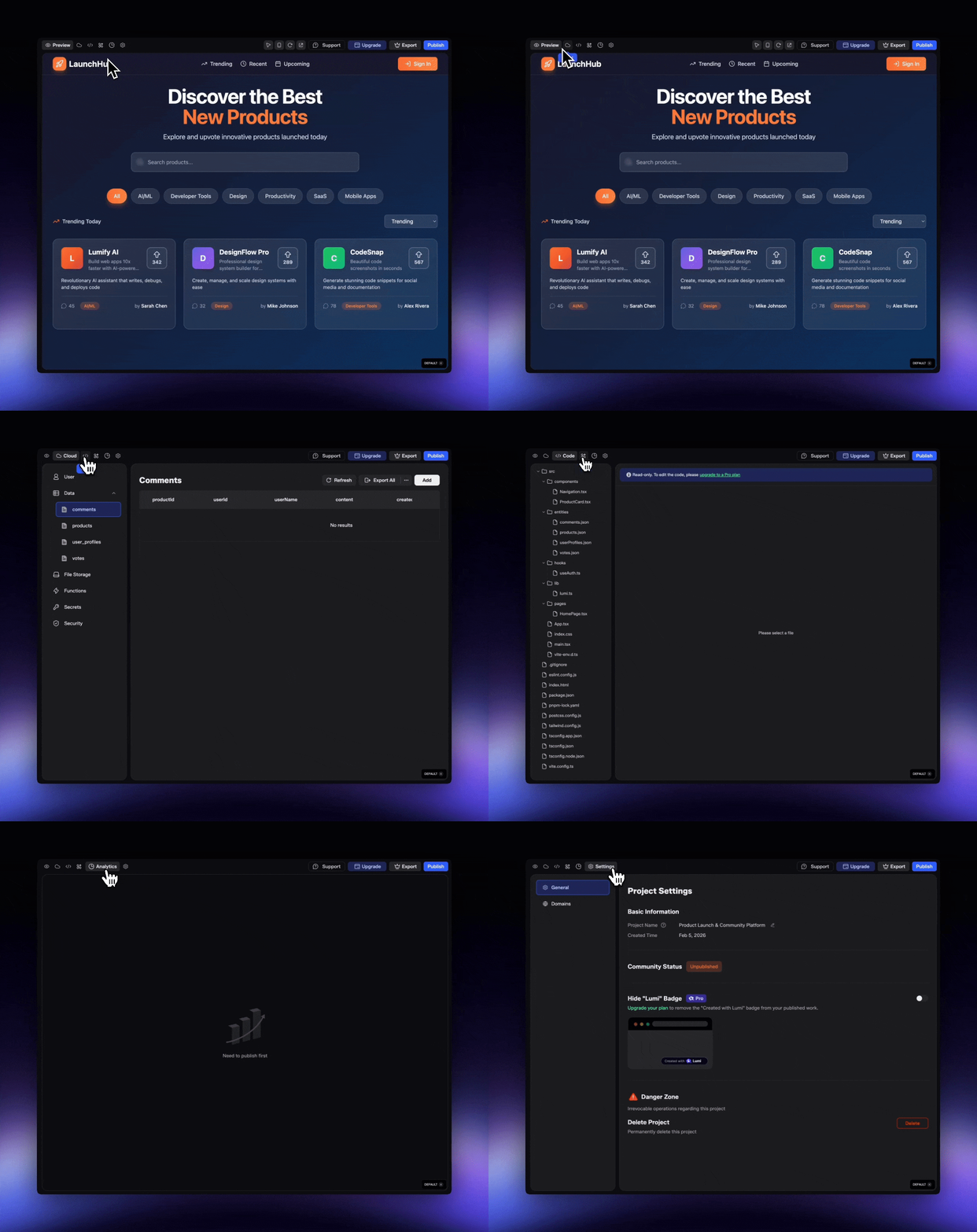
Redesigned Workspace icon button: Transformed the easily overlooked Workspace text label button into a streamlined icon button, resulting in a cleaner and more compact layout, improved visibility and intuitive operation of the functional entry, and further optimized overall interactive experience and visual consistency.
-
Redesigned Workspace icon button: Transformed the easily overlooked Workspace text label button into a streamlined icon button, resulting in a cleaner and more compact layout, improved visibility and intuitive operation of the functional entry, and further optimized overall interactive experience and visual consistency.
20/1/2026
- Explore more paths by forking projects
-
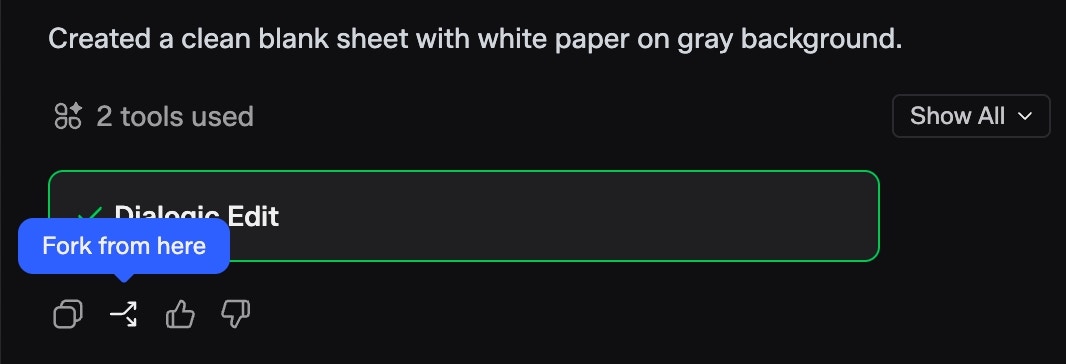
Create a new project from any chat point: Fork a new project at any stage of a conversation to explore alternative ideas or solutions—without disrupting your original progress.
-
Create a new project from any chat point: Fork a new project at any stage of a conversation to explore alternative ideas or solutions—without disrupting your original progress.
- Flexible data import and export
- Seamless database data transfer: Easily import data into your database or export existing data whenever needed, making it simpler to manage, back up, and reuse your data across workflows.
9/1/2026
- Dedicated support, right when you need it
-
A centralized Support Center: Access a dedicated customer support hub with multiple ways to get help whenever you run into an issue.

-
A centralized Support Center: Access a dedicated customer support hub with multiple ways to get help whenever you run into an issue.
- Smarter guidance during conversations
- Next-step suggestions from Lumi: During chats, Lumi proactively suggests what you can do next—helping you interact more smoothly and quickly jump to built-in features.
31/12/2025
- More powerful visual editing
-
Edit with AI: Not satisfied with an image? Simply describe what you want, and let AI refine it for you.

- Precise control over your image: Newly introduced controls for shadows, opacity, corner radius, and more.
-
Edit with AI: Not satisfied with an image? Simply describe what you want, and let AI refine it for you.
- A more user-friendly sidebar
- Project Collections: Group related projects into custom folders to keep your sidebar clean.
- Pinned Projects: Keep your top priorities within reach.
12/12/2025
- Stripe Integration:You can now set up Stripe entirely through Lumi’s chat interface. Just describe what you need!
- Tool Credit Add-on:If you need heavy tool usage, you can direclty buy a Tool credit add-on without necessarily having to upgrade the plan.
11/20/2025
-
Gemini 3:Lumi has adopted the latest Gemini 3 Pro model, which is best for complex tasks and bringing creative concepts to life— select it with one click to build your project powerfully and professionally.

-
AI Integration
- Easy to go: Activate AI just by simple words! No API keys are needed.
- Flexible model options: Enable Gemini, GPT, and soon more — and freely combine them within a single project.
- Transparent management: Monitor real-time model usage and Tool Credit spending in the new AI panel.
- No subscription required: AI use Tool Credit only, which means you can start right away.
- Secrets: Secrets allow you to store and manage your API keys in one place, whether added during a conversation or manually in the workspace.
11/03/2025
- Agent Mode
- More Efficient: Solves complex tasks in fewer steps, saving you time and credits.
- More Reliable: Self-corrects as it works, delivering better results with fewer issues.
- Truly Capable: Goes beyond chat. It utilizes proper tools, searches the internet for real-time info, and deploys functions.
-
Always Secure: You’re in full control. Approve critical actions with a click and safely enter API keys when prompted.
.png?fit=max&auto=format&n=wt6t48AwxUU3OblO&q=85&s=28768ed1cbf9cbecfe93f6dcb6fd6848) For details, please check >> Modes
For details, please check >> Modes
10/11/2025
-
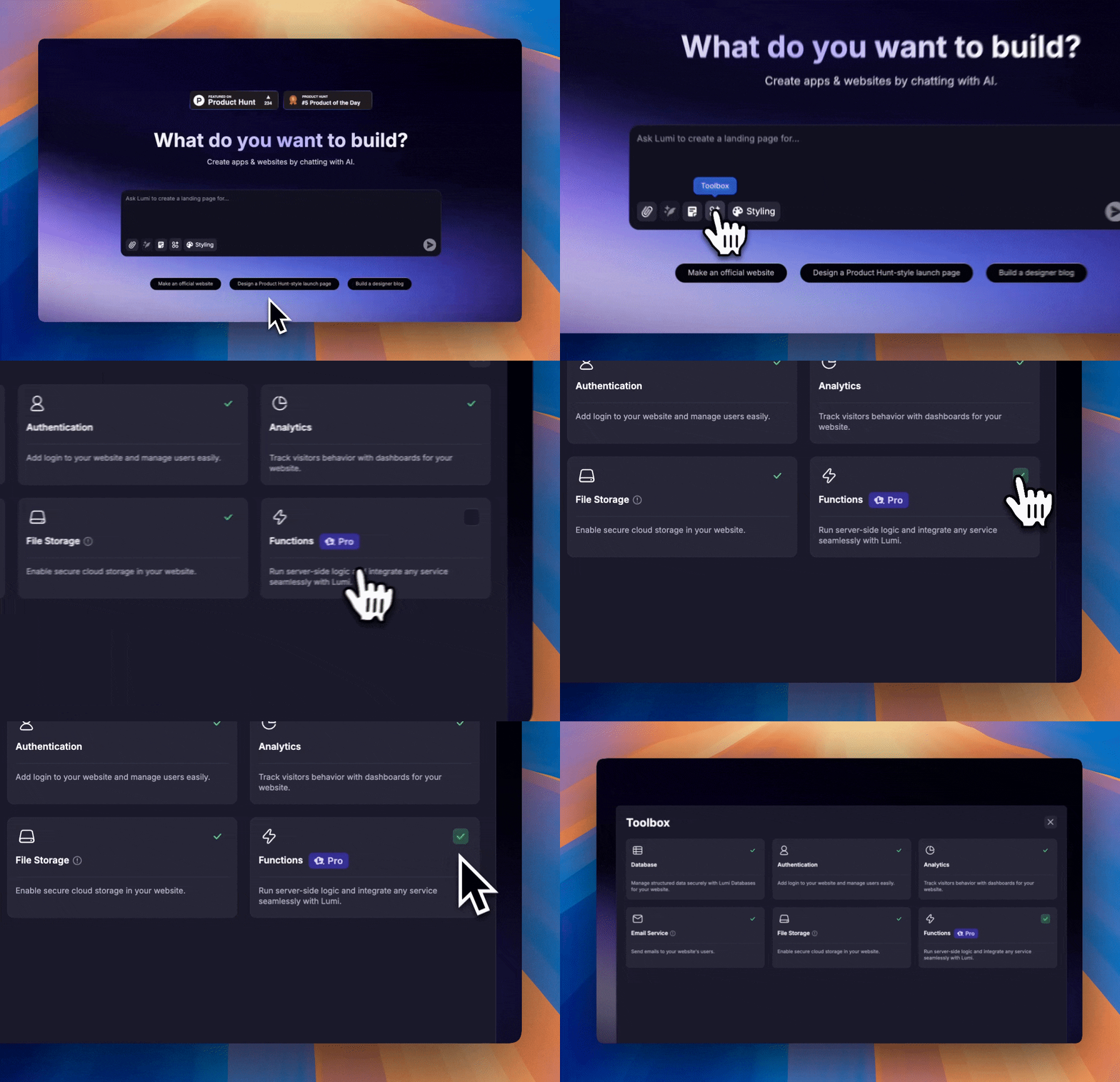
Functions: Introducing fresh Functions to the Toolbox. Funtions allows you to process data, handle business logic, and integrate external services—unlocking full server-side capabilities and seamless integrations.
- Enhanced Control: New Admin User Role now available for backend administration.
- Earn Credits: Get rewarded for successful friend invitations, as well as their registration, publishment and purchases.
08/29/2025
-
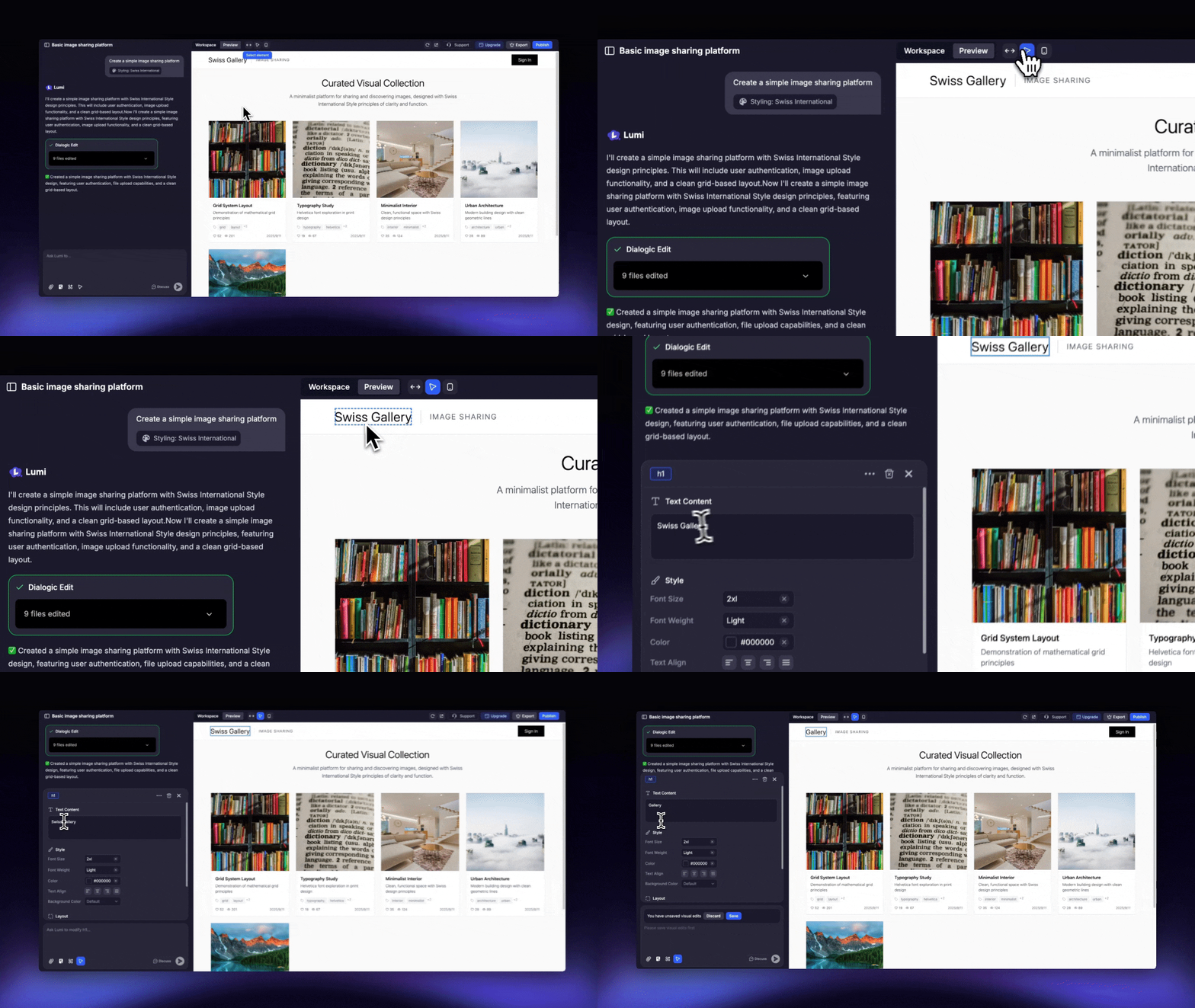
Visual Edits: Allows you to select any element on your page to modify it directly. Instantly update properties like text and color, or use prompts to adjust functionality and layout.
08/29/2025
- Brand New ‘Toolbox’: Directly Utilize Our Abundant Tool Capabilities on Your Webpage!
- Databases: Manage structured data securely with Lumi Databases for your website.
- Authentication & User Management: Add login to your website and manage users easily.
- Analytics: Track visitors behavior with dashboards for your website.
- Email Service: Send emails to your website’s users.
- File Storage: Enable secure cloud storage in your website.
- New ‘Prompt Playbook’ feature: Quickly use the preset Prompts or the ones you frequently use!