

Working with data
How to add database to your project.
Generally, Lumi will automatically analyze your needs and add this function when a database is required. You can also emphasize it in the prompt, such as “Create an orders management system with a database to store orders data.”Manually add a record
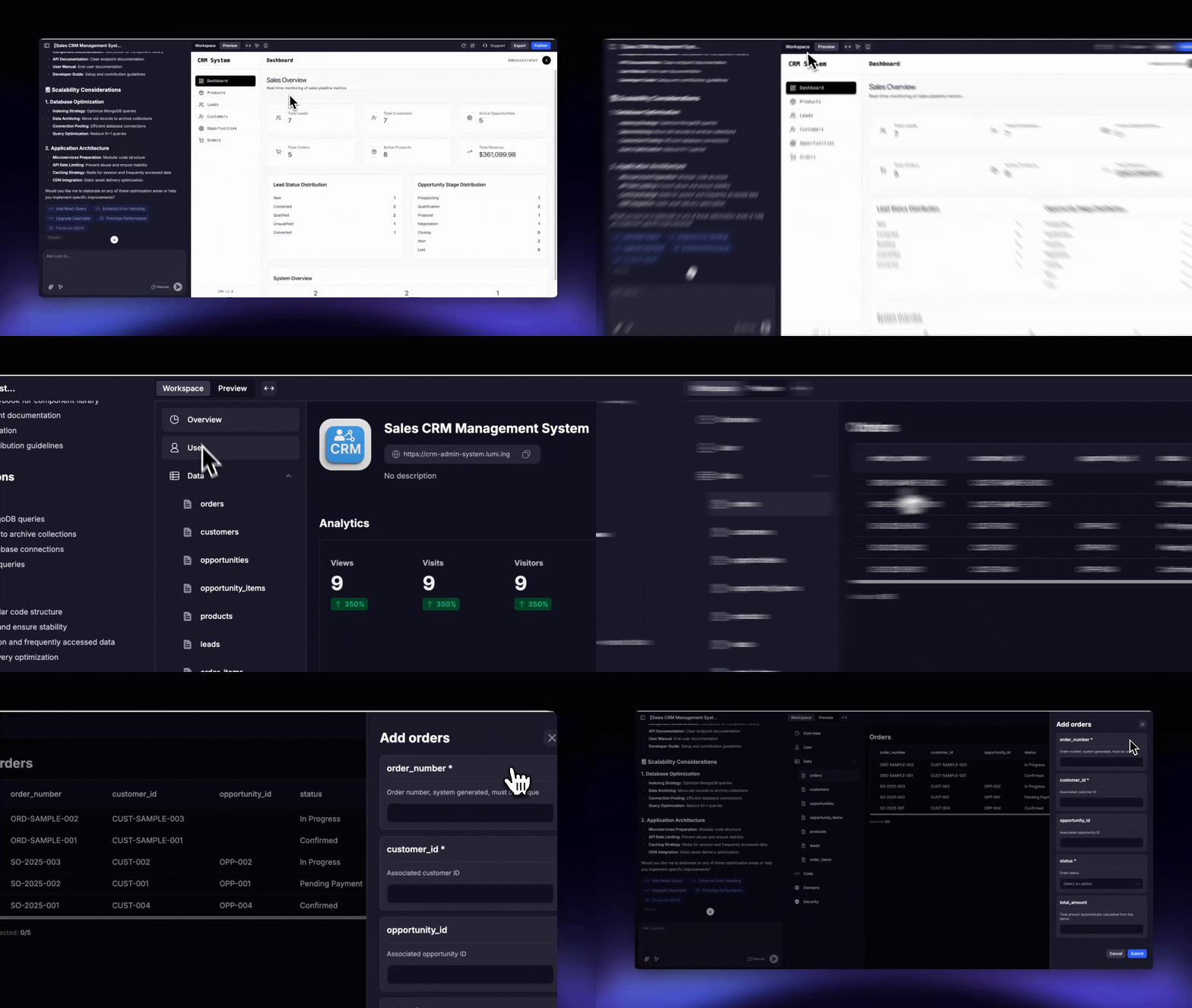
1
Navigate to Your Table
Go to Workspace → Data and select the table you want to add data to.
2
Add a New Record
Click the “Add” button and fill in the fields for the new record.
Manually edit a record
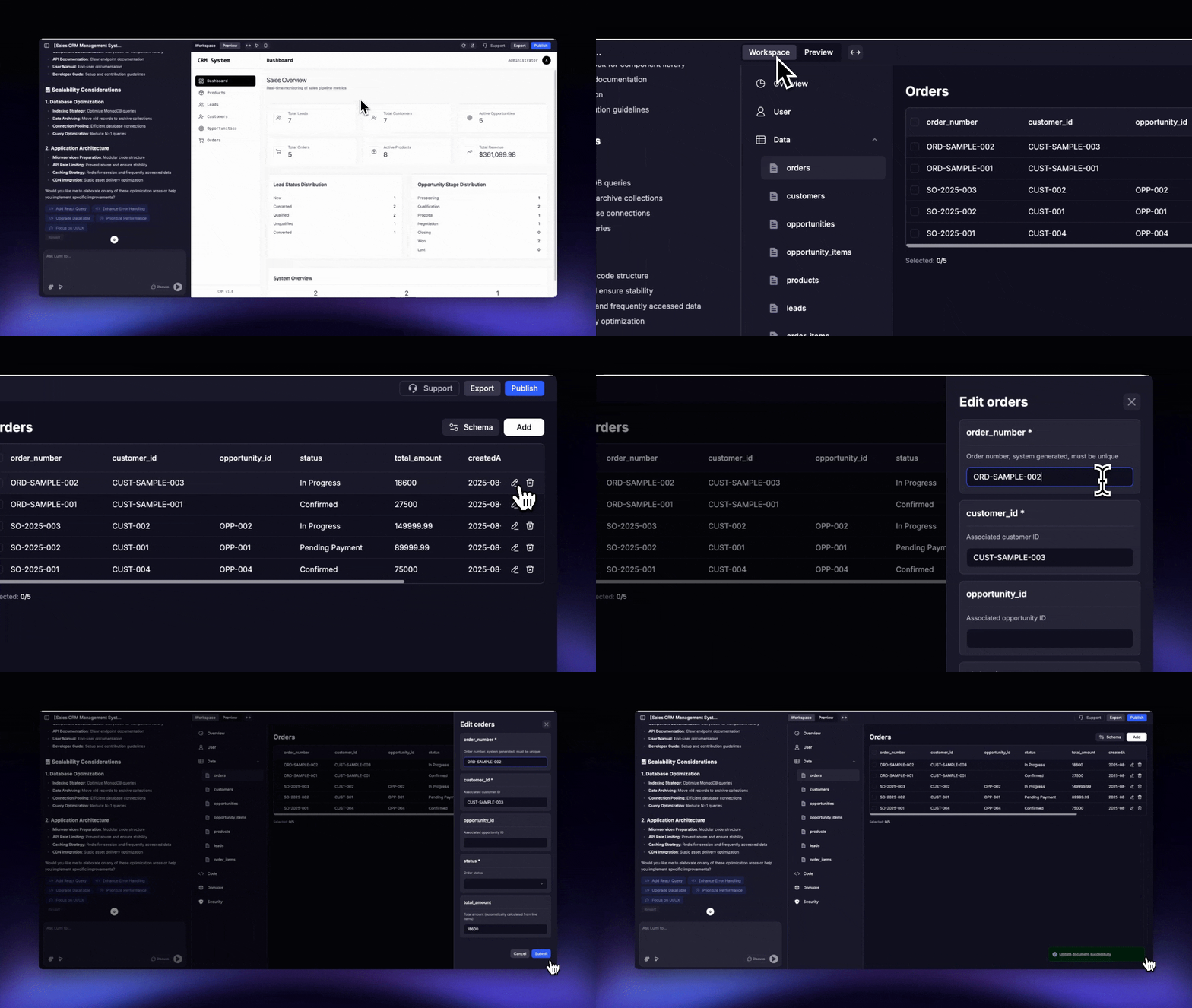
1
Navigate to Your Table
Go to Workspace → Data and select the table containing the record you wish to edit.
2
Edit the Record
Click the ✒️ Pen icon for the desired record and make your changes.
Deleting and batch operations
- To delete a single record
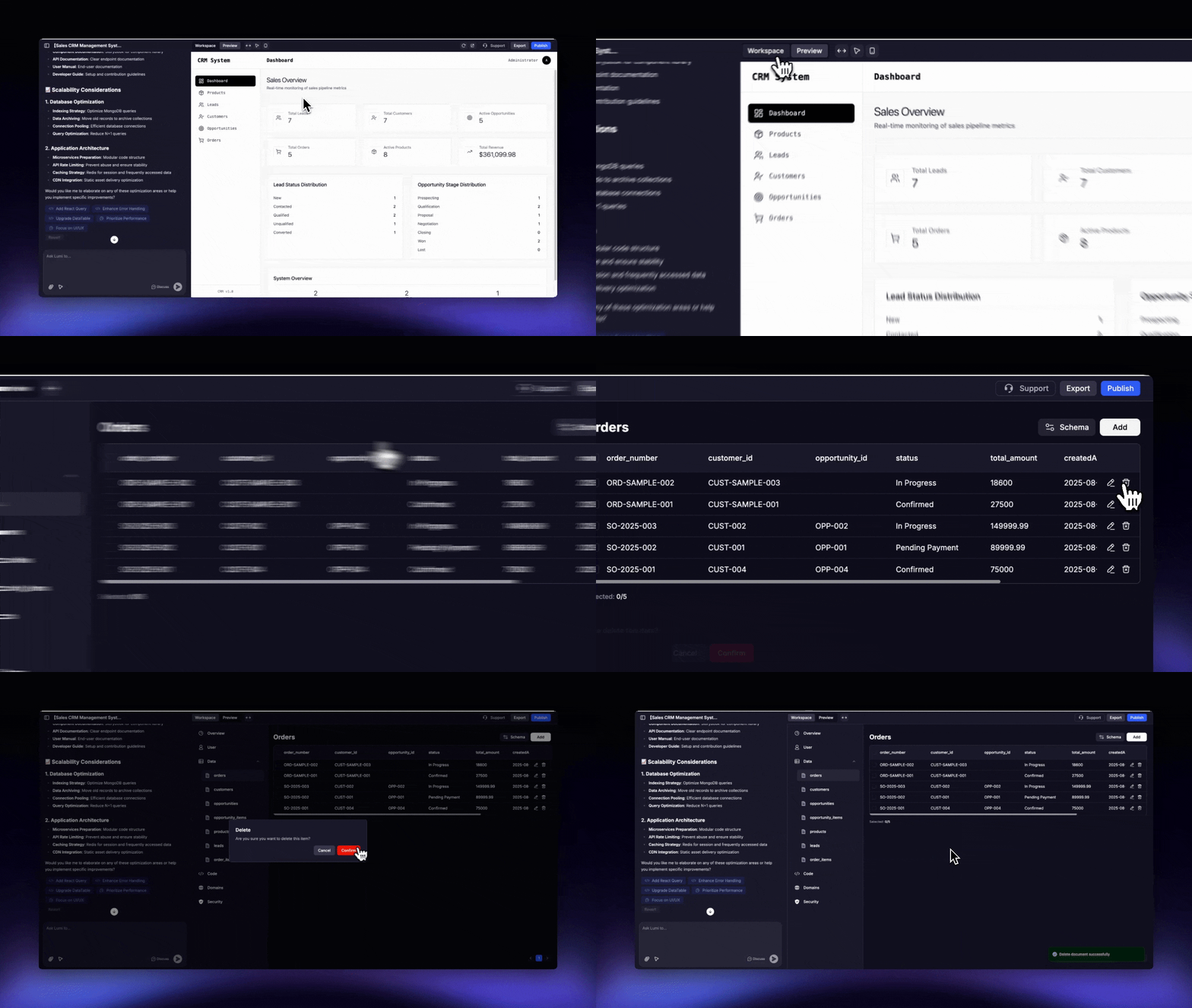
1
Navigate to Your Table
Go to Workspace → Data and select the table containing the record you wish to delete.
2
Delete the Record
Click the 🗑 Trash Bin icon for the record you want to delete.
- To make a batch deletion
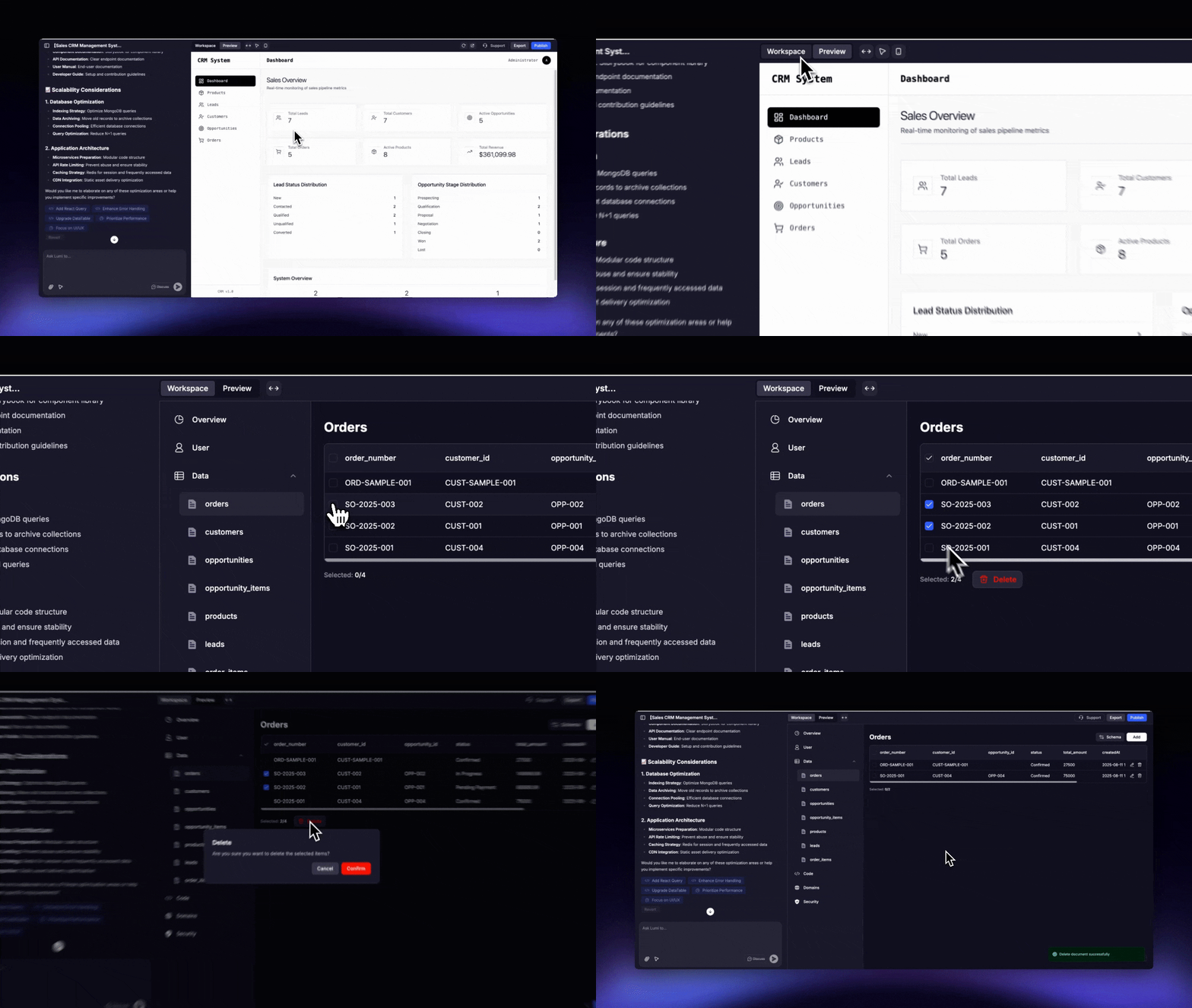
1
Navigate to Your Table
Go to Workspace → Data and select the table from which you want to delete records.
2
Select and Delete Records
Select the checkboxes for the records you want to remove, then click the “Delete” button that appears near the selection count.
Supported field types
- Basic Data Types
- String: A UTF - 8 encoded string used to store text data.
- Integer: Includes 32 - bit and 64 - bit integers for storing integer values.
- Double: 64 - bit floating - point numbers for storing decimal numbers or large numbers.
- Boolean: Stores logical values true or false.
- Null: Represents a null value or a non-existent field.
- Complex Data Types
- Array: An ordered collection of elements that can contain different types of data.
- Object (Embedded Document): A collection of key-value pairs that supports nested structures.
- Date: Stores date and time represented as UTC milliseconds.
- Special Data Types
- ObjectId: A 12 - byte unique identifier, used by default for the _id field of a document.
- Binary Data: Stores binary data (such as images, files).
- Regular Expression: Stores regular expressions for text matching.
- JavaScript: Supports storing and executing JavaScript code.
- Extended Data Types
- Timestamp: A 64 - bit timestamp where the first 32 bits are seconds and the last 32 bits are nanoseconds, used to record operation times.
- Decimal128: A 128-bit high-precision decimal number, suitable for financial calculations.
- GeoJSON: Stores geospatial data.
Security and table premissions
Each table includes its own security settings to control data access:- Read Access: Defines who is permitted to view the records within the table.
- Write/Delete Access: Determines who can create, update, or delete records.
.png?fit=max&auto=format&n=ynWgEA-zeP9dMZPg&q=85&s=ab5d3abaf0caa231d6382f8660faf92e)