

Add API Keys
In Conversation
You can ask to add an API key directly during a conversation. In Agent Mode, a secure input card will automatically appear, allowing you to safely enter your API key.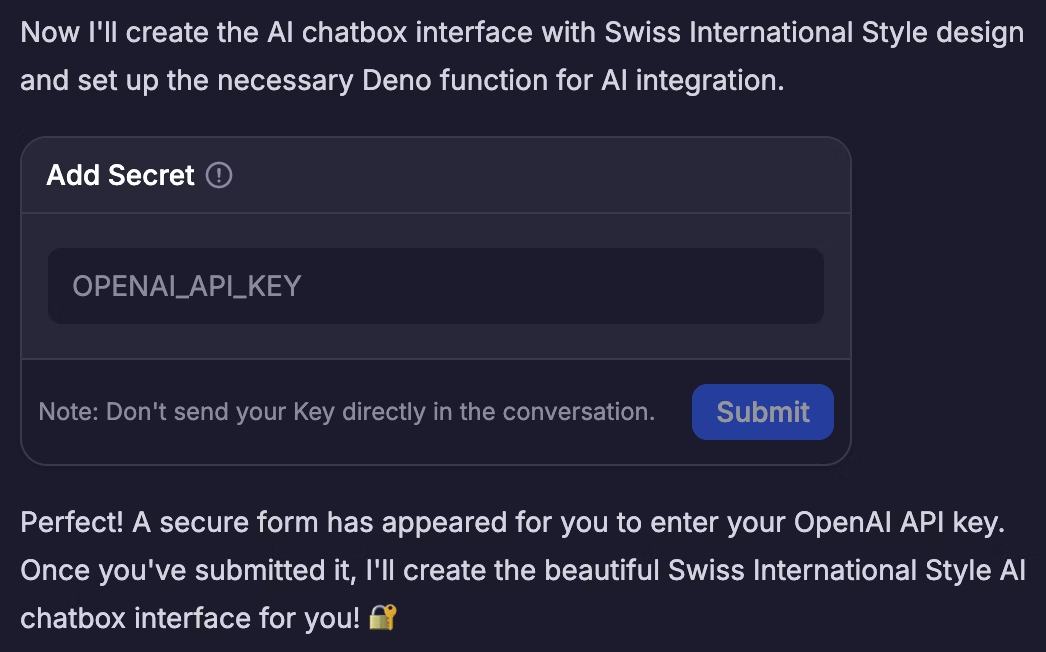
In Workspace
You can manually add new API keys in Workspace - Secrets.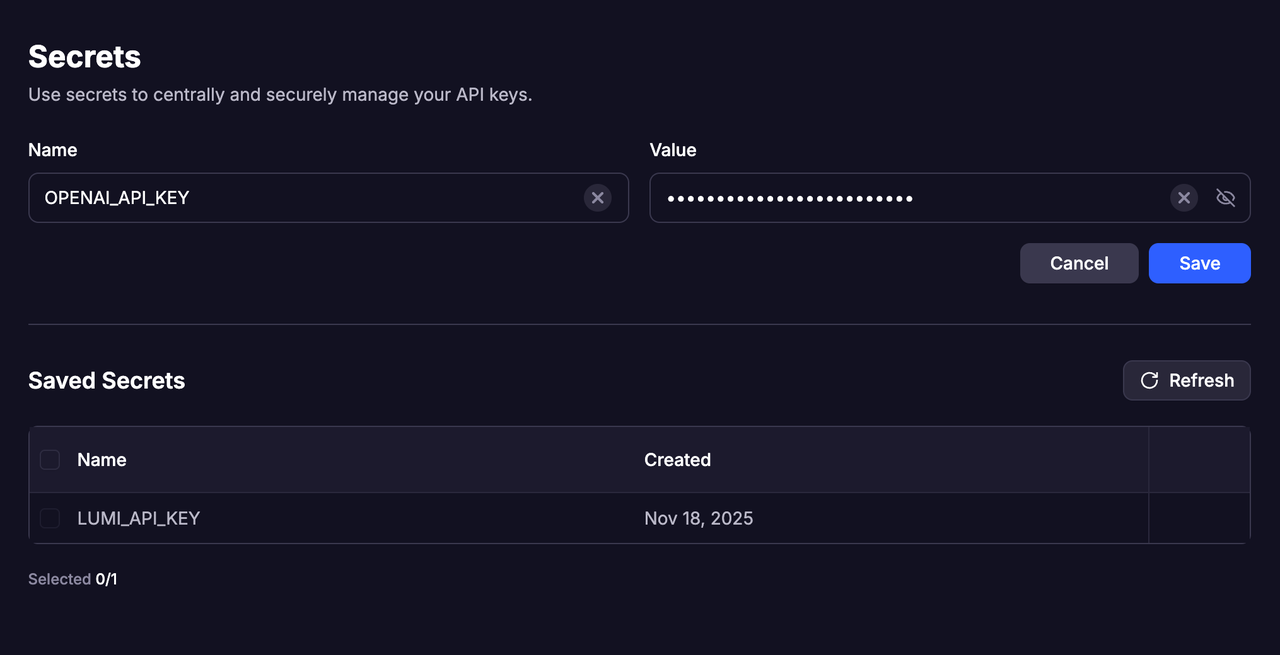
- Each key must have a unique name. If you try to add a new key with the same name as an existing one, the new key will replace the old one.
- Multiple API keys can be saved, allowing flexible use across different scenarios.
Only letters, underscores (
_), hyphens (-), and numbers are allowed. The name must include at least one letter.Manage Keys
- You can view all saved API keys at any time in Workspace - Secrets.
- When a key is no longer needed, you can delete it directly to keep your workspace organized and secure.
Call the APIs
- All API saved in the project’s Secret panel can be directly called and used within that project.
- You’ll need to clearly specify the exact API name you want Lumi to use during the conversation.