

Note: Using Visual Edits does not consume credits.
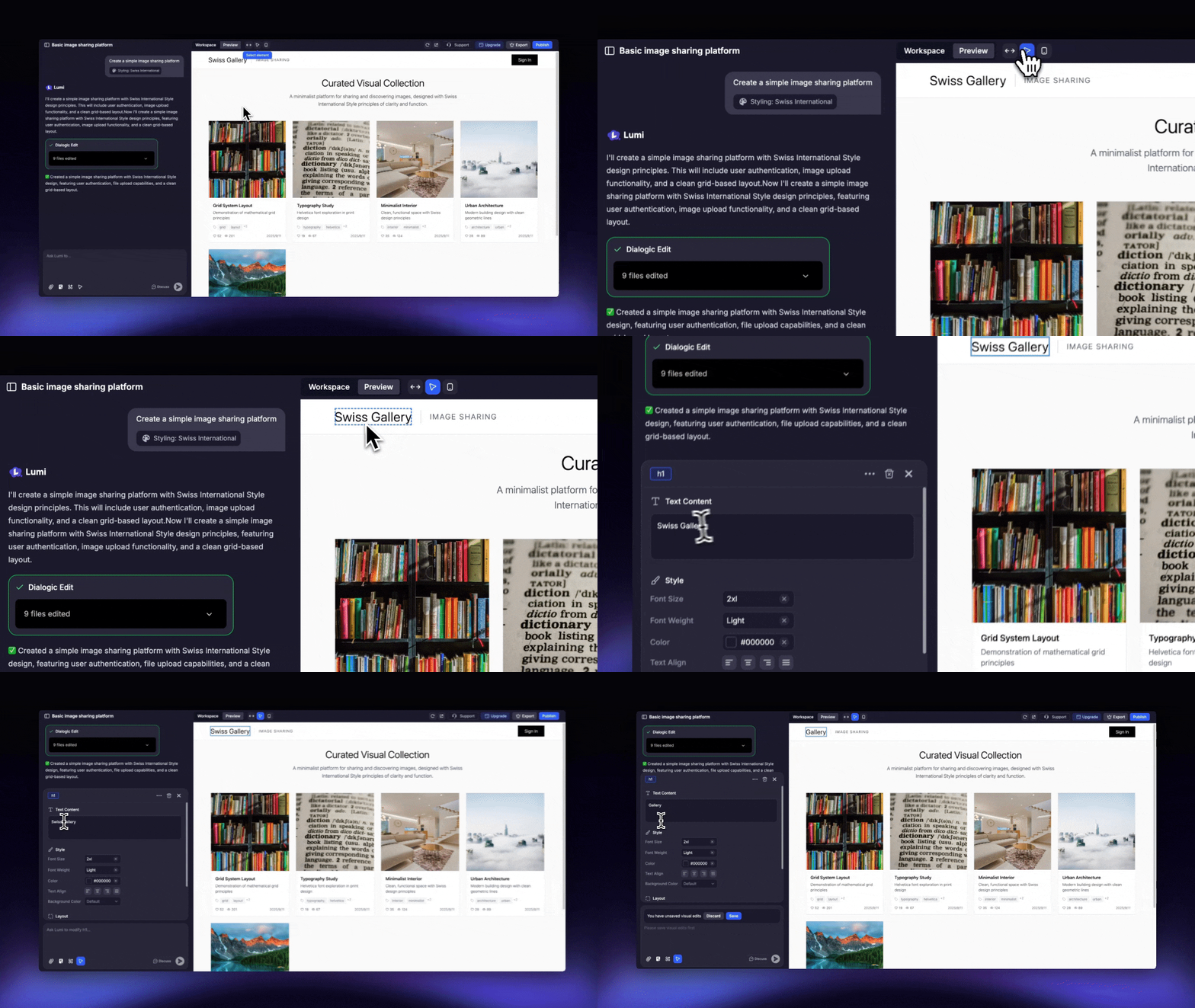
When to Use Visual Edits
Visual Edits is ideal for when you want to:- Change static text or media content on your site.
- Update typography, including fonts, sizes, and styles.
- Modify the colors of text, buttons, or other elements.
- Select a specific element and use a prompt to alter its visual appearance or functionality. Please note that these prompts consume credits just like a standard message.
-
Apply AI-powered edits to existing images on your site through prompts. Please note that Edit with AI feature consumes chat credits just like a standard message.

How to Use Visual Edits
1
Locate Visual Edits
You can find this tool either in the input box or in the top toolbar in Preview mode.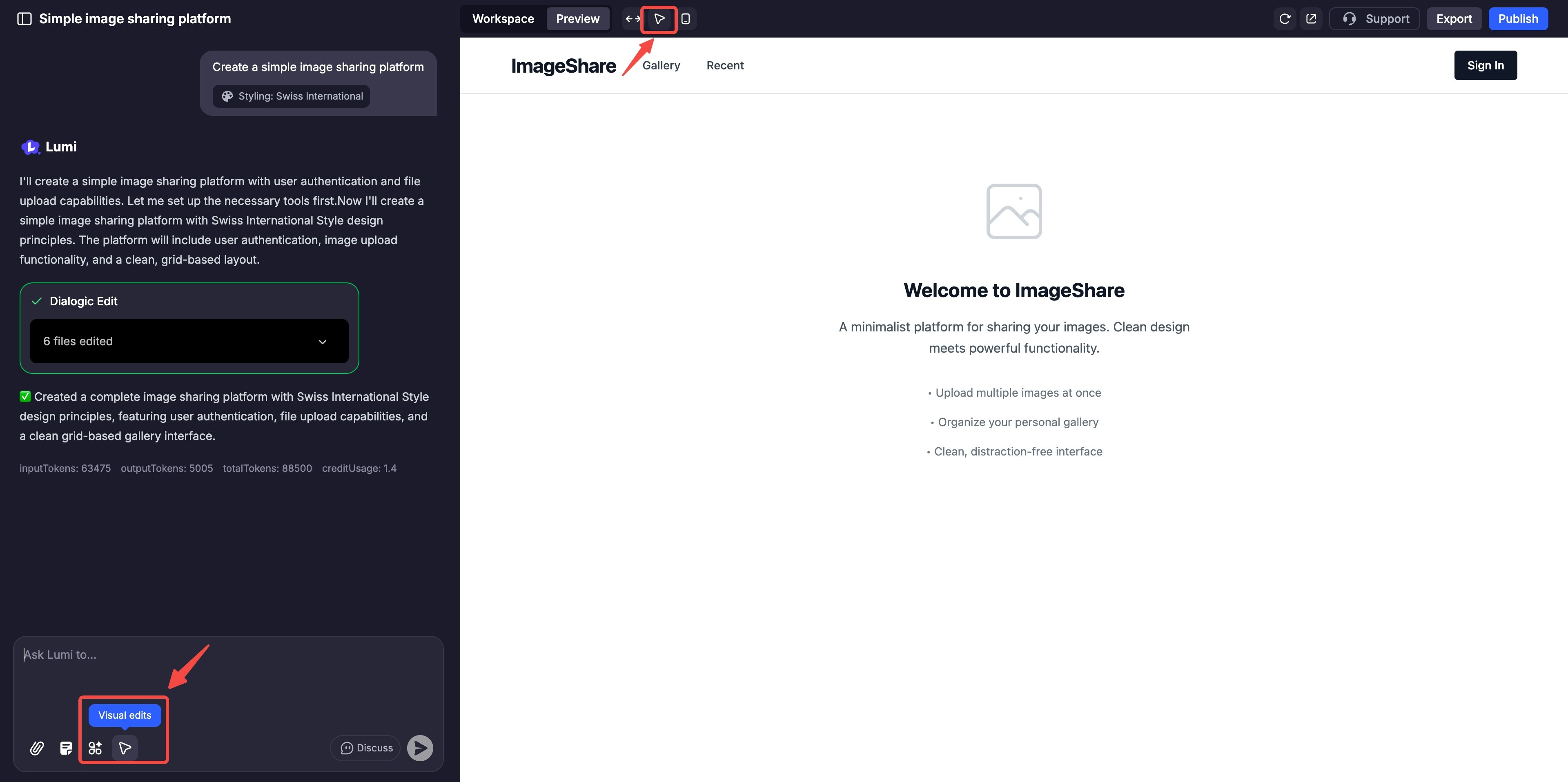
2
Activate the Tool
Click the button to enter Visual Edits mode.
3
Select an Element
Hover over the item you wish to modify—a headline, button, image, or background section—and click to select it.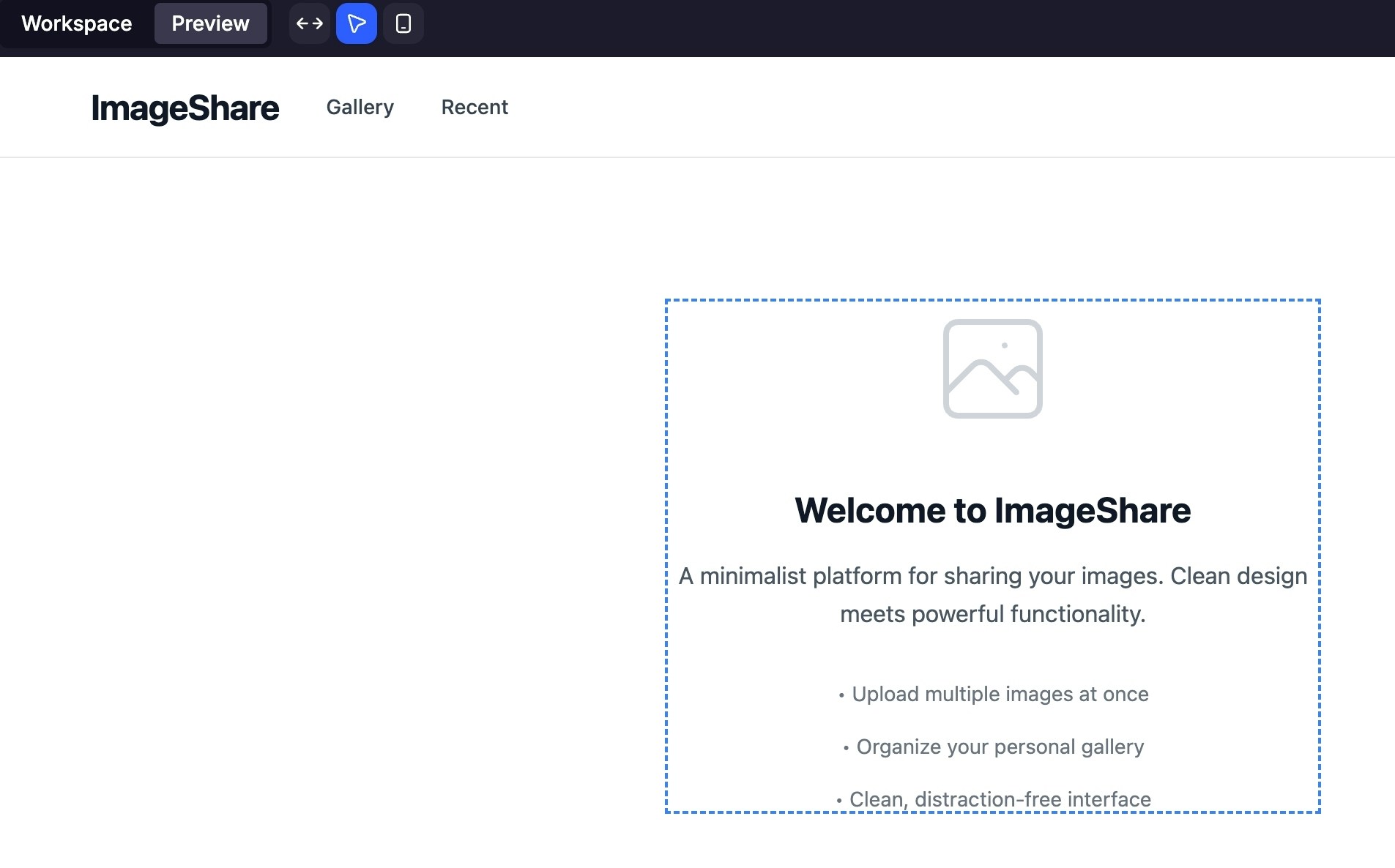
4
Edit via Prompt or Direct Controls
Once an element is selected, either type a command like “Make this heading bold,” or use the contextual editor to directly change text, fonts, and colors.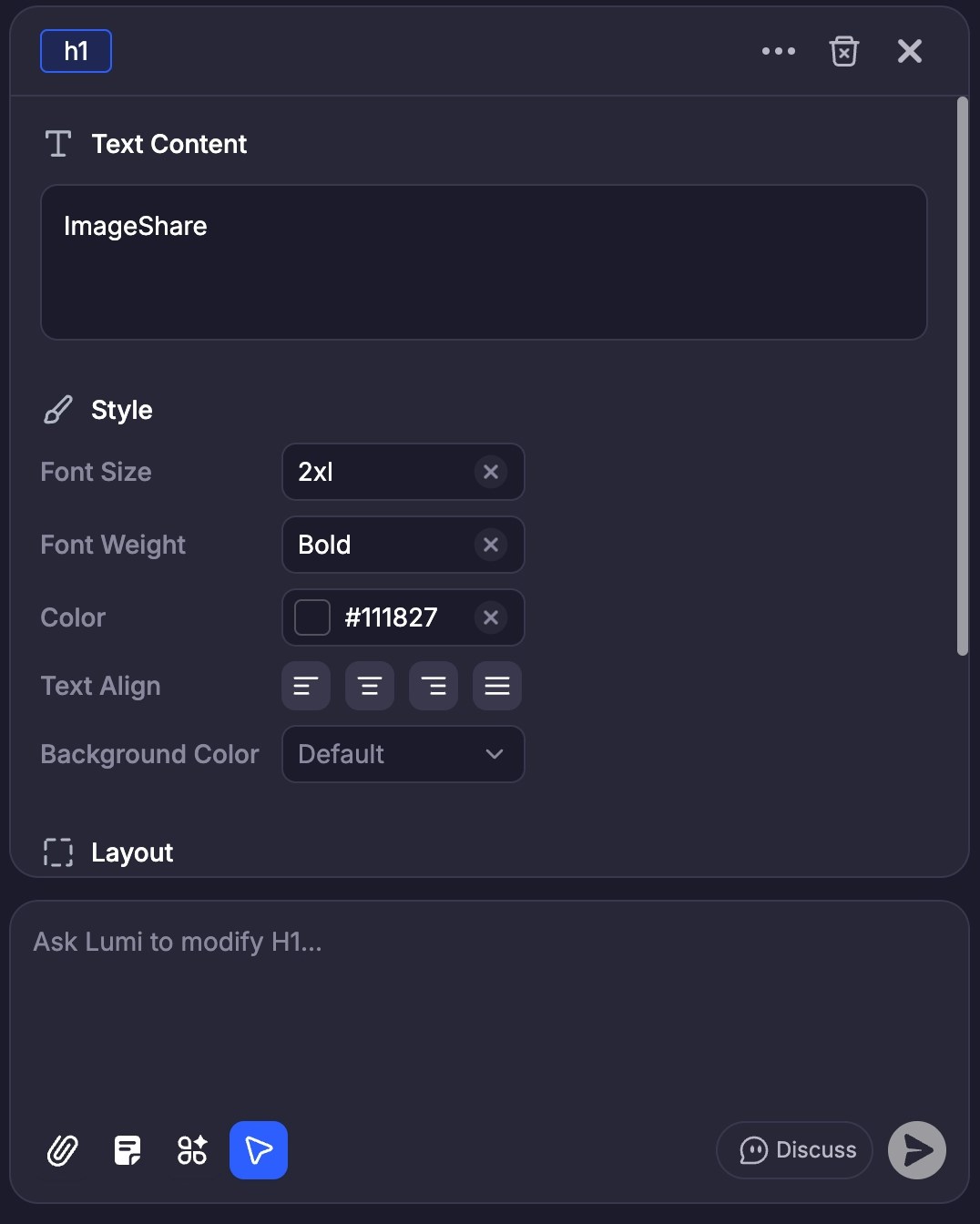
5
Apply and Review
Click “Save” to confirm your changes. Lumi will instantly update the live preview and the corresponding code.